


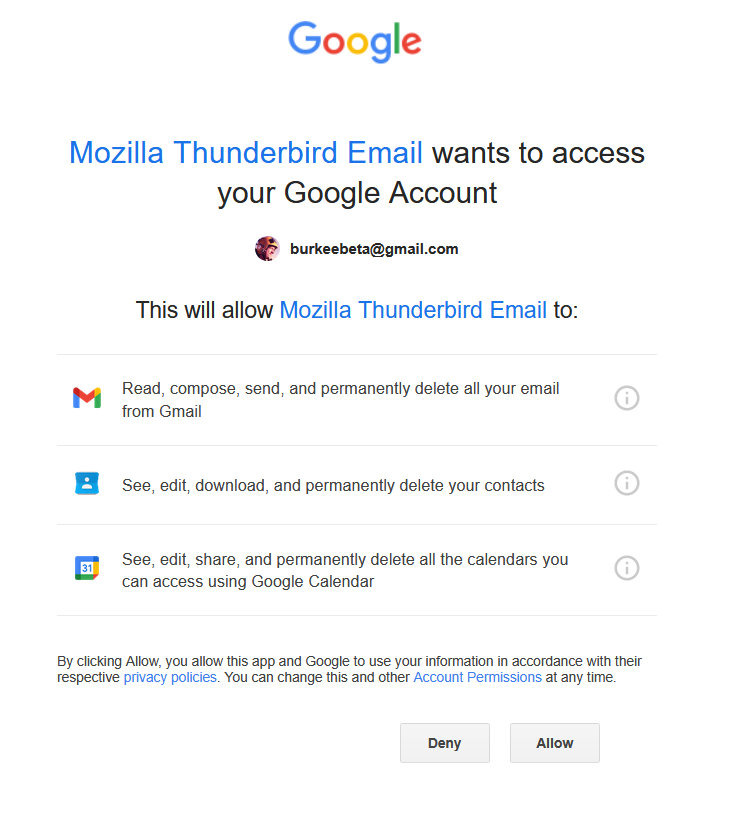
Pop up is annoying and won't stop

How can I stop this annoying pop up?

منتخب شدہ حل
You do have a Gmail account, and you want to use Thunderbird to access the account. Google is prompting you to allow Thunderbird to access the account. That's part of the OAuth2 authentication process. So if you want to continue to access your Gmail account via Thunderbird you'll have to allow it. There is no way around that. Since you did already allow it at least once in the past, why do you thing it wouldn't be safe now?
تمام جوابات (4)
How can I stop this annoying pop up?
By clicking 'Allow'.
Very funny. Bless you Christ. One question: Is it safe?
منتخب شدہ حل
You do have a Gmail account, and you want to use Thunderbird to access the account. Google is prompting you to allow Thunderbird to access the account. That's part of the OAuth2 authentication process. So if you want to continue to access your Gmail account via Thunderbird you'll have to allow it. There is no way around that. Since you did already allow it at least once in the past, why do you thing it wouldn't be safe now?
OK, I'll drink the Kool-Aid and hit allow. I try not to give Microsoft and Google all my money - and soul. Which is why I use Mozilla, Safari, Duckduck, etc. Thanks for the honest answer.