


Changing the # of days to retain messages in account settings/disk space

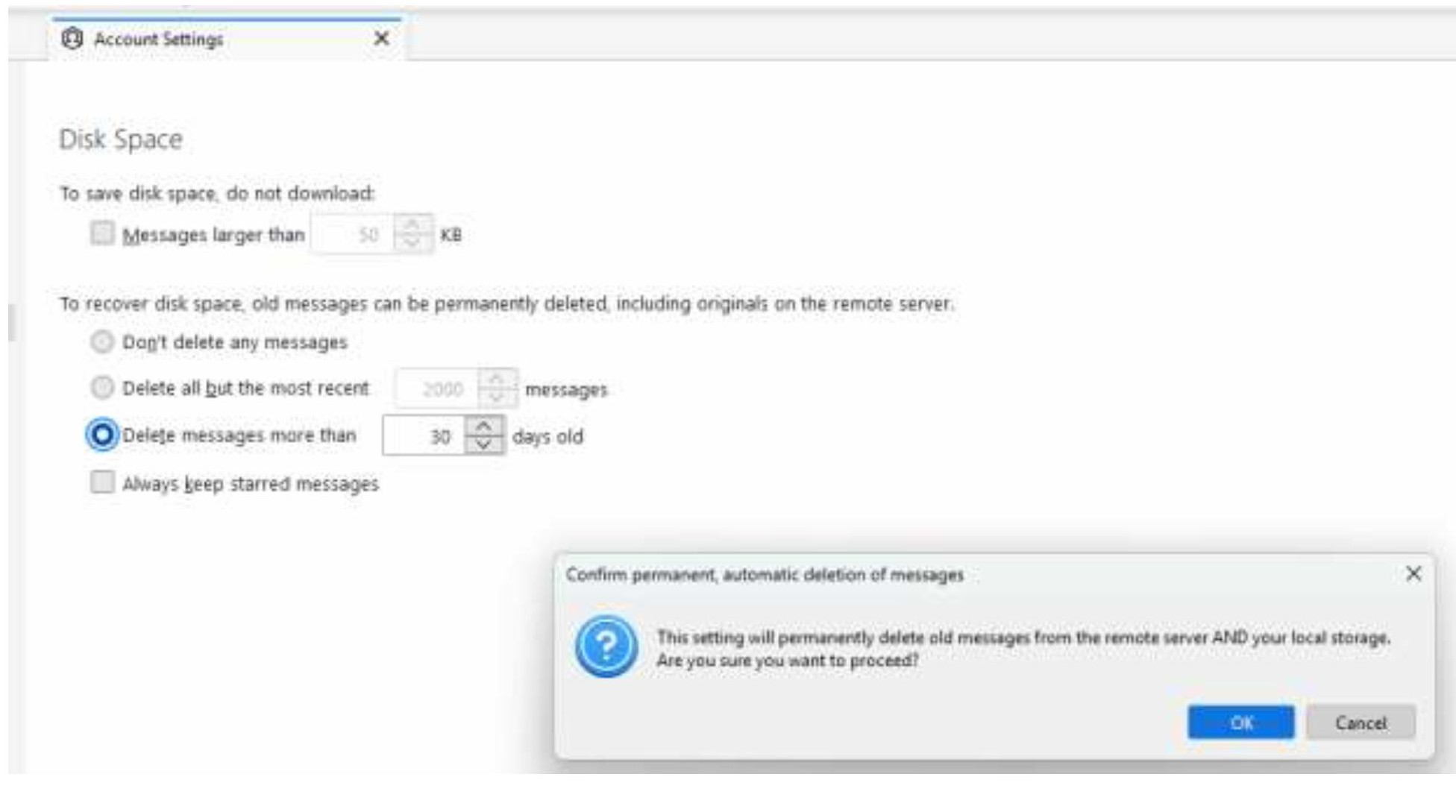
When I try to change the number of days messages are kept in my inbox (from the default of 30), I get a pop-up window warning me that this will permanently delete the messages and do I want to proceed (see screenshot).
While that pop-up window is up, I can't increase the # of days to retain messages. May I press "OK" and then adjust the number of days messages are retained? Or, if I press "OK" will that immediately delete all messages older than 30 days?
Thanks!
منتخب شدہ حل
Press ok and then change the number of days. That message is just a warning.
اس جواب کو سیاق و سباق میں پڑھیں 👍 1تمام جوابات (3)
منتخب شدہ حل
Press ok and then change the number of days. That message is just a warning.
Thank you so much for the speedy response, David! My inbox is also sending its appreciation for pointing the way to a successful crash diet!
You're welcome. And thanks for the smile. :)