

اس تھریڈ کو آرکائیوکیا گیا تھا۔
اگر آپ کو مدد کی ضرورت ہو تو براہ مہربانی نیا سوال پوچھیں۔

آرکائیو شدہ
page-break-after:always; styling is ignored on element in a table cell

When I set an
tag to have the "page-break-after:always;" styling, it works as expected. If that
is inside a <td>, the styling is ignored and the cell does not break the page as I require when printing it out. Example at
tag to have the "page-break-after:always;" styling, it works as expected. If that
is inside a <td>, the styling is ignored and the cell does not break the page as I require when printing it out. Example at
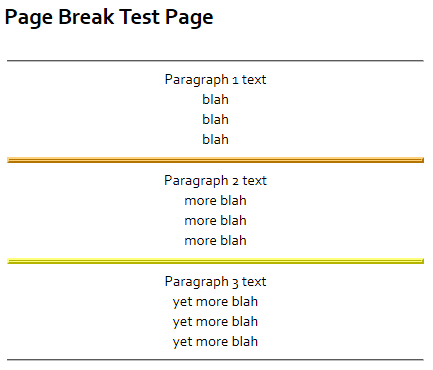
When I set an <hr> tag to have the "page-break-after:always;" styling, it works as expected. If that <hr> is inside a <td>, the styling is ignored and the cell does not break the page as I require when printing it out. Example at
https://criticalsurveys.online/demo/pagebreaks.htm
تمام جوابات (2)
When I set an <hr> tag to have the "page-break-after:always;" styling, it works as expected. If that <hr> is inside a <td>, the styling is ignored and the cell does not break the page as I require when printing it out.
(After Googling...) This has been an issue for a while. A bug was filed in 2002, and there is no sign of change on the horizon. (Bug 136714; before commenting, please read the entire discussion and see: https://bugzilla.mozilla.org/page.cgi?id=etiquette.html.)
Why do you need such a large amount of content to be in a single table row?