


How do I get Firefox to pull my stored password file after restoring it? I've copied over my file to the new profile, but it won't pull in my saved passwords.

I copied my password file over from my old profile, but they still aren't showing when I use Firefox. When I open the Privacy and Security tab, there aren't any stored passwords listed even though i copied my old password file. Please help! Thanks!
I copied my password file over from my old profile, but they still aren't showing when I use Firefox. When I open the Privacy and Security tab, there aren't any stored passwords listed even though i copied my old password file.
Please help! Thanks!
تمام جوابات (3)
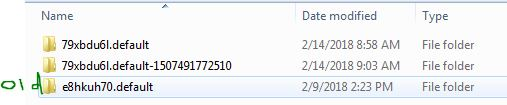
Copy everything from the old profile to the new one.
Thanks! I tried that but it didn't work. It looks like every time I log on, it's creating a temp profile. I can see all of my bookmarks, just not the saved passwords for some reason.

key3.db [v58+] key4.db and logins.json : These are the Password files. Copy Both !