


Windows 10 reached EOS (end of support) on October 14, 2025. If you are on Windows 10, see this article.

تلاش سپورٹ

Avoid support scams. We will never ask you to call or text a phone number or share personal information. Please report suspicious activity using the “Report Abuse” option.

مزید سیکھیں

input text boxes don't appear (but appear in Chrome and IE)

  • 21 جواب دیں
  • 1 میں یہ مسئلہ ہے
  • 180 دیکھیں
  • آخری جواب بذریعہ cor-el

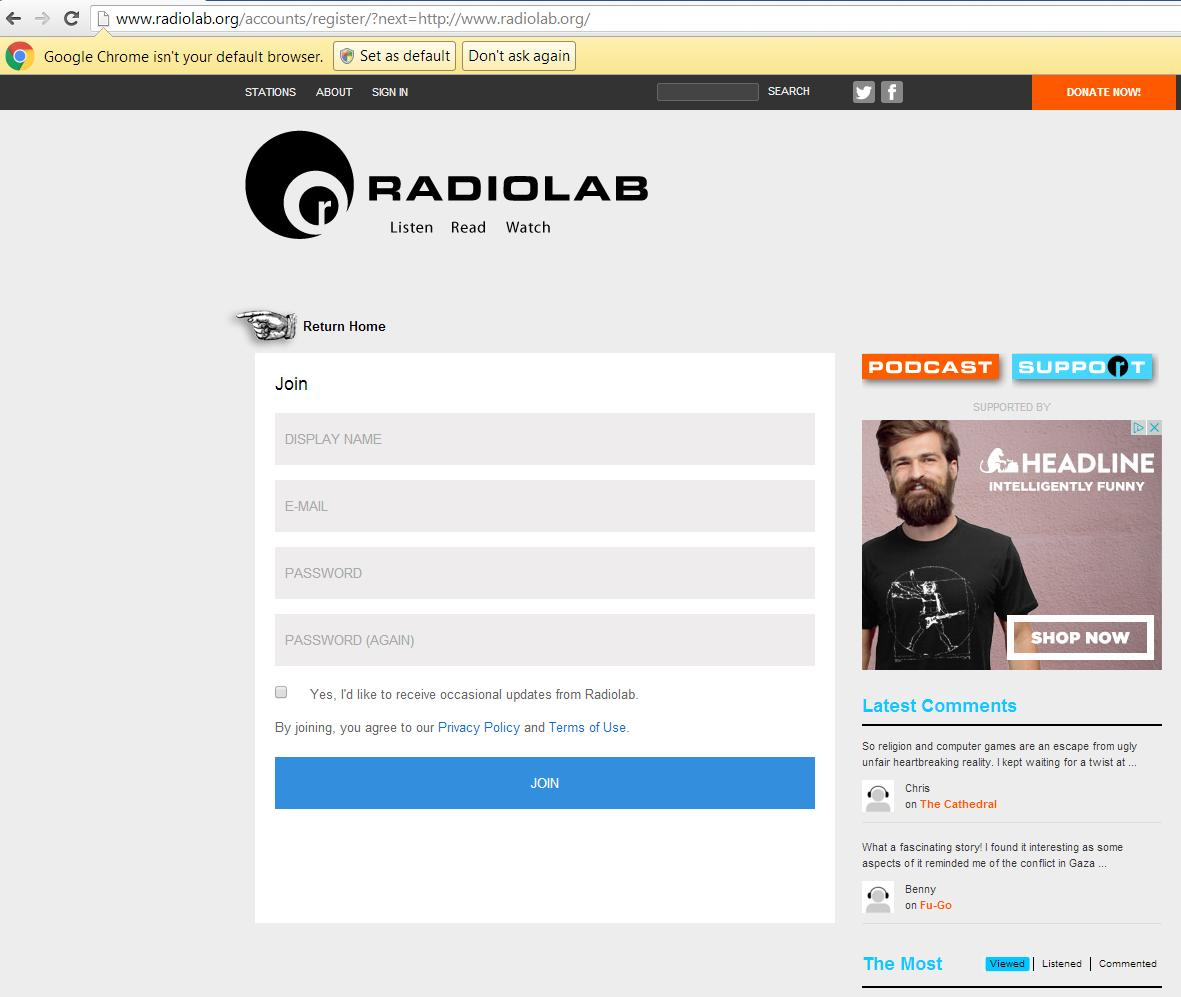
I am trying to register on a website but the boxes where I am supposed to enter my registration information aren't showing up. If you go to this page:

http://www.radiolab.org/accounts/login/?next=/

then click the "Sign Up" link, the page will reload with a blank white box in the middle of the screen (this is using FF 44.0.2 safe mode with all add-ons disabled)

(see first image)


If you view this page in Chrome, the text box appears.

(see second image)

I am trying to register on a website but the boxes where I am supposed to enter my registration information aren't showing up. If you go to this page: http://www.radiolab.org/accounts/login/?next=/ then click the "Sign Up" link, the page will reload with a blank white box in the middle of the screen (this is using FF 44.0.2 safe mode with all add-ons disabled) (see first image) If you view this page in Chrome, the text box appears. (see second image)
منسلک شدہ اسکرین شاٹٹس

hudson4351 کی جانب سے میں ترمیمکی گئ

تمام جوابات (1)

You can try to create an allow for session exception for cookies from specific domains that are created when third-party cookies are enabled. That is usually sufficient to make the website work with third-party cookies disabled.

It can be tricky to get the domains right.

cor-el کی جانب سے میں ترمیمکی گئ

  1. 1
  2. 2