


I have Firefox 43, just upgraded a few days ago, now when I press the home button,the option tab open up. I have to close it manually everytime.

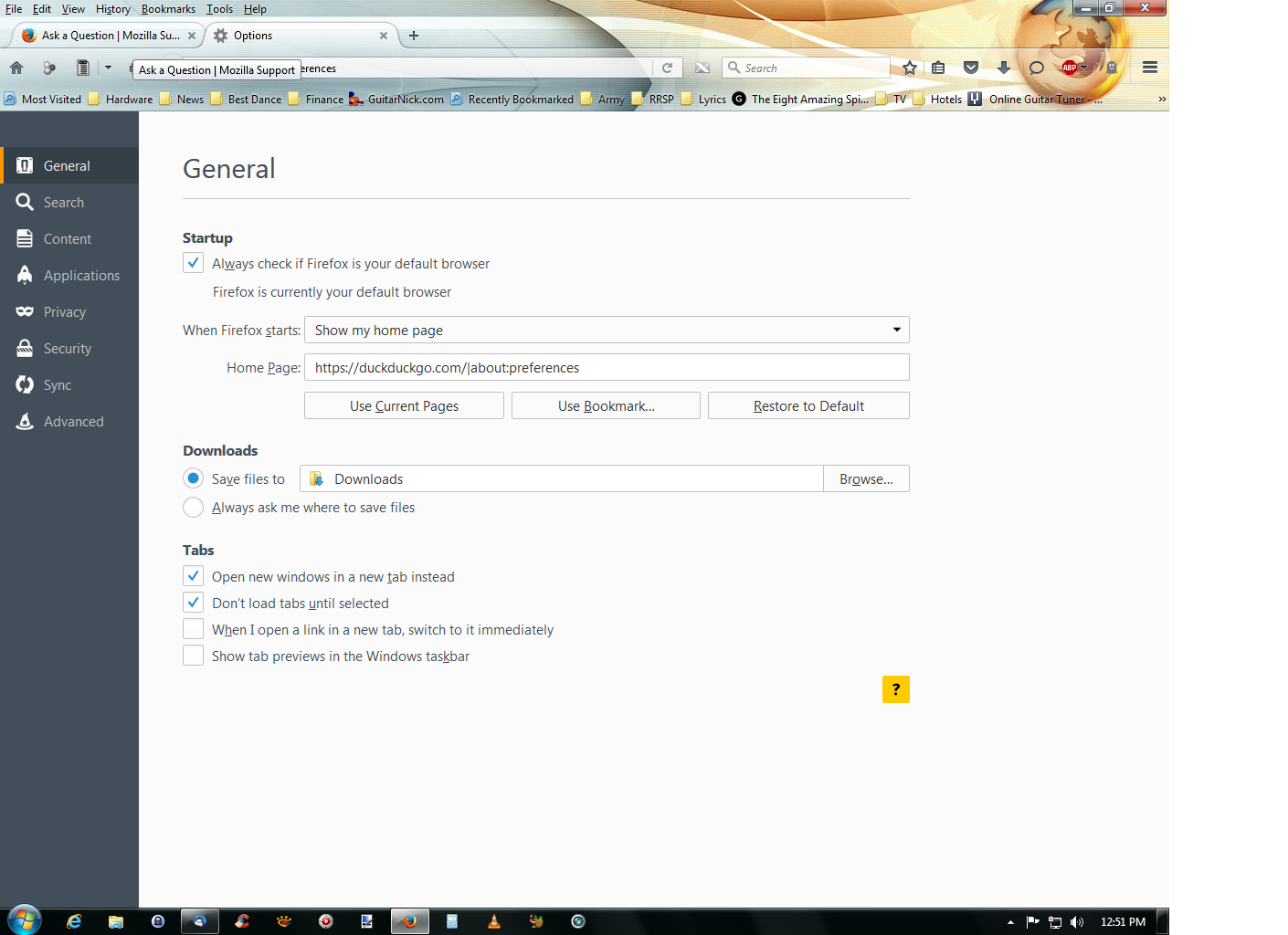
Thanks for your reply, this is your answer but I don't have this next in my option tab, I have attached a picture. There is no way for me to save my options, just to close it by using the x at the top of the option tab.
Thanks for your reply, this is your answer but I don't have this next in my option tab, I have attached a picture. There is no way for me to save my options, just to close it by using the x at the top of the option tab.
منتخب شدہ حل
hi, please remove about:preferences from the homepage field in the firefox menu ≡ > options > general panel.
اس جواب کو سیاق و سباق میں پڑھیں 👍 1تمام جوابات (1)
منتخب شدہ حل
hi, please remove about:preferences from the homepage field in the firefox menu ≡ > options > general panel.