


Why can't I delete random files in my picture file; I cannot open them and never downloaded them.

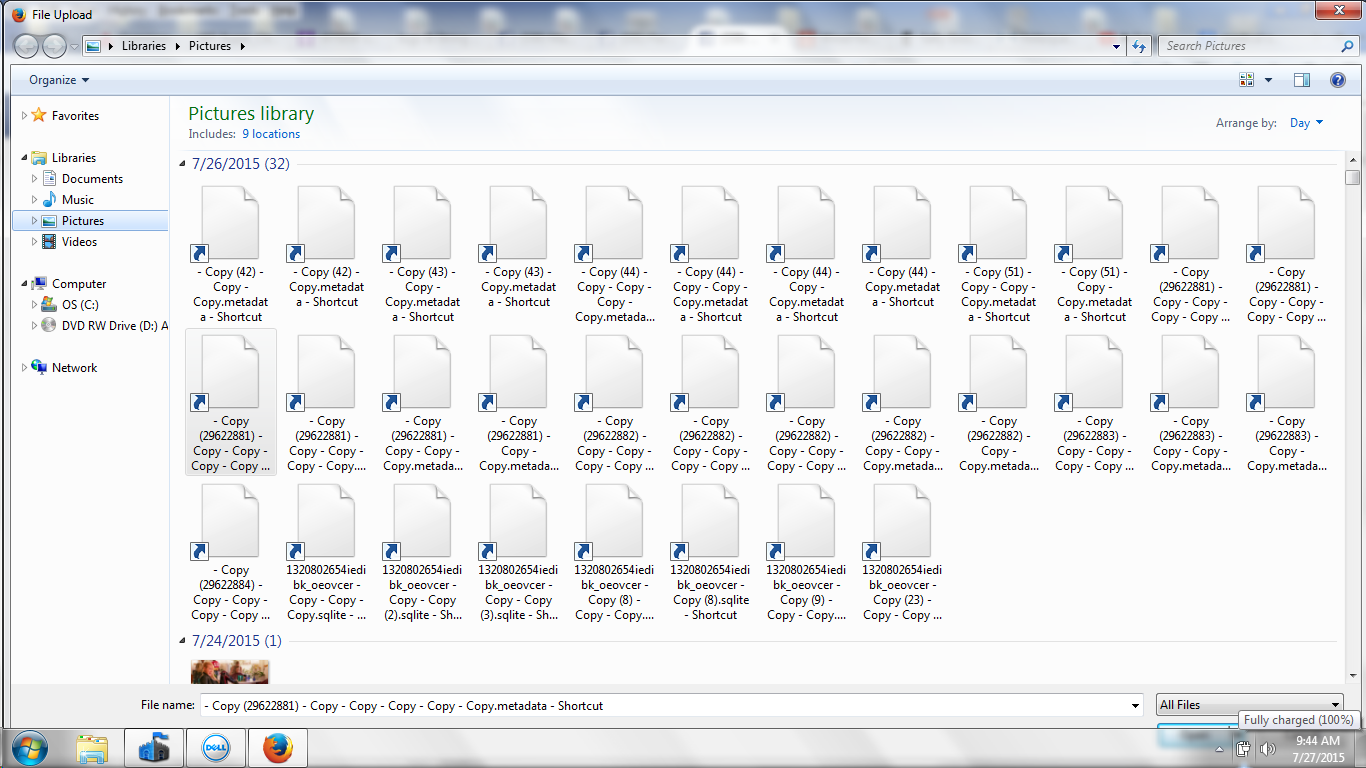
Periodically, icons will appear in my picture file on random dates--the icons look like little pages, and there are often many of them (see screen shot below). I cannot open them because their format cannot be found. Some can be deleted to the "Trash" bin, others cannot be deleted at all. What are these files and how do I a.) get rid of them; and, b.) prevent them from appearing in my picture file again? Have I been hacked?
تمام جوابات (1)

It is a Windows 7 issue, you are not in the right place to solve your problem.
However, I see on you screenshot that your files are shortcuts (there is arrow in the lower left corner) and not real files. If these shortcuts are not linked to any file, it is normal you cannot open them.
Check the Properties panel (right-click on one icon to open the popup) for the Slot value.