


Unable to trigger extensions

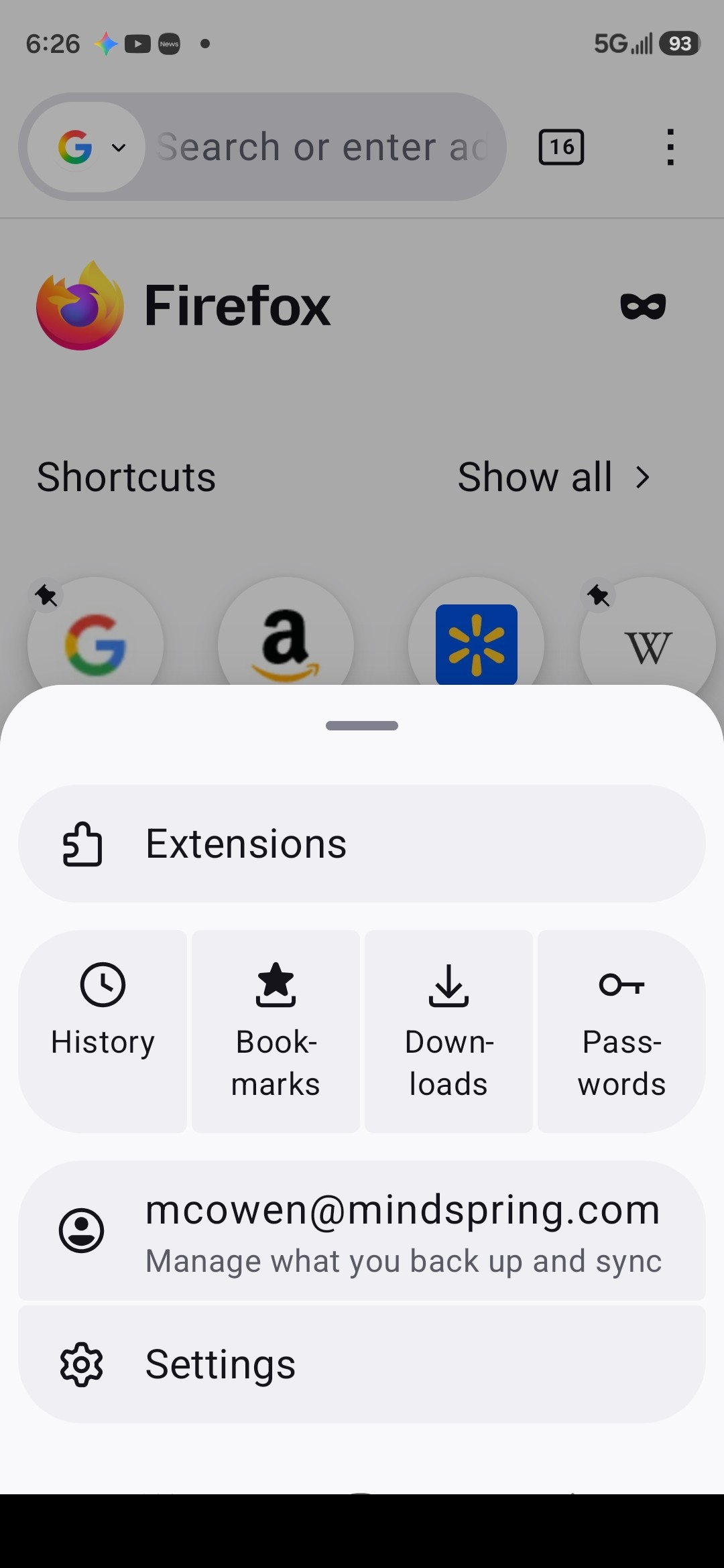
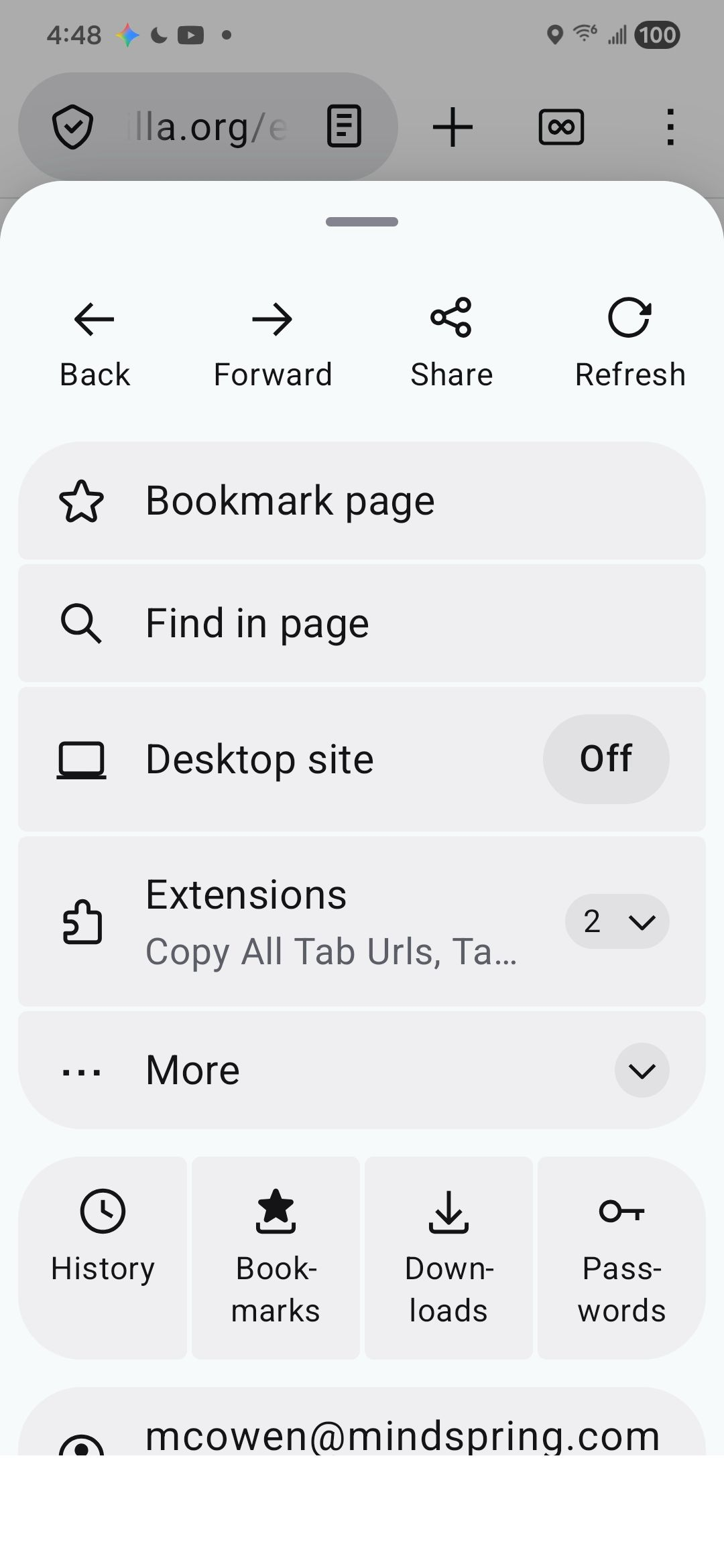
I recently, had a drop down to trigger installed extensions. I can no longer find it in the settings window. I now have a single extensions button in the settings panel. As I was entering this question, the original panel suddenly returned. See screenshots. I cannot duplicate this panel on my second device, and I only have the compressed settings window, which does not have the forward, back, share buttons at the top, and only has a single extensions button. Thanks!
I recently, had a drop down to trigger installed extensions. I can no longer find it in the settings window. I now have a single extensions button in the settings panel. As I was entering this question, the original panel suddenly returned. See screenshots. I cannot duplicate this panel on my second device, and I only have the compressed settings window, which does not have the forward, back, share buttons at the top, and only has a single extensions button. Thanks!
Усі відповіді (1)
The smaller menu with the "Extensions" button (left screenshot) appears on your startpage/new tab page, while the bigger menu with the dropdown and "Forward/Back" buttons (right screenshot) appears when you open a website.