


Incoming mail is partly unreadable, strange characters appear

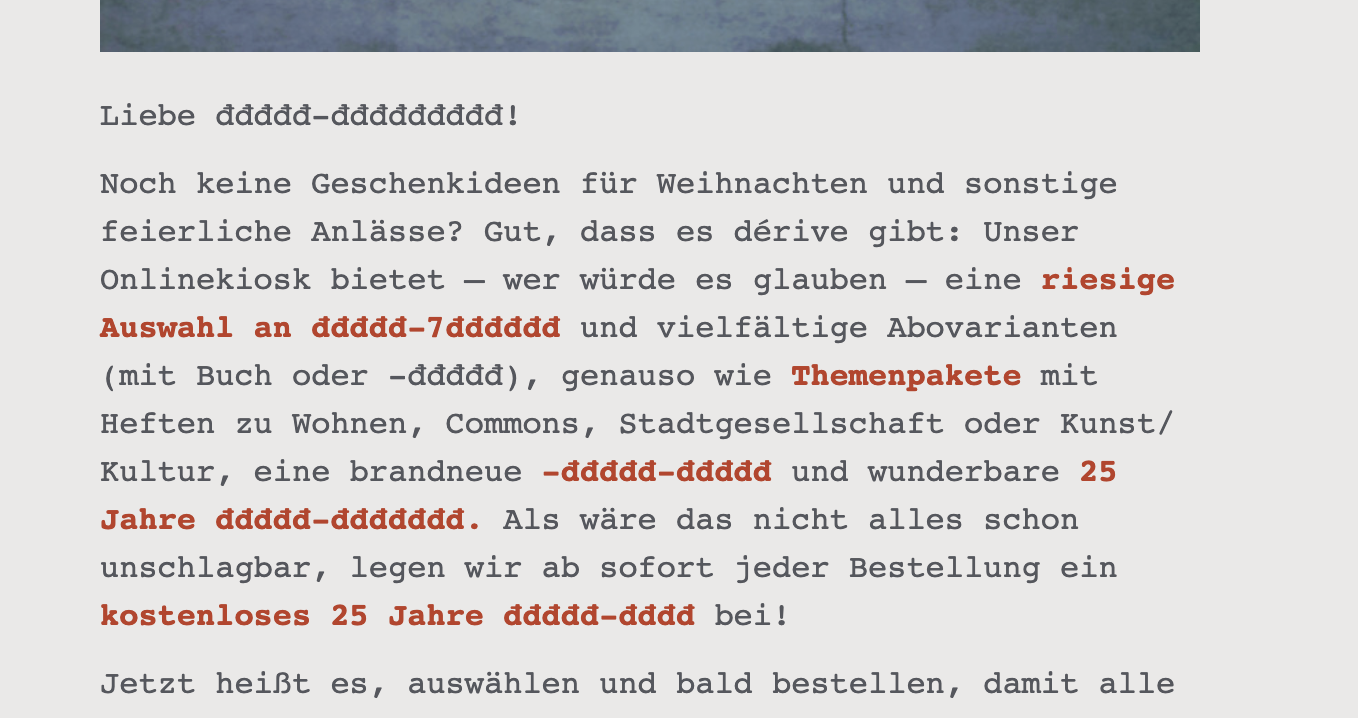
Incoming mail (txt only; no html) is getting more and more unreadable the last weeks. It looks like in the attached screenshot. I am desperate. What can be the cause of this?
At the same time there are problems with outgoing mail. Characters like 9 or : do not appear on screen although I typed them. When I copy the text to another program, these characters do show. Very annoying. Hope there is a solution to be found somewhere!
Best, Mike

Усі відповіді (4)
You forgot to mention what version of Thunderbird you are using and what OS
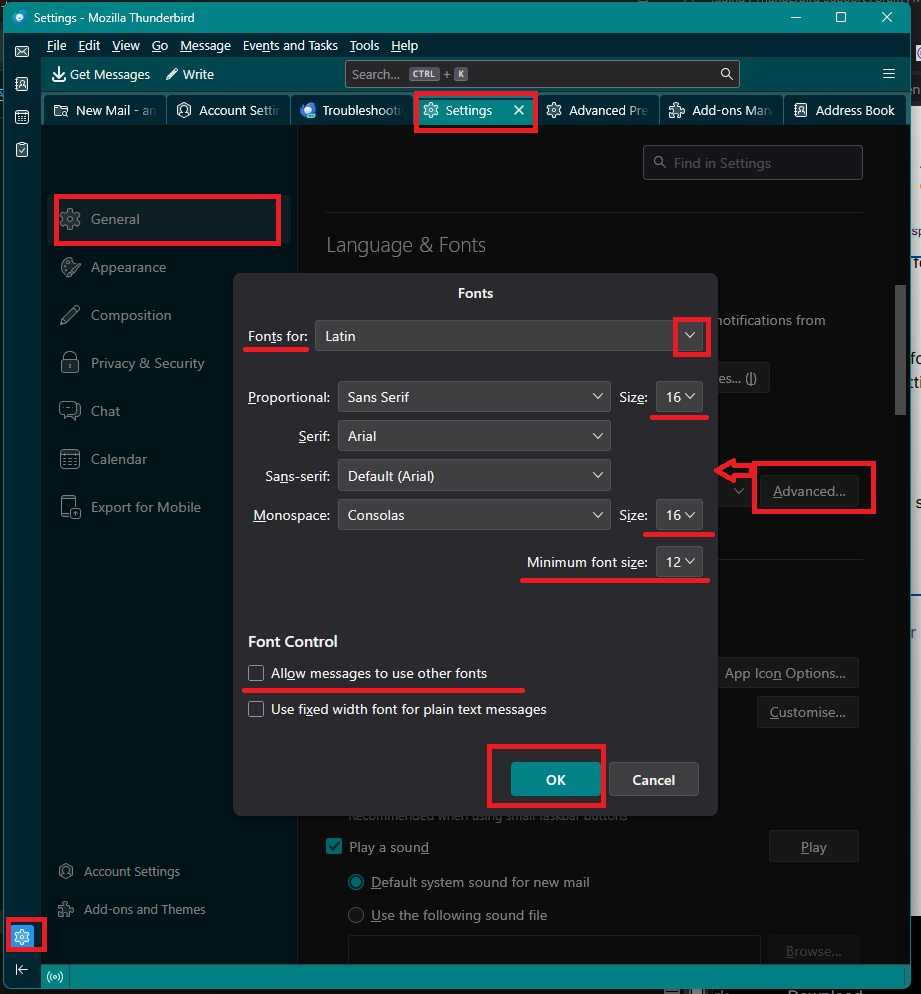
Check you have the following set up:
- Settings > General
- scroll to 'Language & Appearance (or it might be 'Language & Fonts' depends on version you use)
- Click on 'Advanced'
- 'Fonts for' - Select 'Latin'
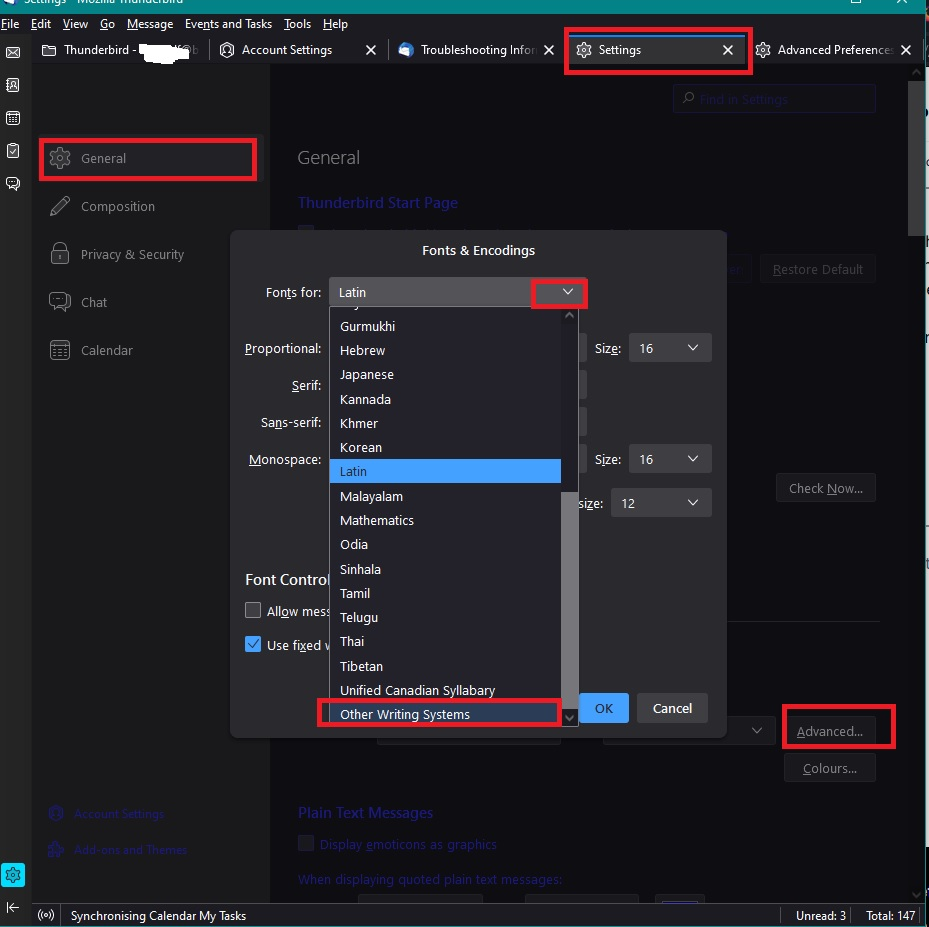
Please note: Whatever you set up for 'Latin' you also need to set up for 'Fonts for' - 'Other Writing Systems'
- Uncheck 'Allow messages to use other fonts'
- Uncheck 'Use fixed width font for plain text messages'
- Click on OK
Post image of setting as it might help.
Images below as a guide.
Thanks, unchecked both see image of settings. I use Thunderbird 140.4.0 on Mac OS 14.5
Will post later if the problem with missing or altered characters is solved! Thanks again.
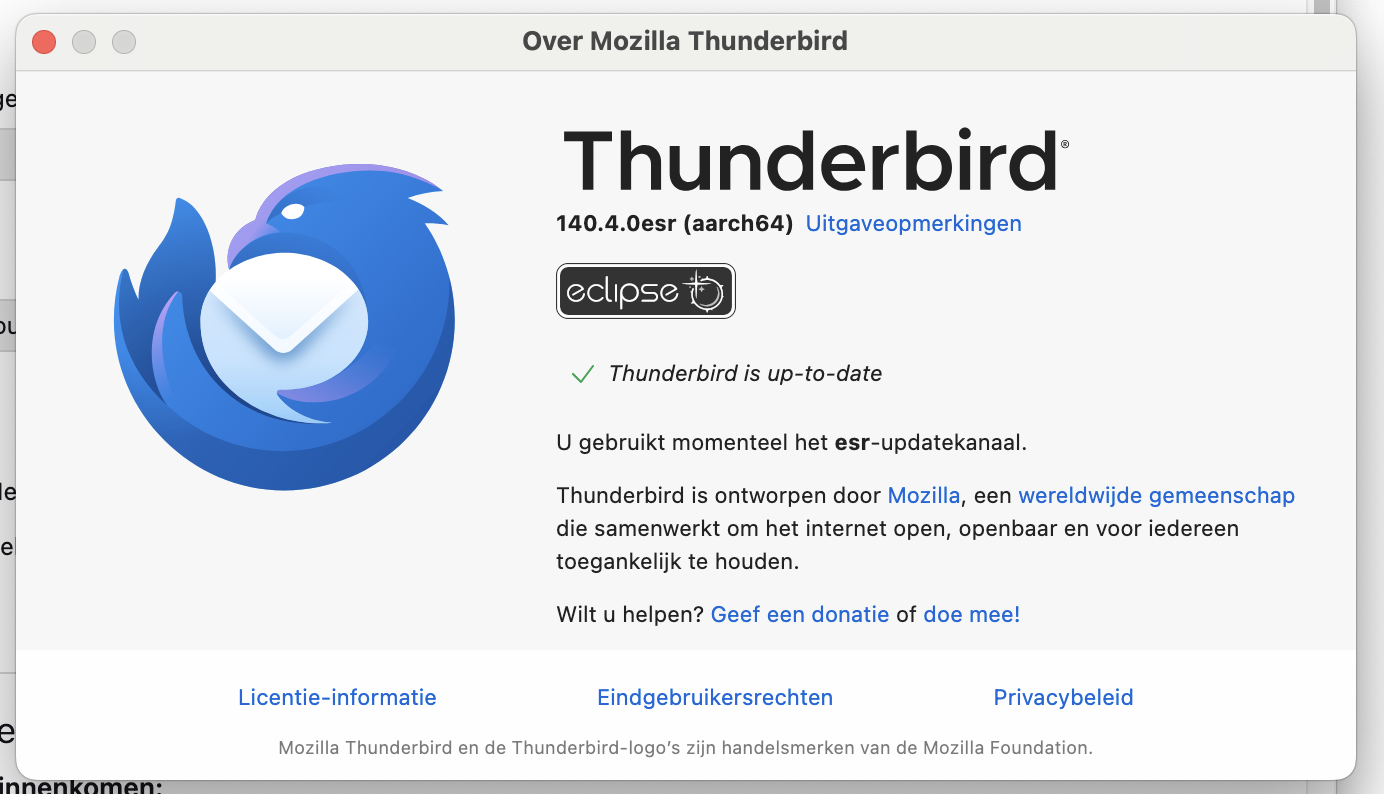
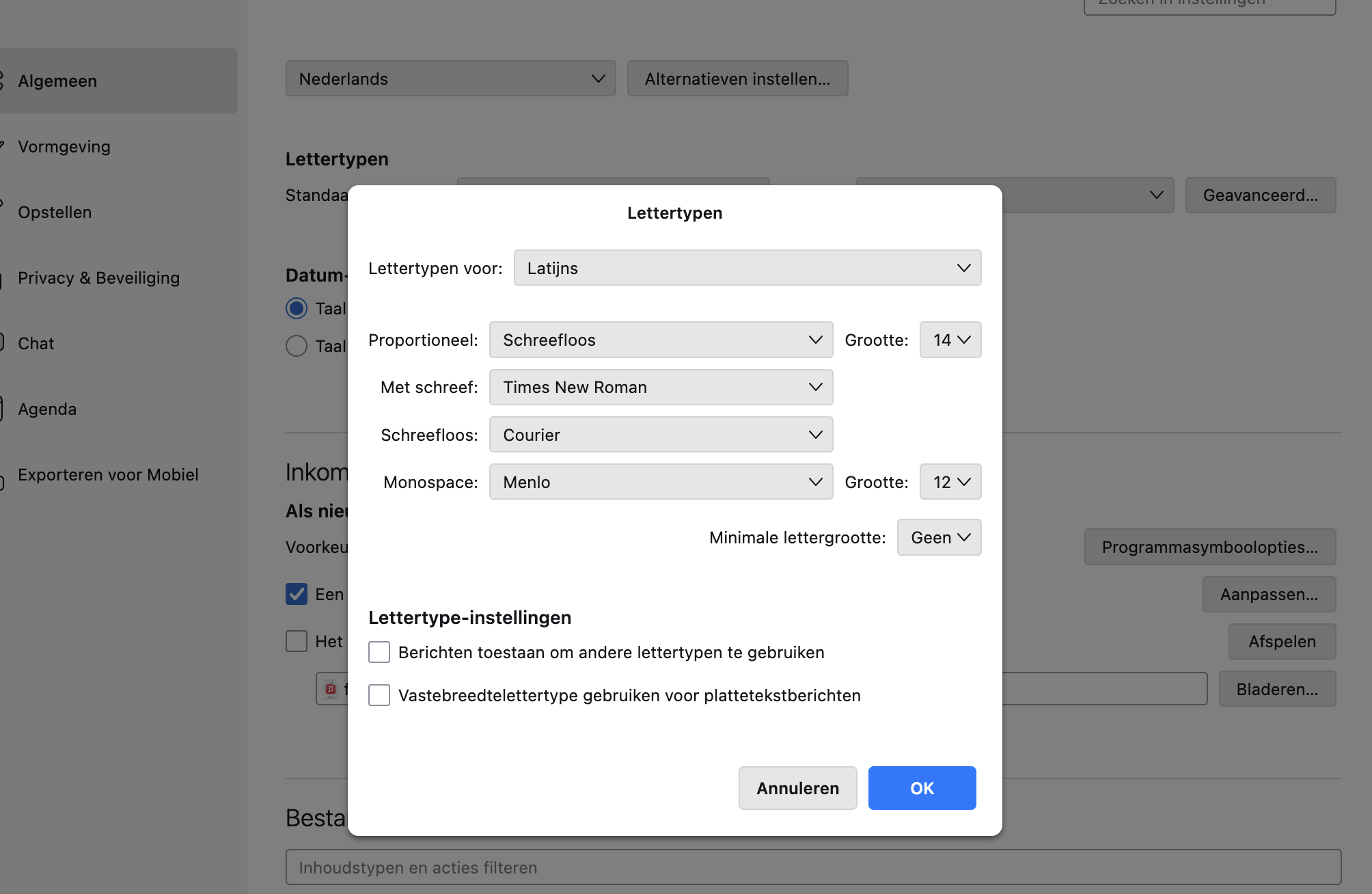
Sadly this problem is not solved. The main thing a mail client should do is render text as readable. I'll have to look for another client...
The image showing 'Fonts for' - Select 'Latin'
Suggest you set minimum to eg: 10
Also did you set up the same for 'Fonts for : 'Other Writing Systems' ?
đ is (U+0111) unicode which is why it's important to set up for 'Other Writing Systems'.
As the email seems to be one from a magazine / newsletter journal and not necessarilly personal, would you be prepared to forward it to me, so I can whether I get the same issue? If yes, please forward to : mail at anje dot co dot uk I've spelt that email addres phonetically so to avoid spam bots. The 'at' means @ and the 'dot' means '.'