


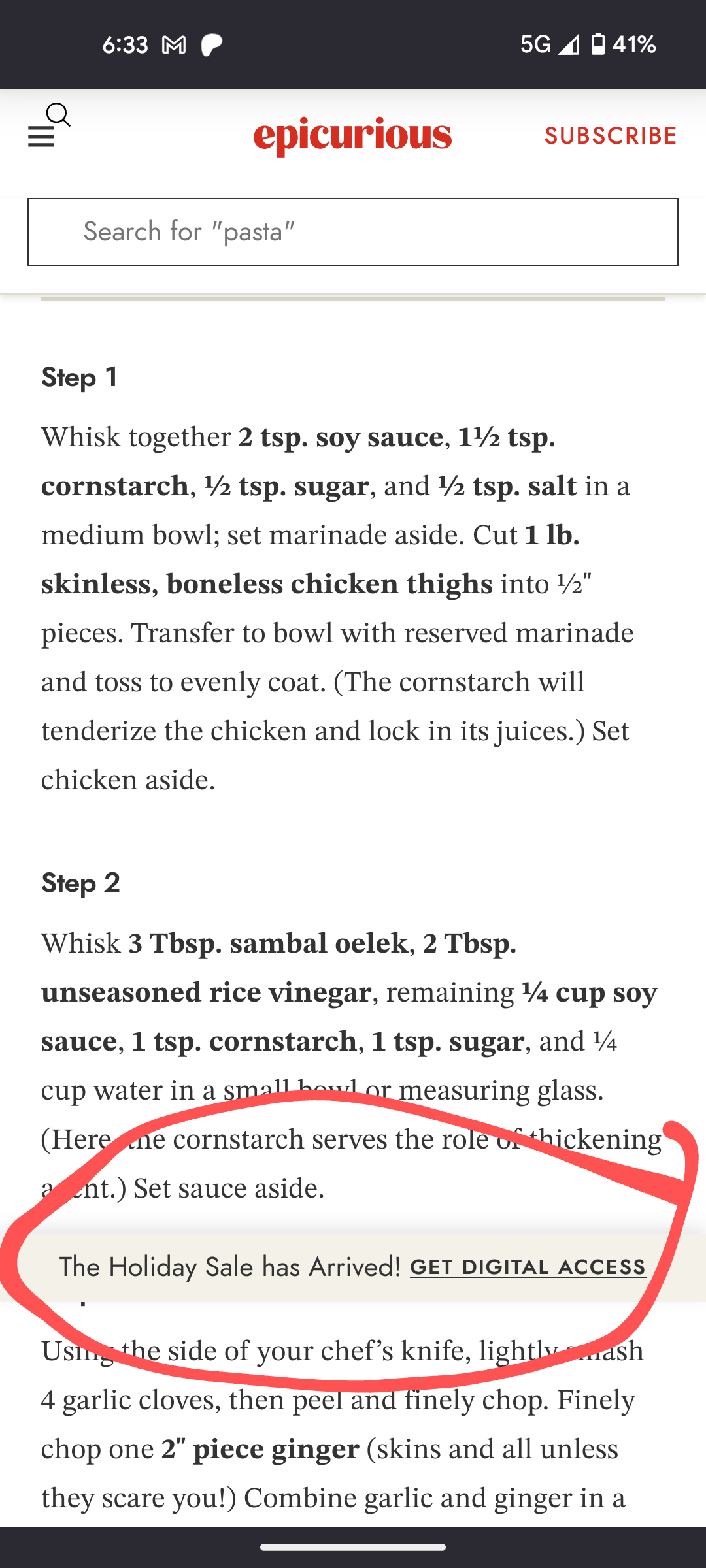
Website UI that should be at bottom of screen is floating an inch or so above

Recently, whenever I go to a website that has some info/links/UI that should be locked to the bottom of the screen, it instead shows up and inch or so above the bottom. So I was part of the website on top, the a floating info bar, then a tiny amount of website at the bottom. I have included an image to show what I mean, but some websites have even bigger bars that cover more of the screen. When I scroll up and down the website this floating bar remains at the same location on the screen, just about an inch up from the bottom.
Is there a way to fix this?
Усі відповіді (7)
I think I've seen this in another thread with a different site.
(On Epicurious, I don't see that particular bar, but depending on how soon I start scrolling, their top banner ad may end up blocking content and I have to scroll up/down to straighten it out.)
My initial guess was that this is caused by Firefox hiding the address/tool bars when you scroll, and the position rules for the bottom bar not being updated. However, if scrolling to the top doesn't resolve the issue, I guess that wouldn't be the reason.
jscher2000 - Support Volunteer said
I think I've seen this in another thread with a different site. (On Epicurious, I don't see that particular bar, but depending on how soon I start scrolling, their top banner ad may end up blocking content and I have to scroll up/down to straighten it out.) My initial guess was that this is caused by Firefox hiding the address/tool bars when you scroll, and the position rules for the bottom bar not being updated. However, if scrolling to the top doesn't resolve the issue, I guess that wouldn't be the reason.
I saw the other thread you are talking about after I posted this one, and it seems to be the same issue I am having.
Scrolling to the top or bottom of the screen does nothing to the position of the bar.
This was just one example. Every website I go to that has a bar at the bottom is misaligned. So I think it might be an issue with Firefox, not the website itself.
thejke said
This was just one example. Every website I go to that has a bar at the bottom is misaligned. So I think it might be an issue with Firefox, not the website itself.
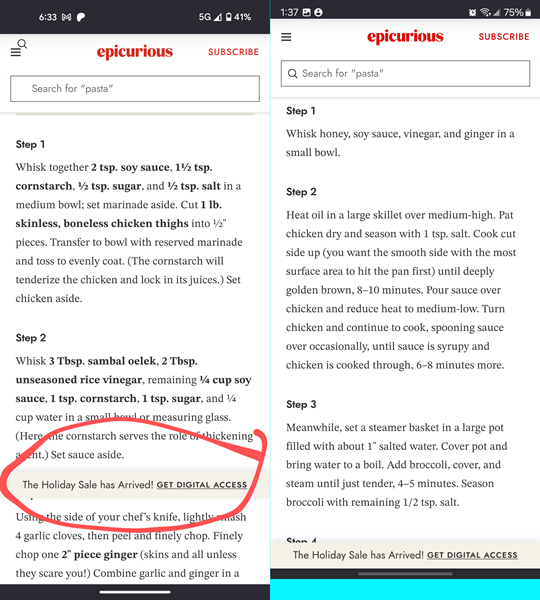
Judging from the screenshot, your screen display seems a lot taller than mine, and also the bottom row of buttons is missing (recent, home, back). For comparison, I have a Samsung device with the Screen resolution set to "FHD+", 2316 x 1080.
jscher2000 - Support Volunteer said
thejke said
Judging from the screenshot, your screen display seems a lot taller than mine, and also the bottom row of buttons is missing (recent, home, back). For comparison, I have a Samsung device with the Screen resolution set to "FHD+", 2316 x 1080.
I am using gesture navigation instead of 3 button navigation(swipe up from bottom to go home, swipe up and hold for recent, swipe in from either side of the screen for back). I have a pixel 5a which is 2400x1080.
Thank you for explaining the gestures option. With that, and various font sizes, I still wasn't able to replicate the problem.
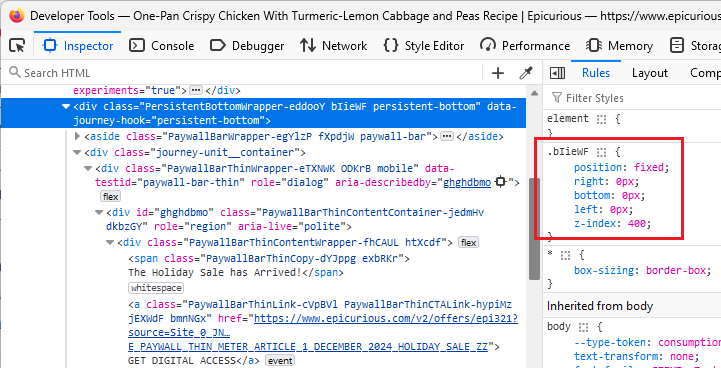
When I inspect the page in Firefox on Windows (using the emulation mode) the bottom bar appears to be fixed in a manner that Firefox should honor.
Do you use any extensions that do anything with fixed position elements or paywalls?
The only extension I have is ublock origin. I tired disabling it and refreshing the webpage, but the issue persisted.
Maybe if you file a bug someone will be able to suggest how to gather relevant information from Firefox for Android (I'm not familiar with mobile diagnostics).