


White Horizontal line at top after updating to 129 version whilst watching movies
A white horizontal line in the top of the screen, whilst watching movies in tv5mondeplus.com. This issue happens when installed the recent update 129.0.
Tested in other browsers and doesn't appear the white horizontal line on top.
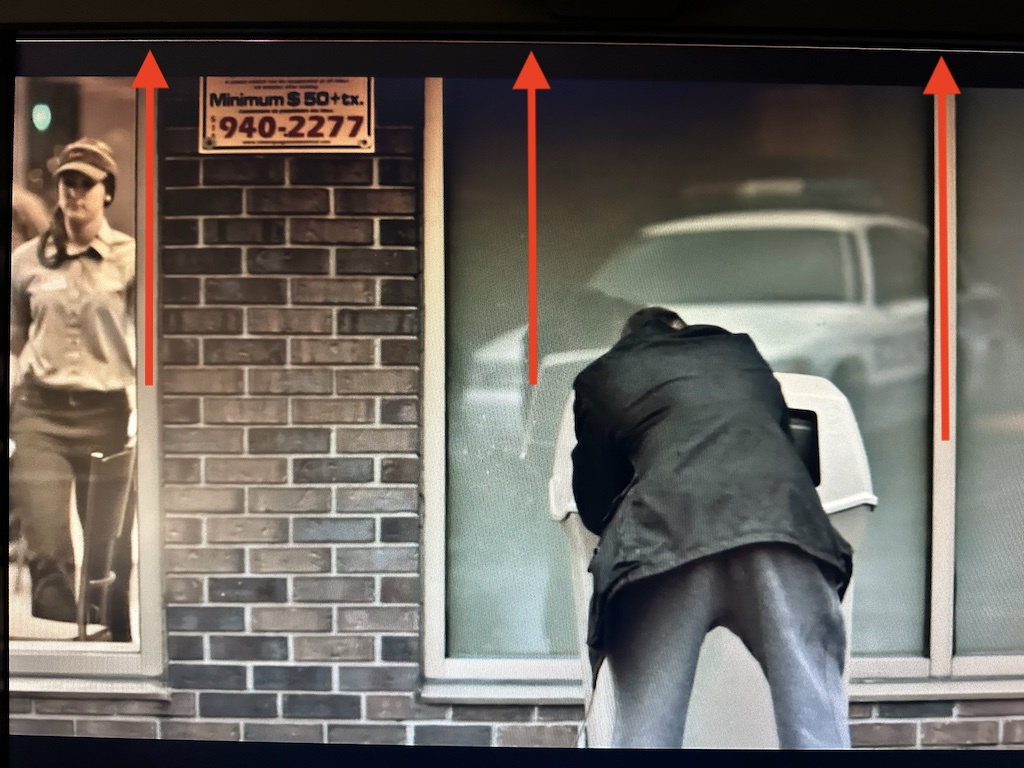
Усі відповіді (5)

fdisk2k, does exiting fullscreen and then re-entering it remove the line?
I have had issues with lines appearing at the top of a fullscreen video for a while now, and this works for me.
Unfortunately I do not know of a solution aside from this workaround. Hopefully someone else does?
Змінено TechHorse
Hello ThechHorse,
Tried your suggestion, thinking it was a "refresh or artifac" , but it doesn't work. Tested on a virtual machine running Linux, tested in a 128 Firefox version and works perfectly, tried with Waterfox, no problem; tested in my main machine (OSX) with Google Chrome :/ and no white line on top.
Hope a 129.01 version fixed it. Thanks anyway fro your idea.
Best,
George
This Issue is present in Youtube also. Hope someone has the same problem.

solved! =)
Thanks everybody=)