How to change each insertable table border to a simple thin line?

On border width=1, inserted tables' four outer borders are doubled as if to depict in 2D a picture frame. How to change each to a simple thin line?
Усі відповіді (7)
I am having trouble duplicating that. Would you be able to post a screenshot of the table and also one of the HTML in the message?
Please see att'd. images.
User-Agent: Mozilla/5.0 (Windows NT 10.0; Win64; x64; rv:102.0) Gecko/20100101
Thunderbird/102.12.0
Content-Language: en-US
This is a multi-part message in MIME format.
a03VZz4cFuQBpYHzmICl0l5w
Content-Type: text/plain; charset=UTF-8; format=flowed Content-Transfer-Encoding: 7bit
a03VZz4cFuQBpYHzmICl0l5w
Content-Type: text/html; charset=UTF-8 Content-Transfer-Encoding: 7bit
<meta http-equiv="content-type" content="text/html; charset=UTF-8">
a03VZz4cFuQBpYHzmICl0l5w--

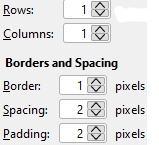
The screenshot didn't show what I needed, but maybe what you want is to set padding to 0. The padding causes a double line to appear.
Padding makes no difference. See the att'd. image. If you'd describe how & where I may find the data that you want to see, I'd be happy to post it here.
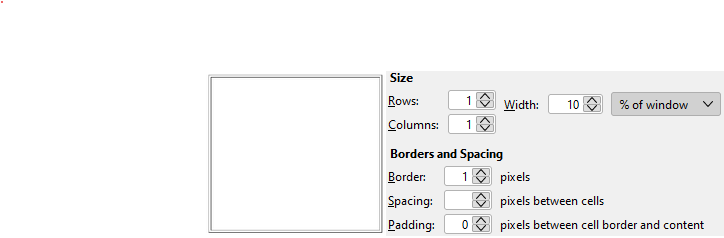
Look for the table statement in HTML and insert this at the right:
style="border-collapse: collapse;"
Here is an example:
Змінено david
Sorry, my example didn't come through. see attached image

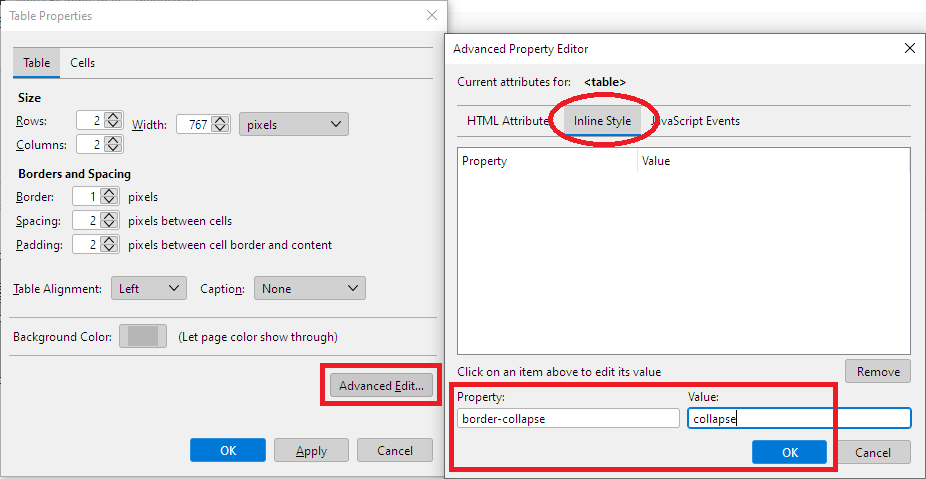
Or you can set it this way if you prefer the dialogs: