


TB does not display source display name

When I receive an email, TB assigns a display name for the source email address from the TB address book, not the display name of the source email. TB should display the source display name regardless of the TB address book.
Усі відповіді (11)
When I send a group email to myself with a group display name, the names displayed by WLM and TB are as follows: WLM: From sourcename, To Group Display Name TB: From sourcename, To sourcename.
I now realize that I can continue to send my group emails with a Group Display Name for the To field. If the receiving email program displays the Group Display Name (like WLM), fine. If not, the email and copies to the group are still received, even though the Group Display Name is not displayed.
Therefore my request that TB display the source display names is not urgent. If TB would like to offer functionality similar to WLM, then the request might be considered for a future version.
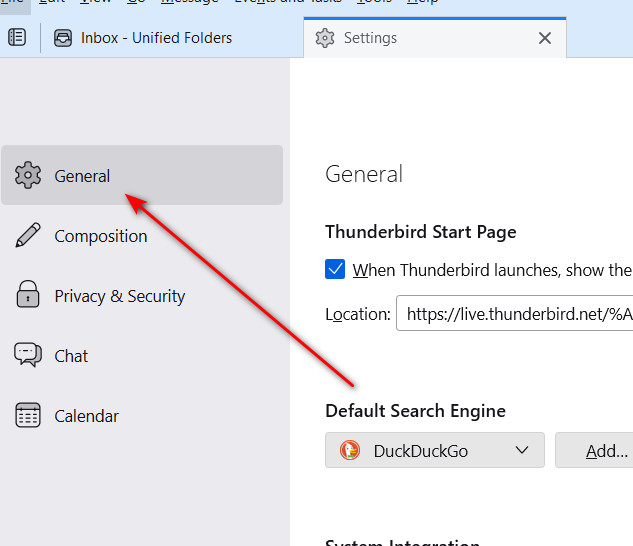
Please review settings>general and see if the box to show display names from addressbook is checked.
I can't find a settings / general area, or a box to show display names from addressbook is checked. Bill Lynn
What version are you using?
102.6.1 (64-bit)
When you click 'settings', what do you see? Mine shows General, Composition, Privacy&Security, Chat. I included a screenshot. And by scrolling down that page you should find the item I mentioned.
Hi David, Here is a screen shot of my Settings page:
Note that this is not an urgent request. As I mentioned before, I can send myself an email with a group display name and copies to the group members. If the receiving program uses the display name, fine. If not, the message still gets received.
Bill
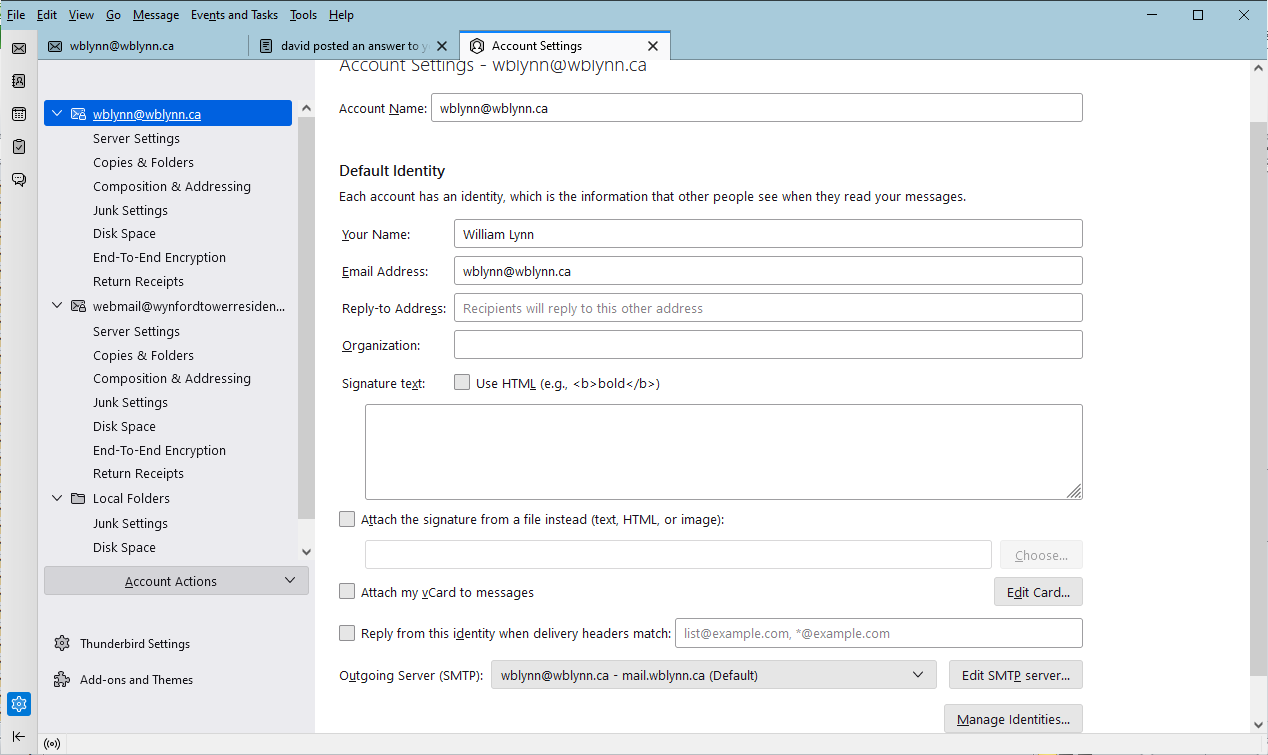
Hi David, I did not see your screen shot. Is it an attachment? I don't know how to see attachments in TB.
Bill
The attachment appears in the forum thread. The attachment you show is the 'account setting', not the overall setting. In windows, if menu bar is active, it is visible at tools>setting>general. If using the three horizontal lines at upper right, it is just settings>general. You have to read the forum online to see attachments.
Found it and unchecked Show only display names in Address Book. Now my display names are shown.
Sorry to be such a pain. (The Problem Solved button does not work.)
Thank you vey much
You're very welcome.