


How do I delete an autofill email address?

Running v104.0.2. (UK) Whenever I have an 'email box', I get an autofill email address appearing I wish to delete. When I highlight the address, and hit 'delete' it doesn't work. On searching a method, I get the suggestion to go into settings and drill down in the 'Forms & Autofill' section in 'privacy' settings, but my FireFox has no such section.
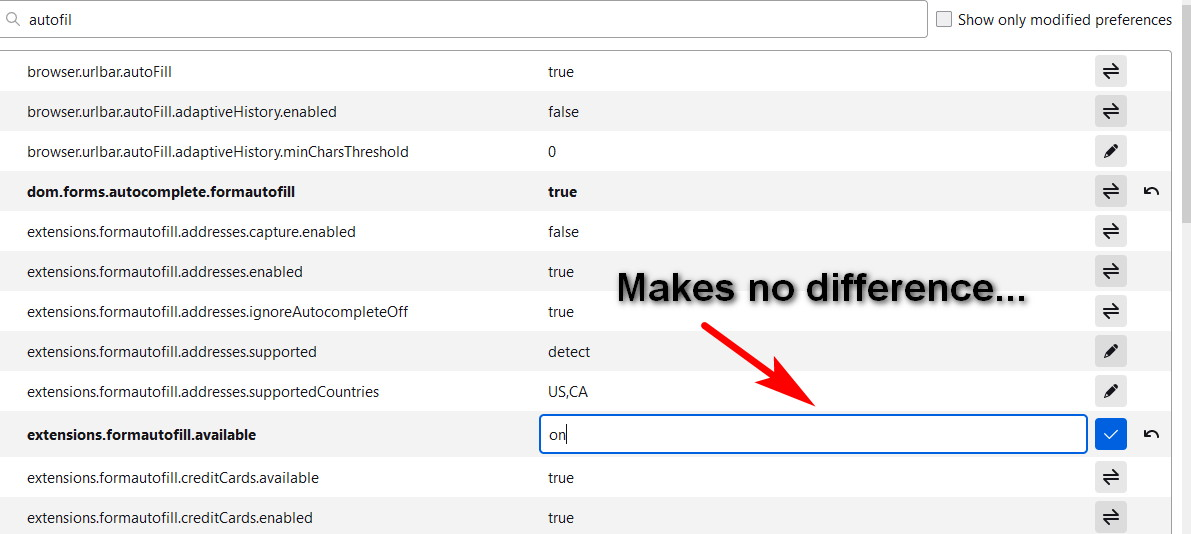
I then tried to 'activate' the section by going into 'about:config' and changing 'extensions.formautofill.available' from, 'detect', to 'on', it made no difference, I still have no 'Forms & Autofill' section in settings.
How can something so simple be so complicated?
How do I delete an autofill email address?
Усі відповіді (2)
Вибране рішення
Suggestions in a login drop down list that have a key icon in front are login suggestions that you need to remove in the Password Manager.
Suggestions in a drop down list without a key symbol are autocomplete saved form data. Suggestions without a key icon are part of autocomplete saved form data that you should be able to remove by selecting this item with the cursor Down key and pressing Delete (Mac: Shift+Delete).
Sadly, the 1st of these didn't work. The autofill address I want to delete is not prefixed with an icon so it is not 'saved' in my passwords. I had already done a search of my passwords and it's not there.
However (!!) I tried the 'cursor down' button and hitting delete, it then just scrolled really quickly between the 4 saved addresses, and on hitting 'delete', goodness knows how, but the address I wanted to disappear was finally deleted. The odds of it getting the right address to delete was 25%, must be my lucky day LOL
Many thanks for the suggestion...