

Ця тема перенесена в архів.
Якщо вам потрібна допомога, запитайте.

Архівовано
New account doesn't get it own SMTP outgoing server.

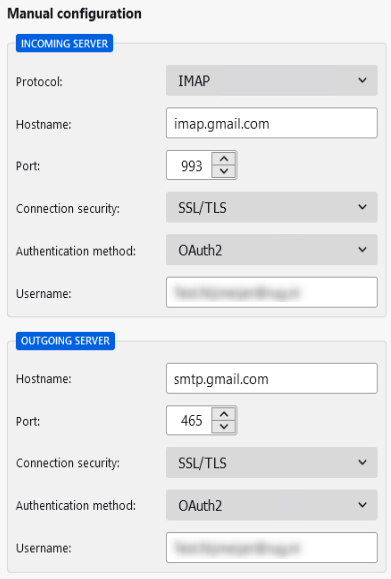
Once we add a second (gmail) account via Manual configuration, Authentication method set to: OAuth2 (Screenshot1)
Re-test will automatically set it back to "Normal Password"
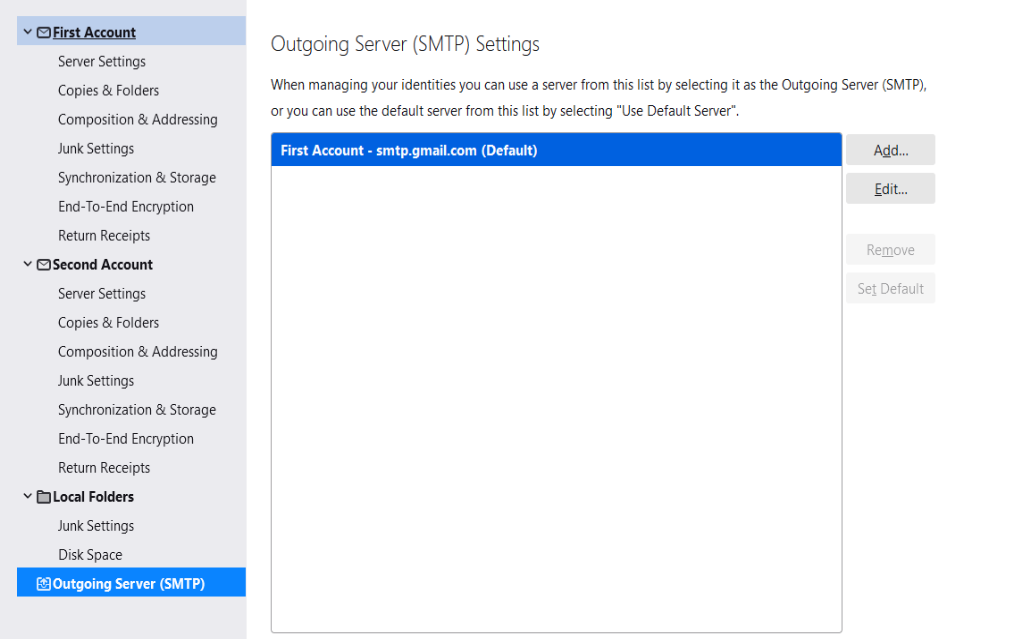
If we set it to OAuth2 and click DONE, The account will be added to Thunderbird without its own outgoing server configuration. (Screenshot2)
Is this a known issue/bug?
Once we add a '''second '''(gmail) account via Manual configuration, Authentication method set to: OAuth2 (Screenshot1)
Re-test will automatically set it back to "Normal Password"
If we set it to OAuth2 and click DONE, The account will be added to Thunderbird without its own outgoing server configuration.
(Screenshot2)
Is this a known issue/bug?
Усі відповіді (1)
Update, If you set the port to (e.g. 466) and Re-test, it will stay at OAuth2. Clicking Done, will also create the outgoing server SMTP for that account.