


Rearrange the Thunderbird primary screen?

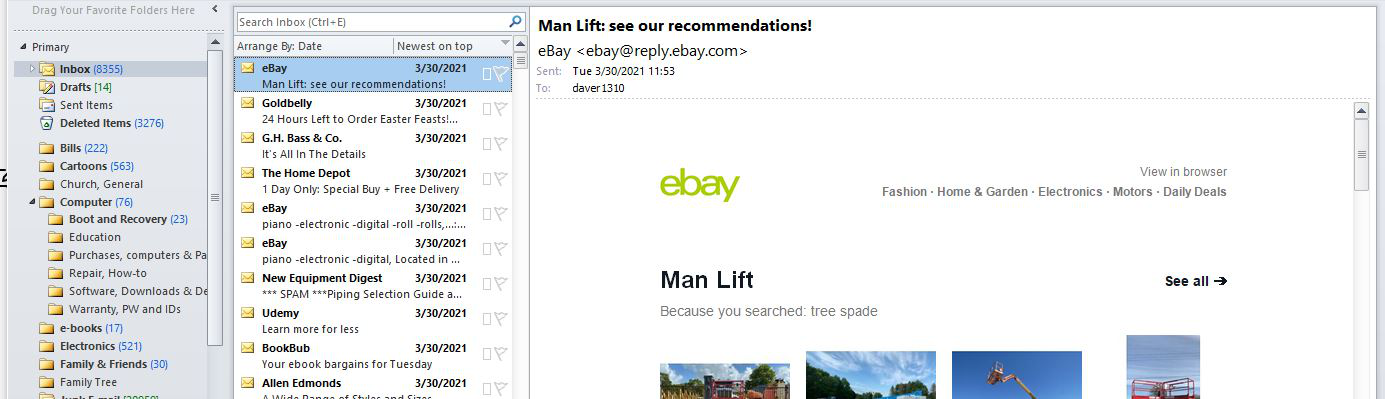
My Outlook is configured as shown in the image below. I think this was the original configuration of 2010 as I don't recall ever changing it. As you will note in the image, the email highlighted (selected, etc.) with a single click (Win 10) in the center column displays in the right column. (A double click brings the message up in a new window superimposed over the primary screen.) Can Thunderbird be configured to give me this layout and functionality?
Усі відповіді (3)

Hi - yes you can change the arrangement. https://support.mozilla.org/en-US/kb/how-change-thunderbird-layout I think the third option is the one you are looking for. You can also drag the column width to suit your preference. Agnes
Вибране рішення
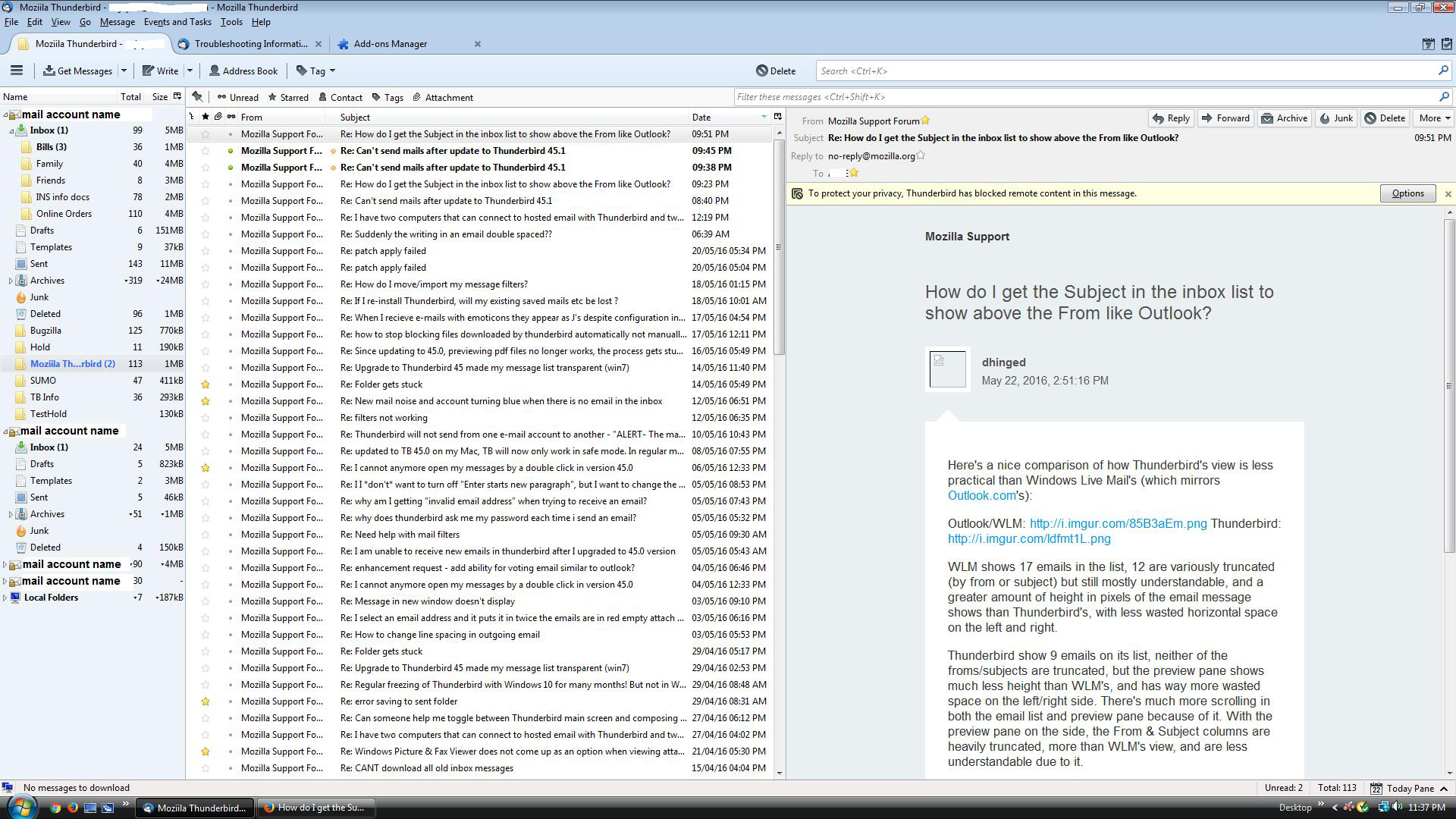
You can set up Thunderbird to display emails in the 'Message Pane' and have it positioned on the far right. This particular view is best if you have a wide screen as the 'Thread Pane' which holds the list of emails will still use one line per email.
Menu app icon > Customise > Layout > select 'Vertical View'
example image below - it was a 68* version image, but basically the same.
If the 'Message Pane' is enabled then a single left click will open the email and display it in the 'Message Pane'. How to enabled 'Message Pane':
- Menu app icon > Customise > Layout > select 'Message Pane'
- Note: this can be toggled on and off by using the F8 key.
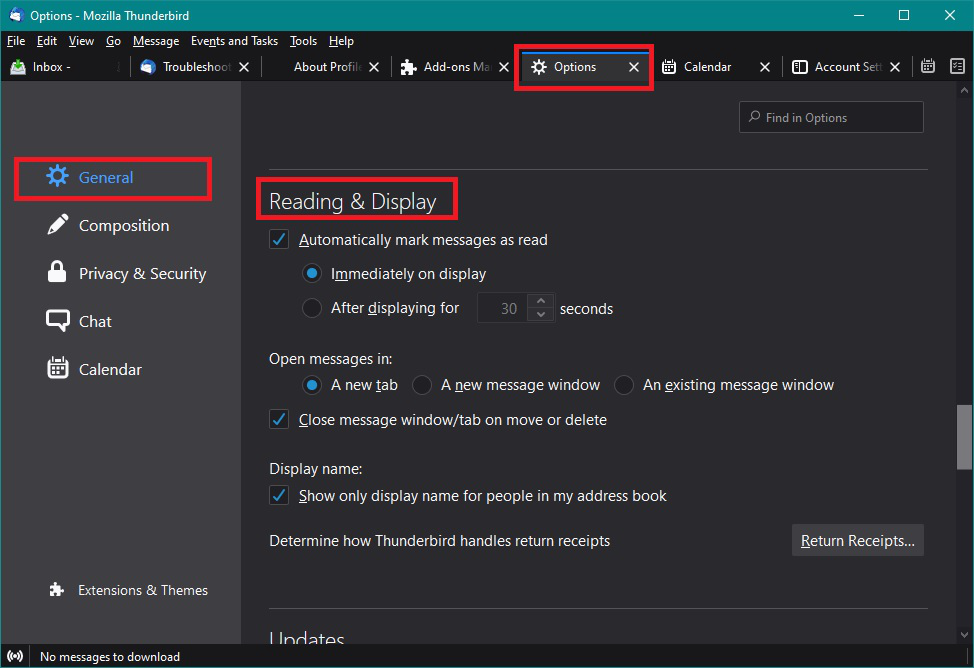
Using a double click you have the choice to open the email in a new tab, or new window, or existing window.
- Menu app icon > Options > General
- scroll down to 'Reading & Display' section
'Open messages in:' select prefered option. see image below as guide.
Змінено Toad-Hall
Thank you both for your response. My display now looks exactly as I want it to.