Ця тема перенесена в архів.
Якщо вам потрібна допомога, запитайте.

Архівовано
Stop trying https if http is unavailable
My cable modem presents a web interface on 192.168.100.1.
If I'm having internet connection issues, I go to http://192.168.100.1 to look at the log and see what's going on.
If the modem is not responding, Firefox pulls a stupid and checks https://192.168.100.1.
The problem is that it changes the URL bar, so now I can't hit F5 or anything; nor can I just edit out the "s" because of the URL bar autocompleter's habit of changing what you typed as soon as you press enter; I have to delete the entire URL and re-enter http://192.168.100.1.
How do I disable the silly "try HTTPS instead" feature when I explicitly typed "http://"?
My cable modem presents a web interface on 192.168.100.1.
If I'm having internet connection issues, I go to http://192.168.100.1 to look at the log and see what's going on.
If the modem is not responding, Firefox pulls a stupid and checks https://192.168.100.1.
The problem is that it changes the URL bar, so now I can't hit F5 or anything; nor can I just edit out the "s" because of the URL bar autocompleter's habit of changing what you typed as soon as you press enter; I have to delete the entire URL and re-enter http://192.168.100.1.
How do I disable the silly "try HTTPS instead" feature when I explicitly typed "http://"?
Усі відповіді (1)

He Pettey,
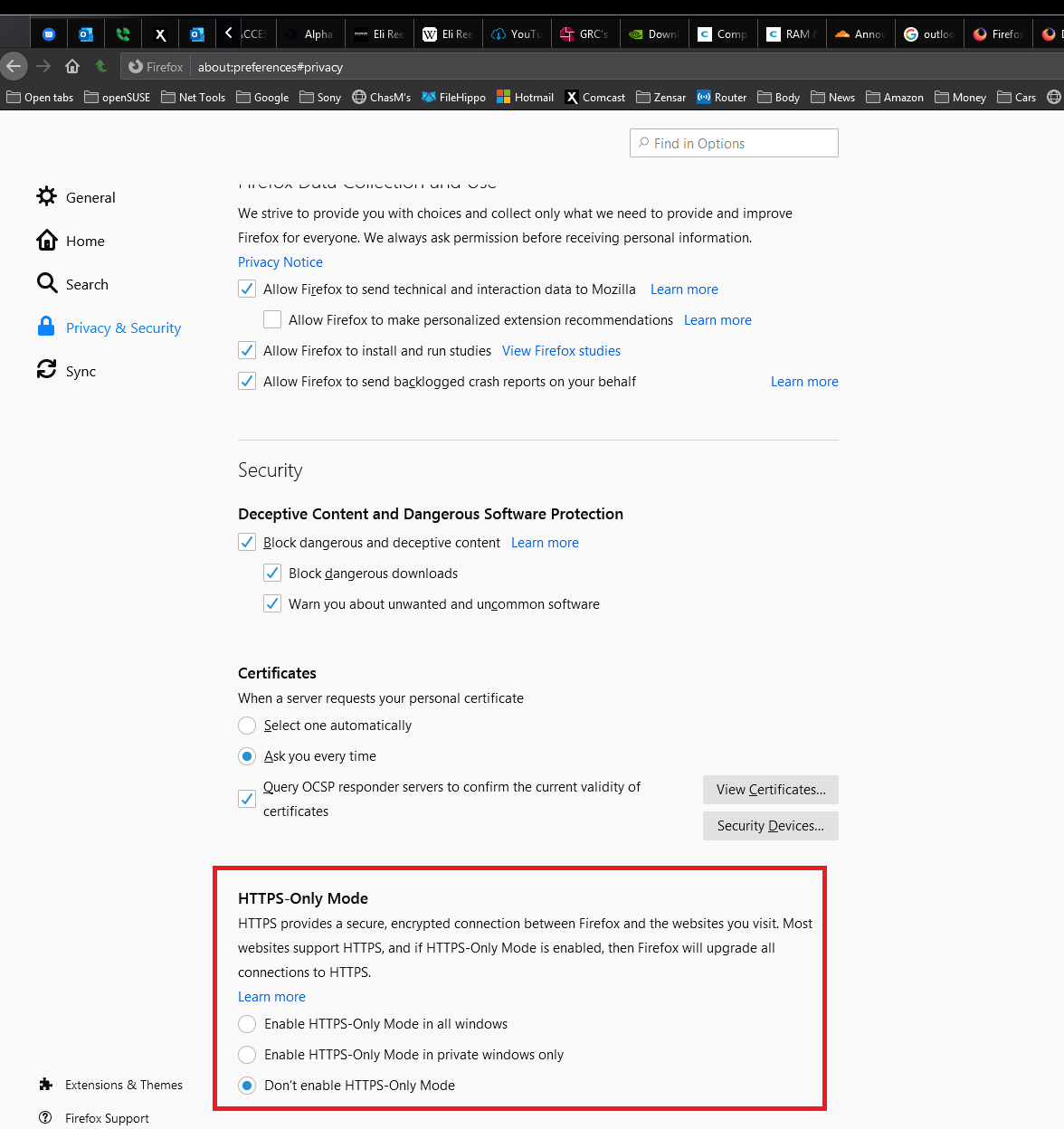
Have you tried this? See screenshot