


Unable to edit message filters

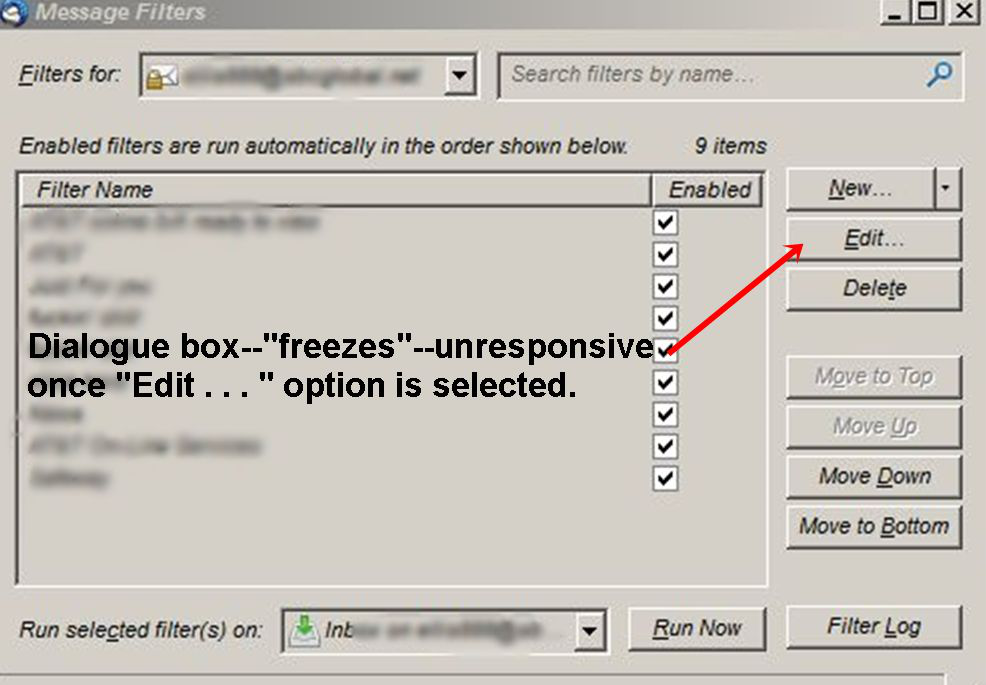
Selecting Edit in the message filter window "locks" the window--disabling all actions--and the only way to close the window is with the Windows Task Manager.
Змінено El72MC
Усі відповіді (4)
Sorry for the late response .....
If I'm not mistaking, this is a Thunderbird issue, in which case you should post this on their support forum:
https://support.mozilla.org/en-US/products/thunderbird
(just click on 'Ask a Question' at the top of the page)
As I don't see this show up on the Firefox support forum, I can only assume that you did post this on the Thunderbird support forum, but just never got an answer .....
Next time you don't get an answer within a reasonable time period, just post something like :
"Bump .... "
Hello McCoy,
Well, that link you noted puts me in a loop where I'm at my own original posting--now with your reply indicated--eventually ending here. Thank you again for your rapid response and assistance!
. . . truly,
Ellis
If you start Thunderbird in 'Safe mode', does it still freeze ? 'Help' > 'restart with addons disabled'
If yes, please post info: In Thunderbird
- 'Help' > 'Troubleshooting Information'
- Do Not select checkbox to include account names
- click on 'Copy text to clipboard' button
- In this forum question, right click in a 'Post a REply' text box and select 'Paste'
- you can remove all info on fonts and printers but do not edit anything else.