

Ця тема перенесена в архів.
Якщо вам потрібна допомога, запитайте.

Архівовано
How to adjust table column in ThunderBird?

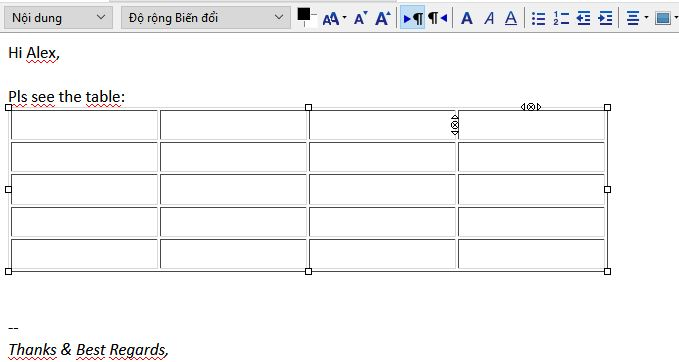
I insert a table; its column is fixed and the same width. The controls knots resize all the column, no way to adjust 1 column size separately. Any plugin or solution on this? Thank you.
I insert a table; its column is fixed and the same width.
The controls knots resize all the column, no way to adjust 1 column size separately.
Any plugin or solution on this? Thank you.
Усі відповіді (1)

Thunderbird's tables adapt themselves to fit the space available and the cell contents. If you need to override this behaviour, double-click the table to open its Properties. In the "Cell" tab, you can select rows and columns, and apply explicit heights and widths there.
In the "Table" tab you can set the overall width.