


how to manage no. of active downloads numbers

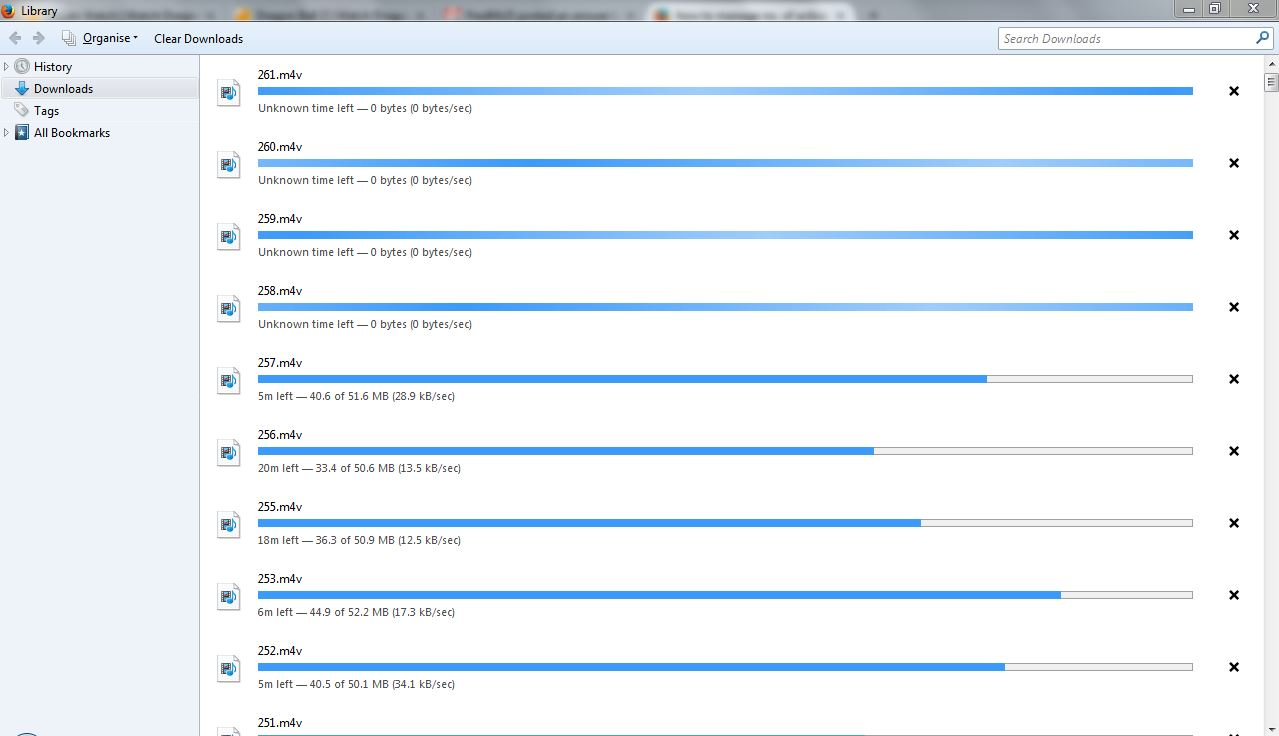
In firefox downloads if i download 10 video means i will first download(active downloads) 6 file other 4 file are in queue it will be downloaded after any 1 file finished downloading. i want to change that active downloads to 2 not 6 or any no. so that after any one file downloaded in that files 3rd files will downloaded, is that posible to change that setting in download
Вибране рішення
You can use the DownThemAll addon ( https://addons.mozilla.org/en-US/firefox/addon/downthemall/ ) to manage your downloads. I started using it because Firefox would sometimes stop downloads in the middle without notifying me and I got corrupt/incomplete files as a result. DownThemAll fixed that and you can also set the number of concurrent downloads as you wish and reorder them.
Усі відповіді (6)

What/how are you downloading now? Download managers? Add-ons?
firefox download library, i that image you see that 5 active downloads are going and other are waiting, i want to change that 5 active downloads to some other no. like 2 or 3. i am not using any download manager and other add ons
A download manager can give you better control.
This download manager works separately from the browser. The browser tells it what to download, and off it goes.
http://www.freedownloadmanager.org It is a powerful modern download accelerator and organizer for Windows and Mac.
is there no option to change in firefox???? so sad with for that... need seperate software, ok i will go with it
Вибране рішення
You can use the DownThemAll addon ( https://addons.mozilla.org/en-US/firefox/addon/downthemall/ ) to manage your downloads. I started using it because Firefox would sometimes stop downloads in the middle without notifying me and I got corrupt/incomplete files as a result. DownThemAll fixed that and you can also set the number of concurrent downloads as you wish and reorder them.
thanks Pfouit for your help