

Ця тема перенесена в архів.
Якщо вам потрібна допомога, запитайте.

Архівовано
Moving from one PC to another - How to do the relocation

I am moving to a new PC from my old PC. How do I move all Firefox related information including history, tabs, passwords, profile, addons and etc. to the new machine. Both machines will be on the same network for an interim period of time. Current Windows 10 and latest firefox. I know that I will need to reinstall Firefox but from there I am looking for a cookbook to complete the move
I am moving to a new PC from my old PC. How do I move all Firefox related information including history, tabs, passwords, profile, addons and etc. to the new machine. Both machines will be on the same network for an interim period of time. Current Windows 10 and latest firefox. I know that I will need to reinstall Firefox but from there I am looking for a cookbook to complete the move
Усі відповіді (2)
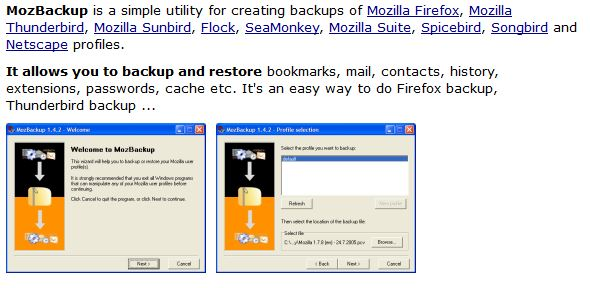
To solve your this problem, you should use an app called MozBackUp... Download link: http://goo.gl/wDT3S8
See also:
- https://support.mozilla.org/kb/Recovering+important+data+from+an+old+profile
- http://kb.mozillazine.org/Transferring_data_to_a_new_profile_-_Firefox
You can use this button to go to the current Firefox profile folder:
- Help > Troubleshooting Information > Profile Directory:
Windows: Show Folder; Linux: Open Directory; Mac: Show in Finder - http://kb.mozillazine.org/Profile_folder_-_Firefox
You can copy files like these to the Firefox profile folder to recover specific data.
- bookmarks and history: places.sqlite
- bookmark backups: JSON backups in the bookmarkbackups folder
- SQLite files like cookies.sqlite (cookies) and formhistory.sqlite (saved form data)
- logins.json and key3.db (decryption key) for Passwords saved in the Password Manager
- cert8.db and possibly cert_override.txt for (intermediate) certificates stored in the Certificate Manager
- persdict.dat for words you added to the spelling checker dictionary
- permissions.sqlite for Permissions and possibly content-prefs.sqlite for other Site Preferences
- sessionstore.js for open tabs and pinned tabs and tab groups