


How do I download FireFTP? All traditional methods are not working

It says that Firefox. is prevented this site from asking you to install software on this computer. Can you tell me why I am unable to download this on my computer?
Thanks,
Усі відповіді (7)
Sorry, this may be a continuing glitch when using the "Get Add-ons" section of the Add-ons page.
To work around that, please try using the Add-ons site directly in a regular tab:
https://addons.mozilla.org/firefox/addon/fireftp/
Does it work from there?
No, this did not fix the issue
Hmm, usually addons.mozilla.org is on the "allowed" list for installing add-ons. If you get the panel saying it isn't allowed, does it have the little selector to go ahead and allow it or is it impossible to unblock the site?
No, still not working
Is addons.mozilla.org still listed on the Options page with "Allow" permission:
"3-bar" menu button (or Tools menu) > Options > Security
To the right of "Warn me when sites try to install add-ons" click the Exceptions button. Screen shot attached for reference.
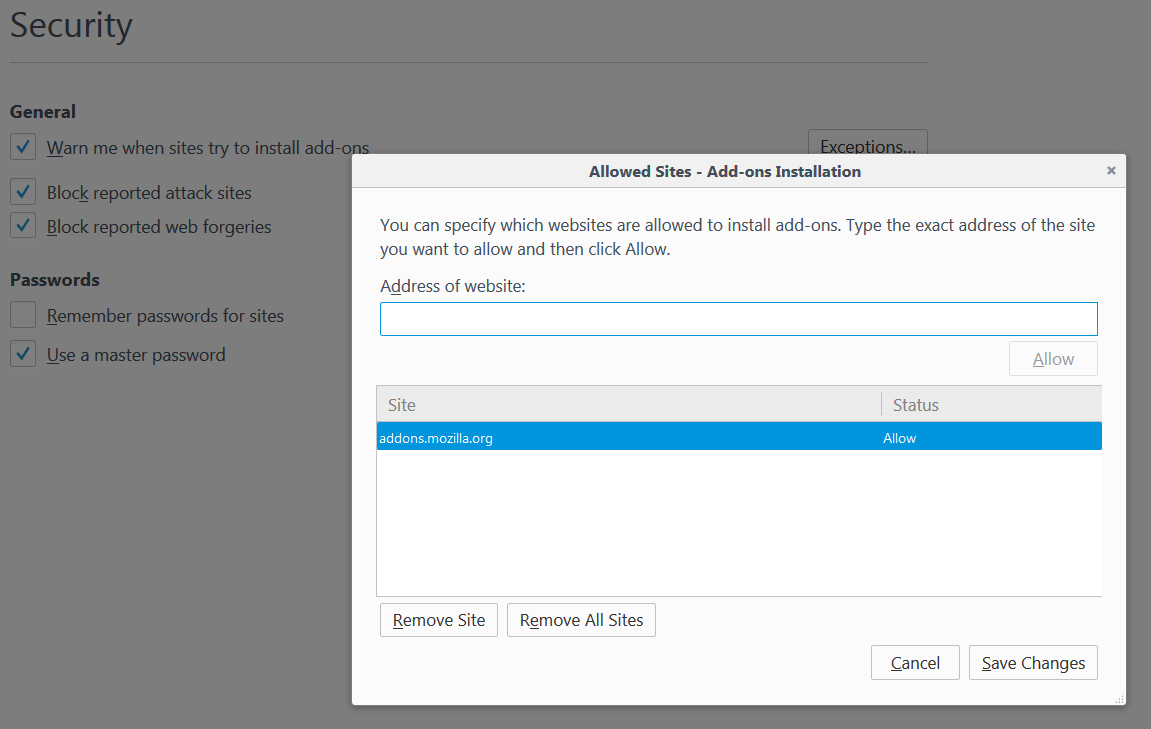
Yes still good. Along with market place
Can you download and save the XPI file to your desktop?
Can you install the file in Firefox Safe Mode?
See also:
You can inspect and manage permissions for the domain in the currently selected tab via these steps:
- Click the "Site Identity Button" (globe/padlock) on the location/address bar
- Click "More Information" to open "Tools > Page Info" with the Security tab selected
Go to the Permissions tab (Tools > Page Info > Permissions) to check the permissions for the domain in the currently selected tab.
Also make sure that your Kaspersky security software isn't blocking the file.