today when i opened all i get is a black screen how do i fix

cant get past the black screen if i open in safe mode cant do anything with extensions or add ons how do i fix
Усі відповіді (1)
hello donnapresley, other users with this problem all had an embedded intel hd graphics card with an old driver present. in case this also applies to you, here would be a link to update the driver, which in turn should also address the black firefox problem.
- Intel HD 2000/3000: https://downloadcenter.intel.com/Detail_Desc.aspx?DwnldID=23764 (for win7 64bit)
- Intel HD 4000: https://downloadcenter.intel.com/Detail_Desc.aspx?DwnldID=24329 (for win7 64bit)
Intel guide to find out which model you're using
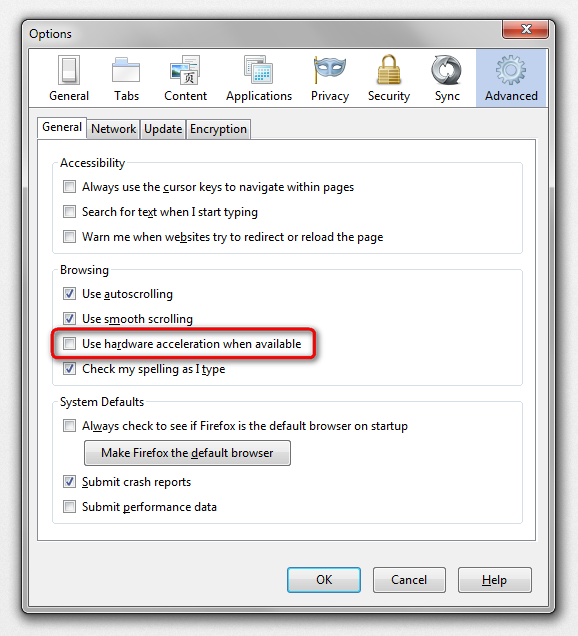
in case this doesn't solve the issue or does not apply to your system, start firefox into safemode by pressing the shift key while the application is launching & disable hardware acceleration in the firefox menu ≡ > options > advanced > general (that setting will take a restart of the browser to take effect).
Troubleshoot extensions, themes and hardware acceleration issues to solve common Firefox problems