


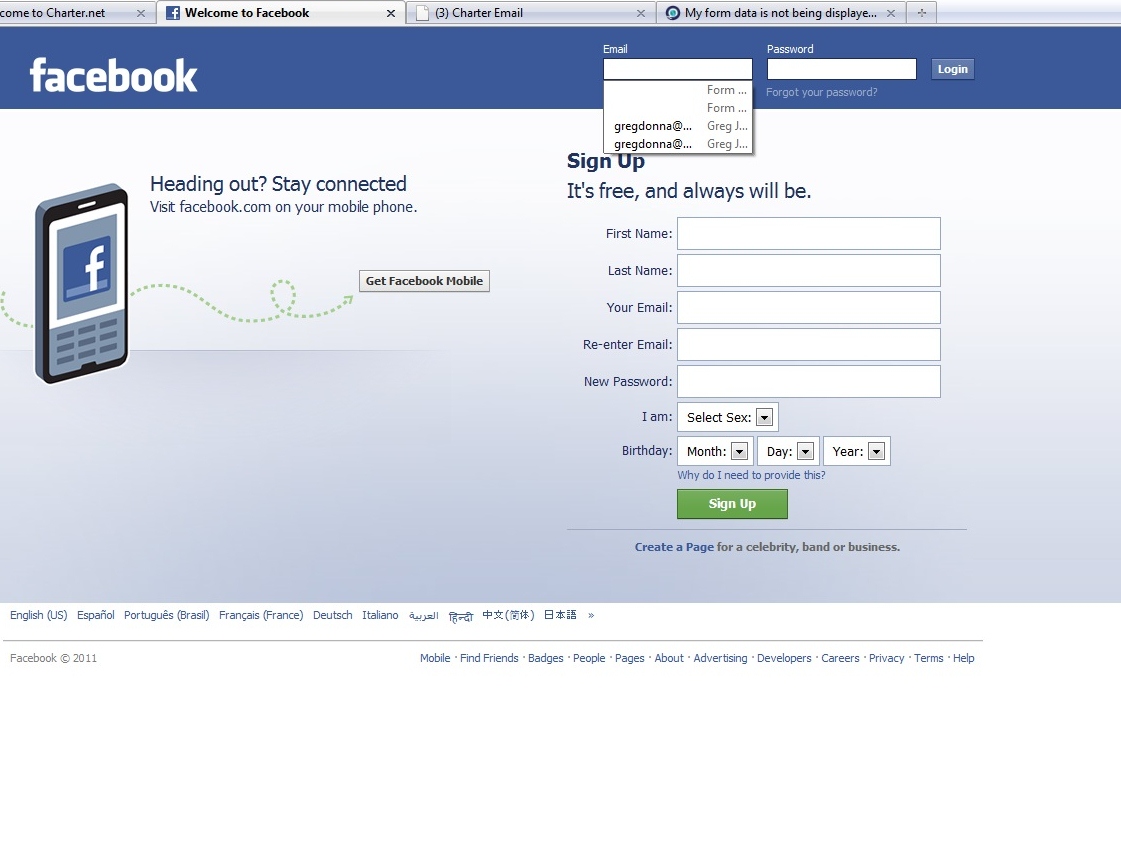
Form History box now blank, used to save emails, names tried usual fixes

Have problem with drop down box beneath where you put you email address, names etc.
I have done the auto-fill (even reloaded my profile) and went to tools/options/ and its set on "use custom settings for history"
I had no problem till recently.
Now "form history" is not remembered on most websites (except for my main email address which I presume is because of autocomplete).
Oddly it works in a few websites - but not Facebook and many others.
Where it states "form history" should be other email addresses I use. Also happens when putting in names - only remembers my name from autocomplete.
Tüm Yanıtlar (3)
Here is photo uses facebook but happens on most other sites

I just verified that this is a workaround. I clicked on that 'wrench' icon on the Google toolbar, then I clicked on the 'AutoFill' icon and I tried a few things such as removing one of the entries and restarting Firefox. Nothing seemed to have changed.
I cleared the check box and turned off AutoFill (and clicked save) and the problem went away. It looks like I won't be using the Google AutoFill until they get this problem fixed.
Thanks for the heads up on this! It's been a minor annoyance for months now and I had tried fixing it once before by removing certain cache or Firefox application files, but that obviously didn't help. This does the trick.
My problem cleared up with the latest version - moz/firefox 4.
If that was not the reason it cleared up - I'm not sure (Tried many suggested solutions tho I think all failed).
Bottom line - everything is back to normal - can use form history and autofill - at the same time - like I used to.
Good Luck to those try to repair this problem. It was annoying for several months.
yoopernewsman tarafından tarihinde düzenlendi