


Firefox vs. Netflix HDR

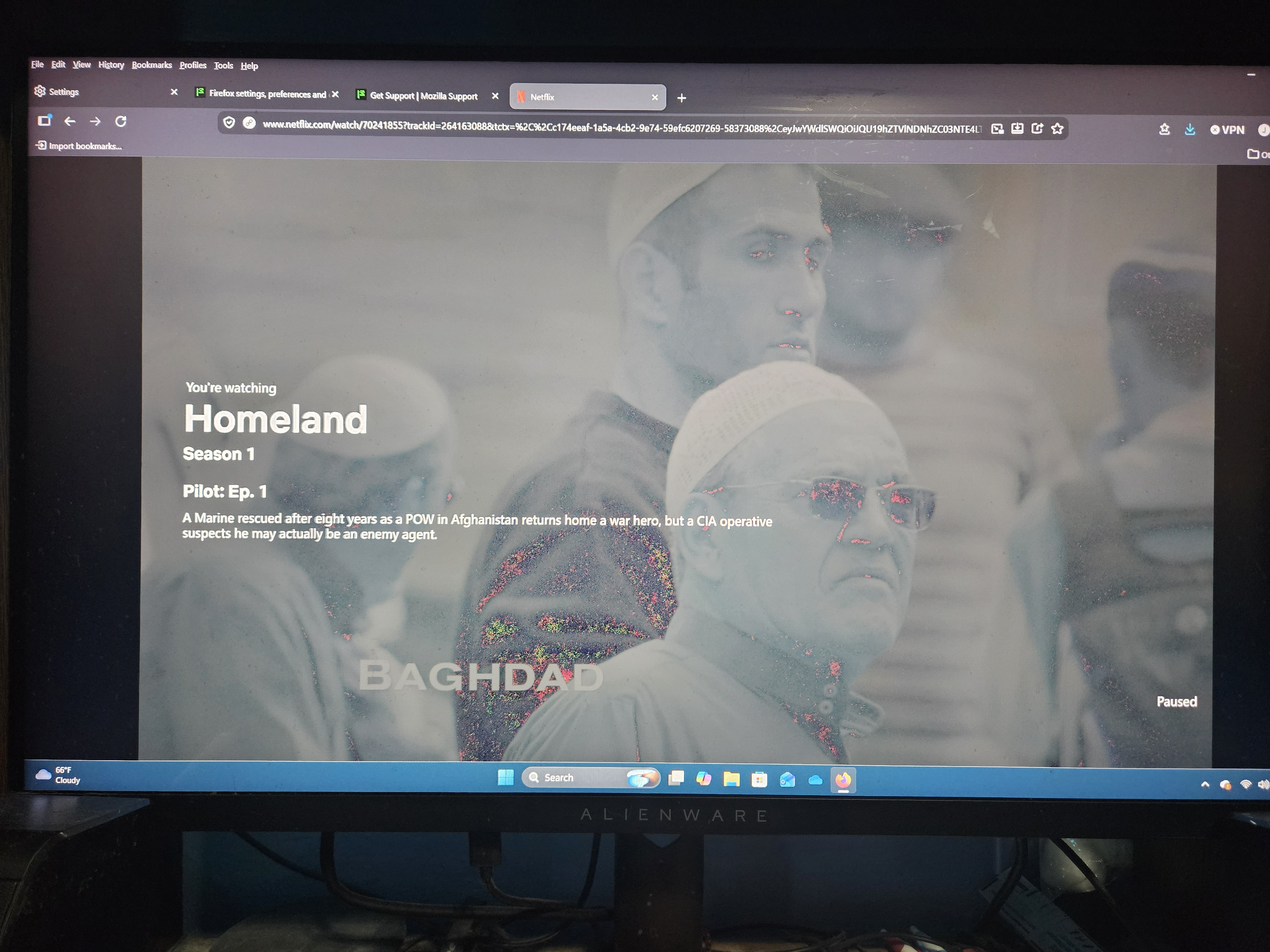
When using Firefox to access Netflix the video is distorted/greyed out in HDR mode, but displays properly using Microsoft Edge. None of my other streaming services experience this issue. How do I get Firefox to properly display Netflix in HDR mode?
Netflix customer service sent me here.
Tüm Yanıtlar (5)

HDR is not supported There are posts about this, . . .
UPDATE:
https://support.mozilla.org/en-US/questions/1600501
https://support.mozilla.org/en-US/questions/1598084
Use the Search box for more info
Hi,
I don't think the above is right. HDR is supported in Firefox for Windows as of this summer.
Could you please try running Firefox in Troubleshoot Mode and see if that resolves the issue?
If it doesn't, we'd greatly appreciate you filing a bug on Bugzilla and sharing a link to it here.
Thanks for the assist. Filed a bug report on Bugzilla: https://webcompat.com/issues/235833
Forgot to mention earlier that I followed your advice and launched Firefox in Troubleshoot mode and HDR worked in Netflix like it's supposed to.
jms7467 tarafından tarihinde düzenlendi
If you follow the steps in the linked article what to do if the issue does not reproduce in Troubleshoot Mode, have you found the culprit? (Perhaps settings to disable hardware acceleration?)
If the issue doesn't reproduce in Troubleshoot Mode, please follow the steps from this article to troubleshoot further.