Can't send emails on one of my computers

I don't have any problem sending messages on my PC at home just on my laptop. I have windows 11 on both.
I get a message...
connection to outgoing server (SMTP) timed out.
another time I got the message
'sending failed. error while sending mail. outgoing server (SMTP) error. server responded impout 006.msg.chrl.charter.net cmsmtp 50.201.174.29 blocked please see... https//spectrum.net/support/internet/ understanding-email-error-codes for more information AUP#Out - 1130
I looked up 1130 in spectrum’s website but I couldn't figure out what it was saying. I also called spectrum to see if they could help but they couldn't help and just referred me back to you guys.
my outgoing connection is description - charter communications server name - mobile.charter.net Port - 587 Security - normal password user name - robinclaire1@charter.net (or any of my other email addresses)
I have 5 email addresses. and I can't send from any of them. jesusfollower1@charter.net robinclaire1@charter.net climbthewell@charter.net robinc12step@charter.net jerryg0583@charter.net
please help. thank you robin ps - I had a terrible time with thunderbird trying to load a profile from another computer. This failed utterly and I had to have someone help me to reload thunderbird on this laptop. I've never had luck with sending emails ever since it was reloaded. To reload, I had to search for 'thunderbird' on my computer over and over again until there was no 'thunderbirds' to delete - that included several thunderbird downloads as well. I wiped my laptop clean of all thunderbirds and then it could finally be downloaded. But I didn't think to try to send a message when my tech guy was there so I didn’t catch that I couldn’t send them.
thanks again.
r
Tüm Yanıtlar (1)
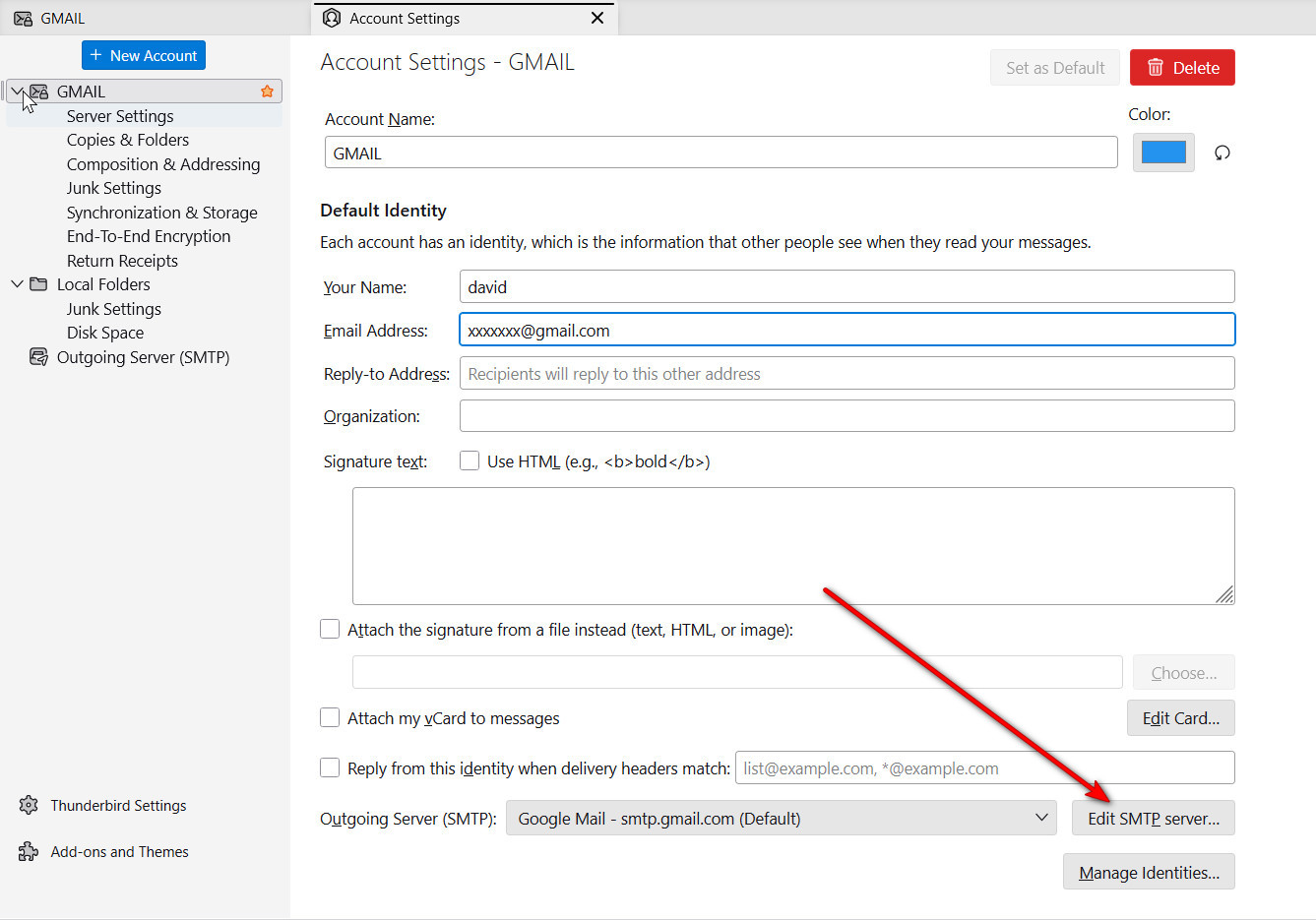
I suggest you carefully review the settings on the desktop and possibly use those for the laptop. In your problem transferring the profile, there may have been errors. You need five different SMTP servers defined for the five different accounts. There are several different Spectrum email settings, so I suggest trying the ones that are on the desktop. You also need to ensure that the SMTP server being used is for the same email address as the sending account. It is not uncommon for users with multiple email accounts to have the SMTP servers misaligned. The attached screenshot shows what I am referring to. The SMTP server linked to the account can be viewed/edited as shown in the screenshot.