


Windows 10 reached EOS (end of support) on October 14, 2025. If you are on Windows 10, see this article.

Mozilla Destek’te Ara

Destek dolandırıcılığından kaçının. Mozilla sizden asla bir telefon numarasını aramanızı, mesaj göndermenizi veya kişisel bilgilerinizi paylaşmanızı istemez. Şüpheli durumları “Kötüye kullanım bildir” seçeneğini kullanarak bildirebilirsiniz.

Daha Fazlasını Öğren
Arşivlendi

Cannot connect to the server using a hotspot.

maddy wiley

For the past year, I've been using a Hotspot to access school websites that have been blocked. Today, it took about 5 minutes to tell me it was a "server error" and to check if it was a firewall blocking me out (it wasnt). I restarted my computer and tried again, it took me to another error code that said "PR_CONNECT_RESET_ERROR" and no Google searches helped me, so I restarted it again and then it took me to another error message saying my connection timed out despite me not changing anything with my connection or Hotspot! I cleared my cache and browser data and nothing is doing anything. I checked my desktop settings and there was nothing there connection wise. I'm not sure what to do anymore!
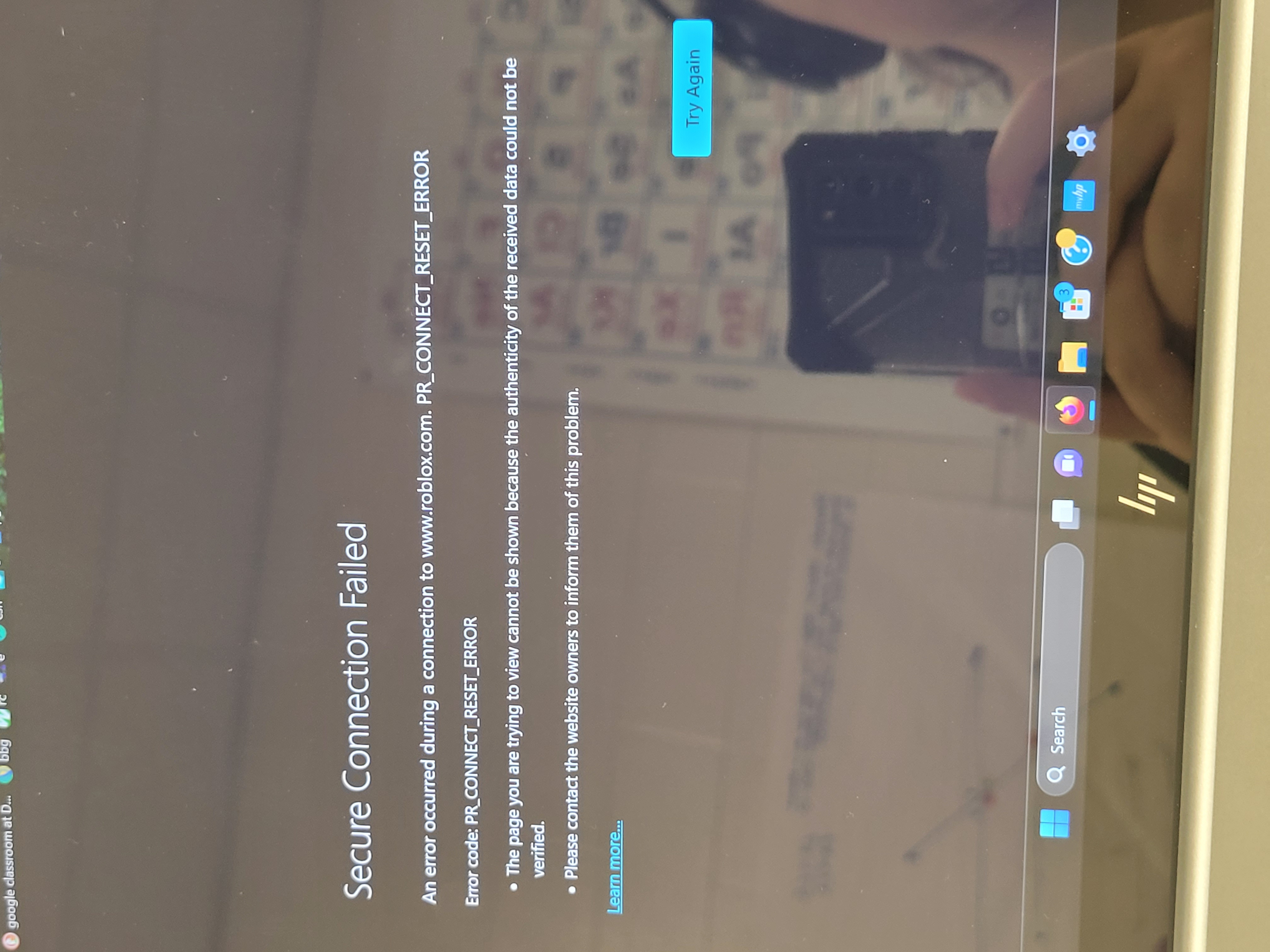
For the past year, I've been using a Hotspot to access school websites that have been blocked. Today, it took about 5 minutes to tell me it was a "server error" and to check if it was a firewall blocking me out (it wasnt). I restarted my computer and tried again, it took me to another error code that said "PR_CONNECT_RESET_ERROR" and no Google searches helped me, so I restarted it again and then it took me to ''another'' error message saying my connection timed out despite me not changing anything with my connection or Hotspot! I cleared my cache and browser data and nothing is doing anything. I checked my desktop settings and there was nothing there connection wise. I'm not sure what to do anymore!
Ekli ekran görüntüleri

Tüm Yanıtlar (1)

Try changing secure DNS over HTTPS (DoH) to "Off" or "Increased Protection" and in Connection Settings change "Use system proxy settings" to "No proxy".