

Bu başlık arşivlendi.
Yardıma ihtiyacınız varsa lütfen yeni bir soru sorun.

Çözüldü
Arşivlendi
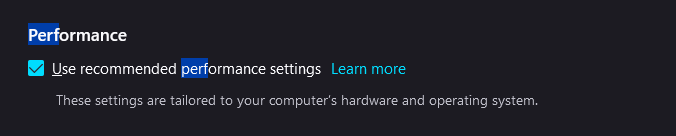
How do I check if hardware acceleration is turned on whilst under recommended performance settings?

How do I check if hardware acceleration is turned on whilst under recommended performance settings? Remember that I want to keep the checkbox ticked. Is there something I should be searching for on Troubleshooting Information or about:support ?
How do I check if hardware acceleration is turned on whilst under recommended performance settings?
Remember that I want to keep the checkbox ticked.
Is there something I should be searching for on Troubleshooting Information or about:support ?
Tüm Yanıtlar (2)

Un-click that checkmark.
Seçilen çözüm
This "Use recommended performance settings" checkbox acts similar as "Use custom settings for history", only in the case of the performance settings it hides the details and in "Use custom settings for history" choosing this setting makes it possible to inspect the details. Removing the checkmark doesn't make changes to the settings.
See the 'learn more' article: