Clearing Autofill list
how do i clear autofill lists? Highlighting and clicking Delete does not work
how do i clear autofill lists? Highlighting and clicking Delete does not work
Tüm Yanıtlar (5)
by Menu ->Privacy and Security there should be a option to clear autofill lists
You can use these steps to remove saved items from an autocomplete drop-down list.
- click the (empty) input field on the webpage to open the drop-down list
- highlight an entry in the drop-down list with cursor Down key
do not click the mouse or press the Enter key - press "Delete" or "Shift+Delete" to delete the highlighted entry
Note that hovering with the mouse doesn't work.
I stated that this did not work.
Only see options to clear addresses and credit cards. Not other auto fills.
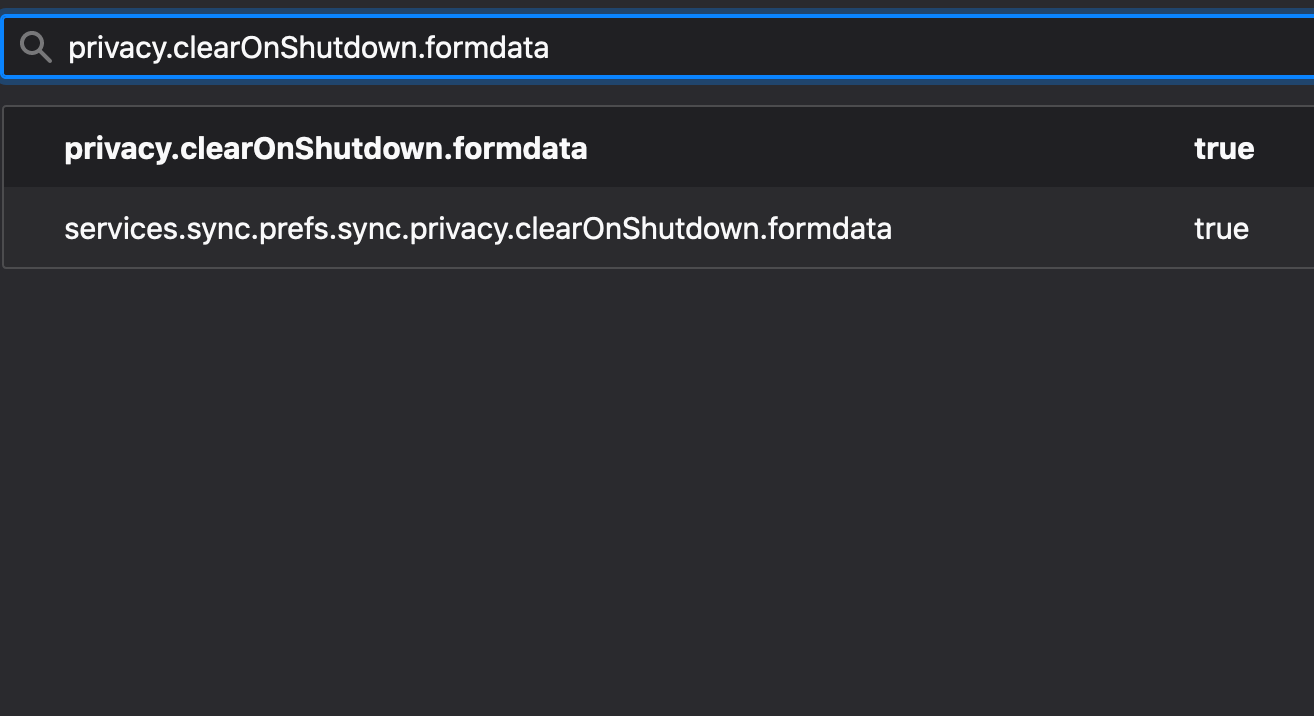
privacy.clearOnShutdown.formdata
open a new tab location about:config search that if not exist create, set to true
As the setting suggests this will happen every time you exit firefox