

Bu başlık arşivlendi.
Yardıma ihtiyacınız varsa lütfen yeni bir soru sorun.

Arşivlendi
New Tab Page, add a remove option for search bar

i have the chrome folder and put in the userContent.css file with these 3 files saved as all files.
 /* Disable Search box in New Tab page */
@-moz-document url(about:newtab)
{
#newtab-search-container, #newtab-search-logo { display:none !important; }
}

@-moz-document url(about:newtab){
 #newtab-margin-top, #newtab-search-container { display:none!important; }
}

@namespace url(http://www.w3.org/1999/xhtml);
@-moz-document url("about:newtab") {
#newtab-search-container {
display: none !important;
}
}
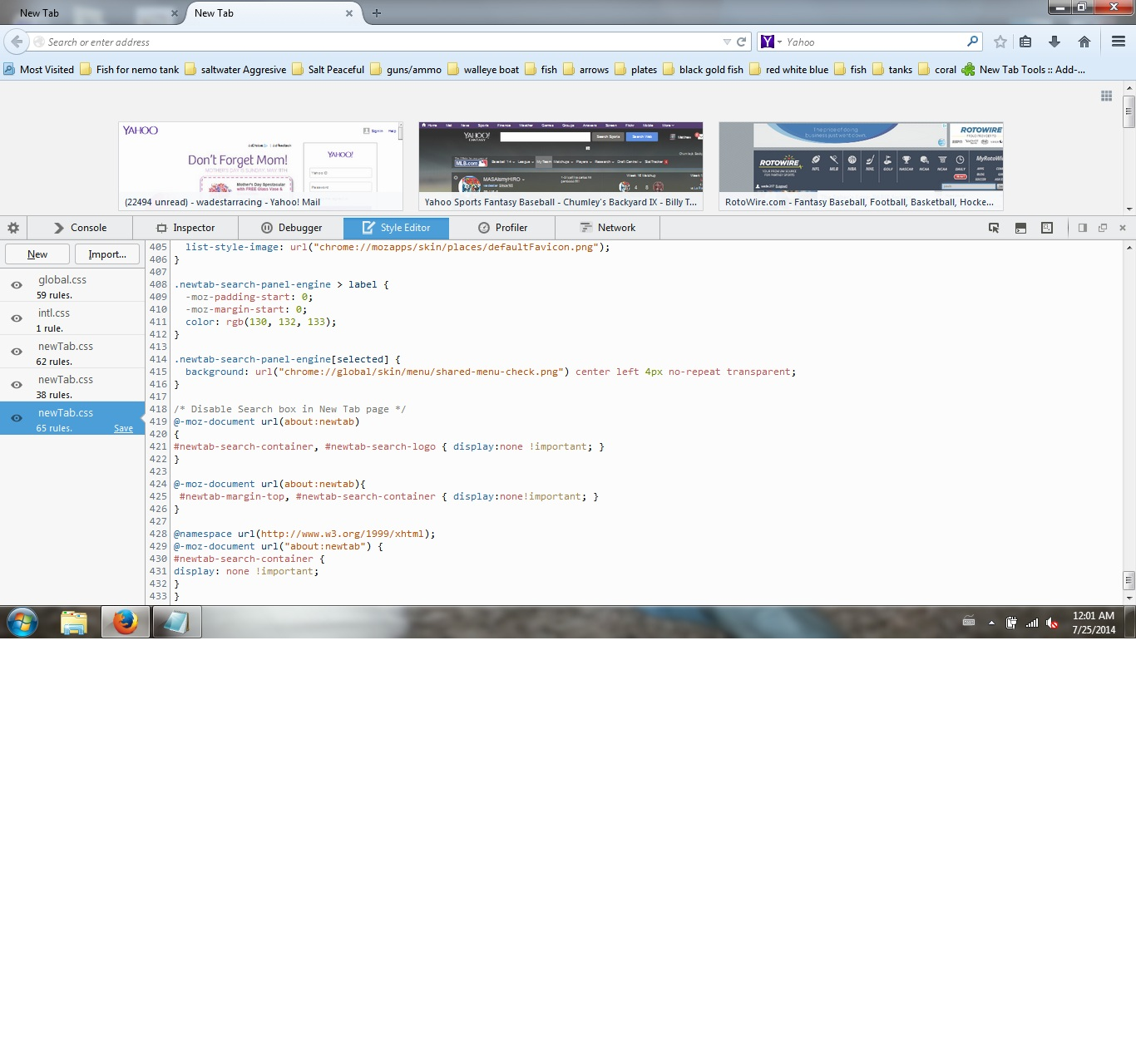
but got no results. but if i go to the developer style editor i can get it to work.
any ideas?
how about firefox just make it simple in a patch with a option to turn it off!
i have the chrome folder and put in the userContent.css file with these 3 files saved as all files.
<pre><nowiki> /* Disable Search box in New Tab page */
@-moz-document url(about:newtab)
{
#newtab-search-container, #newtab-search-logo { display:none !important; }
}
@-moz-document url(about:newtab){
#newtab-margin-top, #newtab-search-container { display:none!important; }
}
@namespace url(http://www.w3.org/1999/xhtml);
@-moz-document url("about:newtab") {
#newtab-search-container {
display: none !important;
}
}
</nowiki></pre> but got no results. but if i go to the developer style editor i can get it to work.
any ideas?
how about firefox just make it simple in a patch with a option to turn it off!
cor-el tarafından tarihinde düzenlendi
Tüm Yanıtlar (3)
heres my screenshot of it in developer
Install Stylish - https://addons.mozilla.org/en-US/firefox/addon/stylish/
Then install this UserStyle - https://userstyles.org/styles/103765/fx-31-about-newtab-hide-the-search-bar
A common cause for such a problem is that you have created a userContent.css.txt with a hidden .txt file extension. You can check the type via the right-click context menu in the Properties .