


Google shopping renders strangely in 90.x

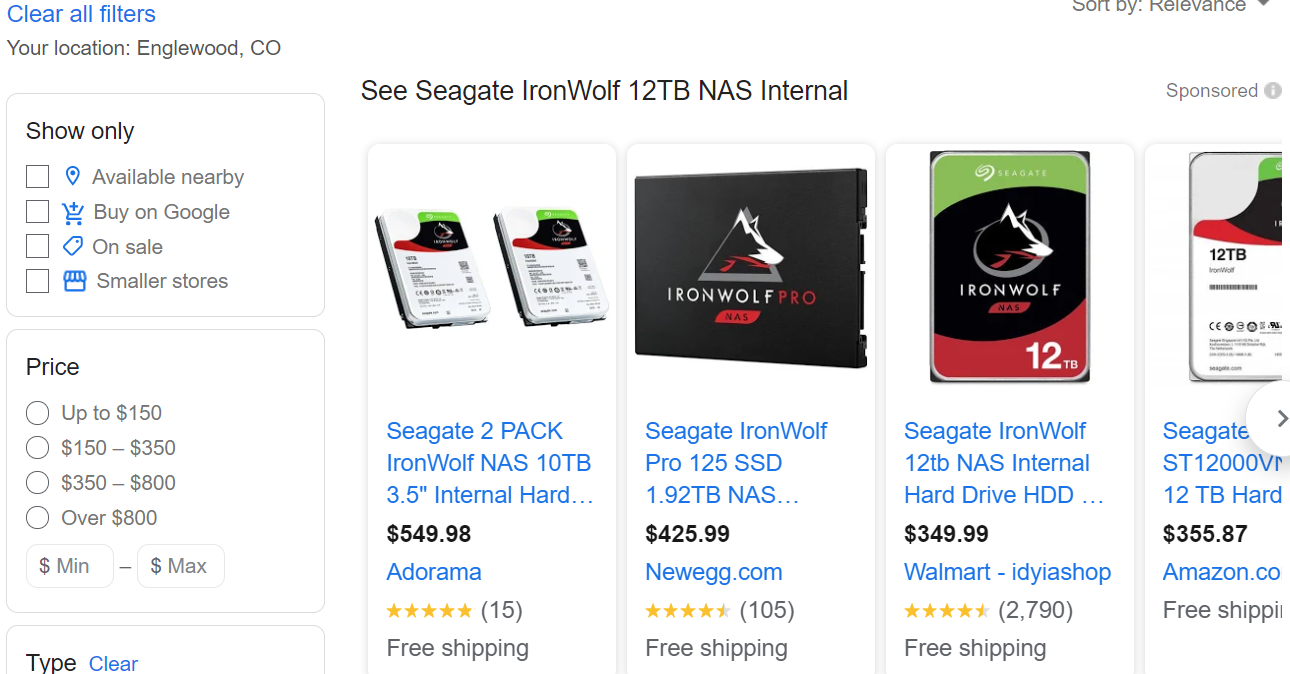
In Windows 10 Firefox version 90.x, I see Google shopping missing page parts. Not sure what to call the strip of products, see images. Google Chrome renders the page as expected, and previous Firefox releases looked similar.

Изабрано решење
Make sure you are not blocking content.
Diagnose Firefox issues using Troubleshoot(Safe) Mode {web link}
A small dialog should appear. Click Start In Troubleshoot(Safe) Mode (not Refresh). Is the problem still there?
https://support.mozilla.org/en-US/kb/enhanced-tracking-protection-firefox-desktop
Many site issues can be caused by corrupt cookies or cache.
Warning ! ! This will log you out of sites you're logged in to. You may also lose any settings for that website.
- How to clear the Firefox cache {web link}acking-protection-firefox-desktop
Сви одговори (3)

Одабрано решење
Make sure you are not blocking content.
Diagnose Firefox issues using Troubleshoot(Safe) Mode {web link}
A small dialog should appear. Click Start In Troubleshoot(Safe) Mode (not Refresh). Is the problem still there?
https://support.mozilla.org/en-US/kb/enhanced-tracking-protection-firefox-desktop
Many site issues can be caused by corrupt cookies or cache.
Warning ! ! This will log you out of sites you're logged in to. You may also lose any settings for that website.
- How to clear the Firefox cache {web link}acking-protection-firefox-desktop
Starting in troubleshoot mode cleared the issue. Restarting after, issue stayed gone. Thanks for the solution. -Alan
Glad to help. Safe Surfing.