

Ова тема је архивирана.
Питајте друго питање ако вам је потребна помоћ.

Solved
Архивирано
How do I make the add the menu bar in my Compose Box?
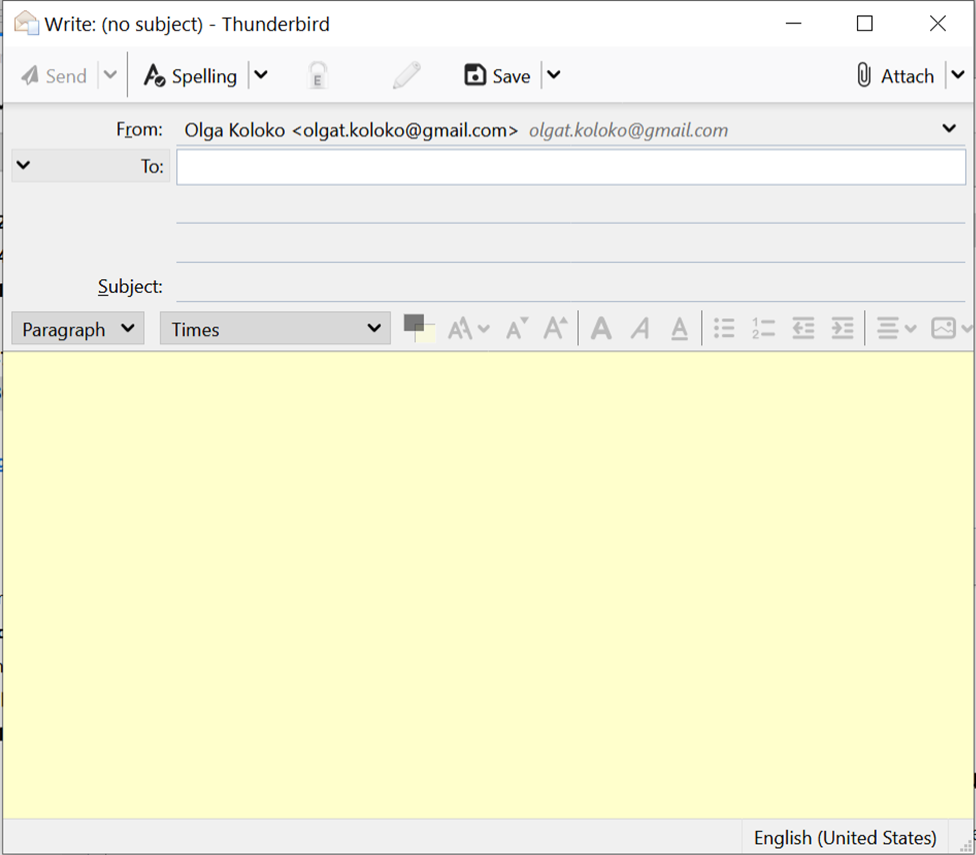
I am trying to send message to multiple people using Mailmerge. In order to do this (as I saw in the tutorial) I need to click on "File" at some point. However, I can't see "File", "Edit"... (nothing from the menu bar) in the compose box of my email. How do I add this menu bar so that it appear when I want to write a message?
I am trying to send message to multiple people using Mailmerge. In order to do this (as I saw in the tutorial) I need to click on "File" at some point. However, I can't see "File", "Edit"... (nothing from the menu bar) in the compose box of my email. How do I add this menu bar so that it appear when I want to write a message?
Сви одговори (2)
Одабрано решење
Press Alt to show the Menu Bar, then enable it under View/Toolbars.
sfhowes said
Press Alt to show the Menu Bar, then enable it under View/Toolbars.
I have never used a help service like this. I've had a couple of issues with Firefox and Thunderbird. But both times I found an answer to solve my problem with no need to post a new topic. This place is Kewl. :8) A big THANK YOU to all the folks that help us NERDS. lol