


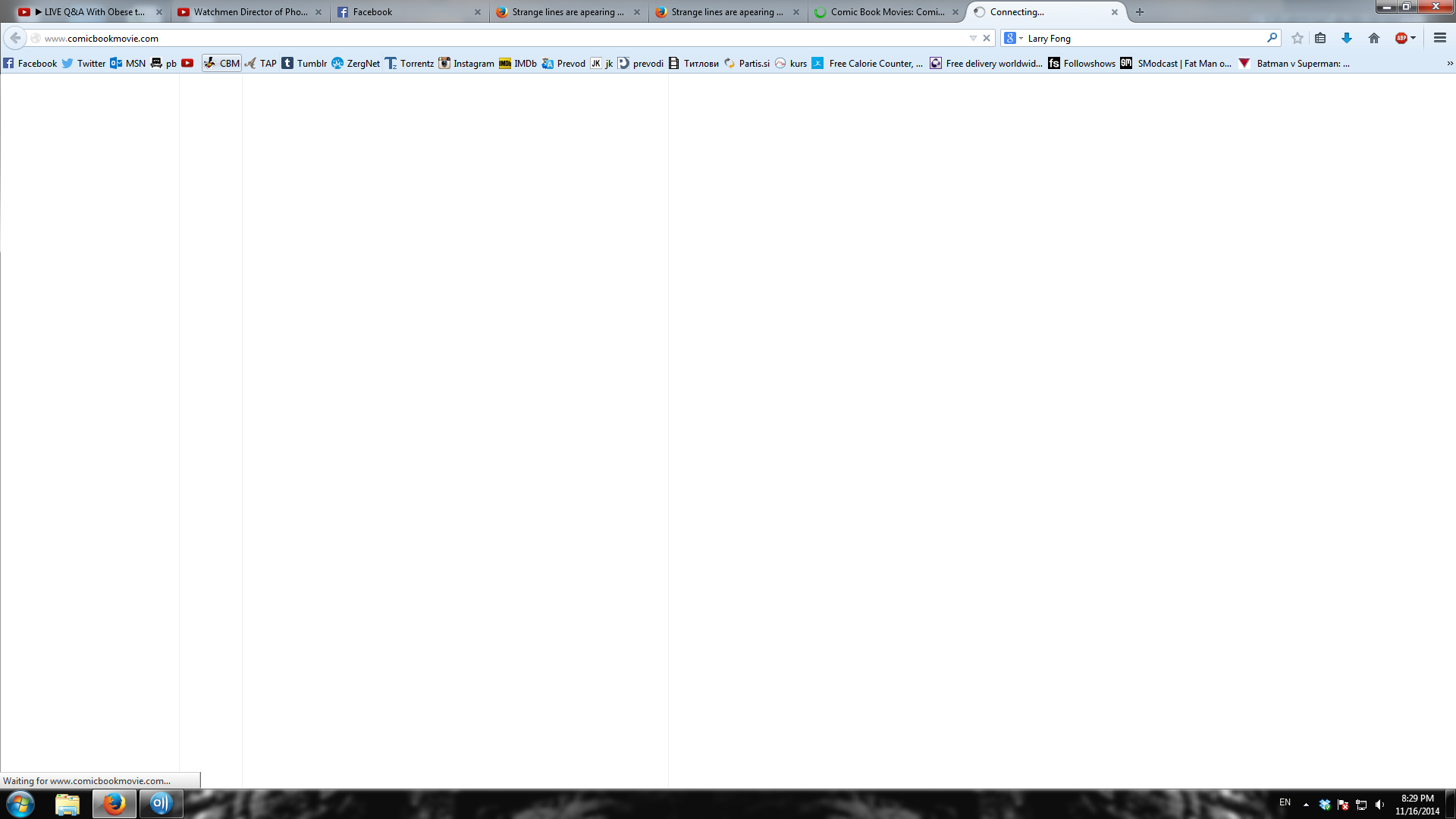
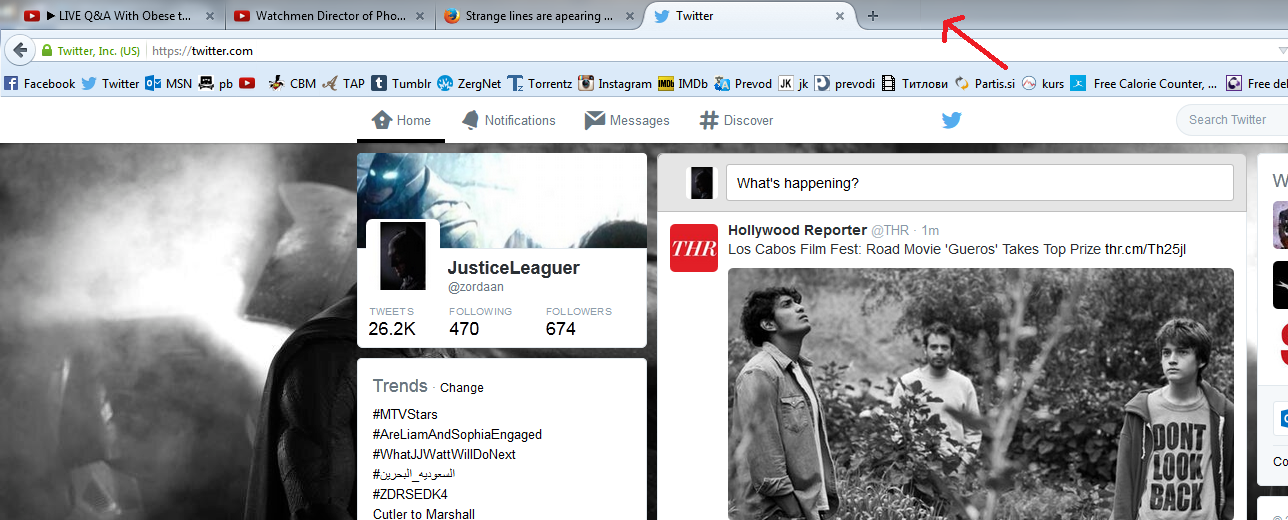
Strange lines are apearing when I open new page in new tab. They are on white page (new tab) before page I wanted shows up.

hey are on white surface before page I wanted shows up. They are also sometimes beetween my bookmarks on bookmark toolbar, sometimes they are on the new tab (where the name of the tab is)
hey are on white surface before page I wanted shows up. They are also sometimes beetween my bookmarks on bookmark toolbar, sometimes they are on the new tab (where the name of the tab is)
Сви одговори (4)
You can try to disable hardware acceleration in Firefox.
- Tools > Options > Advanced > General > Browsing: "Use hardware acceleration when available"
You need to close and restart Firefox after toggling this setting.
- https://support.mozilla.org/kb/Troubleshooting+extensions+and+themes
- https://support.mozilla.org/kb/upgrade-graphics-drivers-use-hardware-acceleration
Start Firefox in Safe Mode to check if one of the extensions (Firefox/Tools > Add-ons > Extensions) or if hardware acceleration is causing the problem.
- Switch to the DEFAULT theme: Firefox/Tools > Add-ons > Appearance
- Do NOT click the Reset button on the Safe Mode start window
here is pic
Hi,
You can try to disable hardware acceleration in Firefox :)
Измењено од стране Mario
it looks like the first one worked! thank you very much!