


Firefox started asking for a Master Password after update and I have none. I reset my account and now I can't log in!
Woke up today and Firefox was demanding a Master Password. I don't HAVE a Master Password. I reset the master password per the link in the help section. Then had to reset my account password as it was no longer recognizing it. Since I have Two Step enabled it asked for that. I entered the Two Step key. Then it wants to send Firefox to my phone and still won't log in or sync! Every login takes me to two step app and then demands I log in from my phone. All of my devices are now locked out of my account!
Izbrana rešitev
Nevermind! Deleted my sync account and recreated it with new email addresses from my devices that didn't get the data wiped off of by the Master Password Reset!
Vsi odgovori (5)
It says to sign into Firefox on my phone and my phone is already signed in. If I sign out of my phone I'll be totally locked out!
So I disabled 2 Step on my account using my phone. Changed my password on my phone and my Laptop and Desktop sign in just fine but they don't actually connect to sync and/or stay signed in and still say sing in or cancel setup as my only two options on the sign in screen.
Sign in Confirmed but Browser still not connecting!
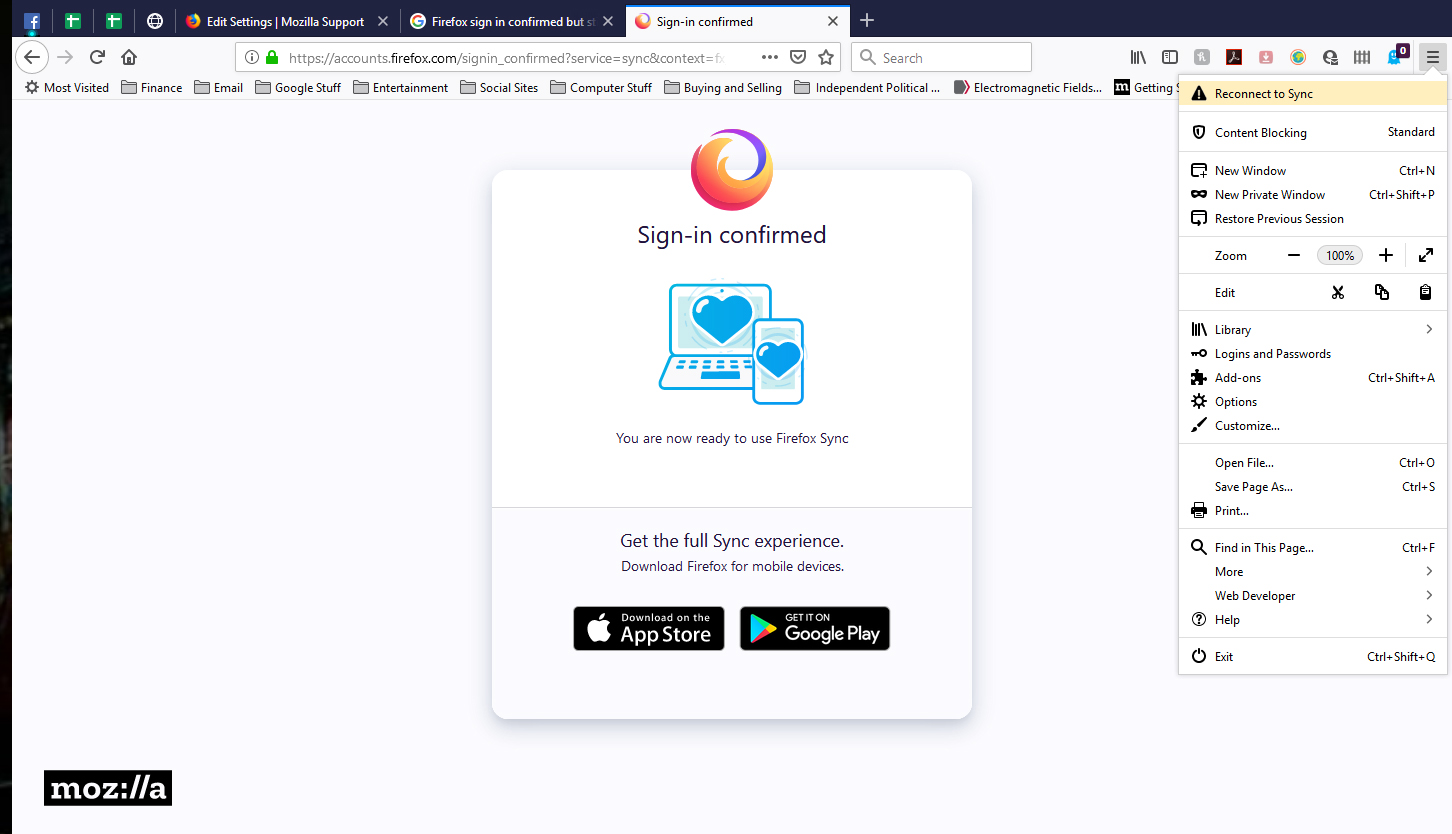
Restart Browser and it shows logged in but within seconds it disconnects from Sync again!

Izbrana rešitev
Nevermind! Deleted my sync account and recreated it with new email addresses from my devices that didn't get the data wiped off of by the Master Password Reset!