


Vyhnite sa podvodom s podporou. Nikdy vás nebudeme žiadať, aby ste zavolali alebo poslali SMS na telefónne číslo alebo zdieľali osobné informácie. Nahláste prosím podozrivú aktivitu použitím voľby “Nahlásiť zneužitie”.

Ďalšie informácie
Otvorené

Firefox 在“PDF 内容类型”设置为“保存文件”时,网页通过 iframe/blob URL 调用 window.print() 打印 PDF 会出现打印预览空白(about:blank)或多出空白页的问题。

tangap

Environment:

Firefox on Windows Web app prints PDF by creating an iframe with a blob URL, then calling iframe.contentWindow.print() Library behavior is similar to print-js (PDF iframe print flow) Problem:

When Firefox PDF handling is set to “Open in Firefox”, printing mostly works. When Firefox PDF handling is set to “Save File”, the same blob iframe print flow often fails: print preview shows blank page / about:blank or preview shows an extra trailing blank page print dialog options also differ from normal PDF preview flow What I already confirmed:

iframe src (blob URL) looks valid and similar in both settings issue is reproducible with same PDF data fallback to image-based printing works but degrades UX (different print panel/options, possible scaling differences)
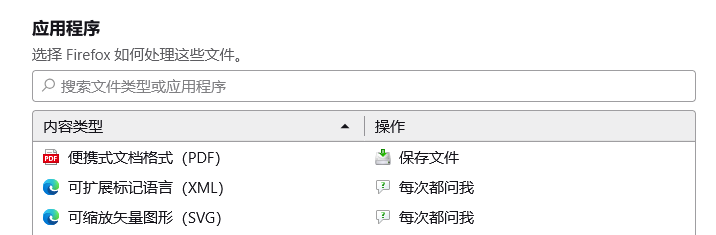
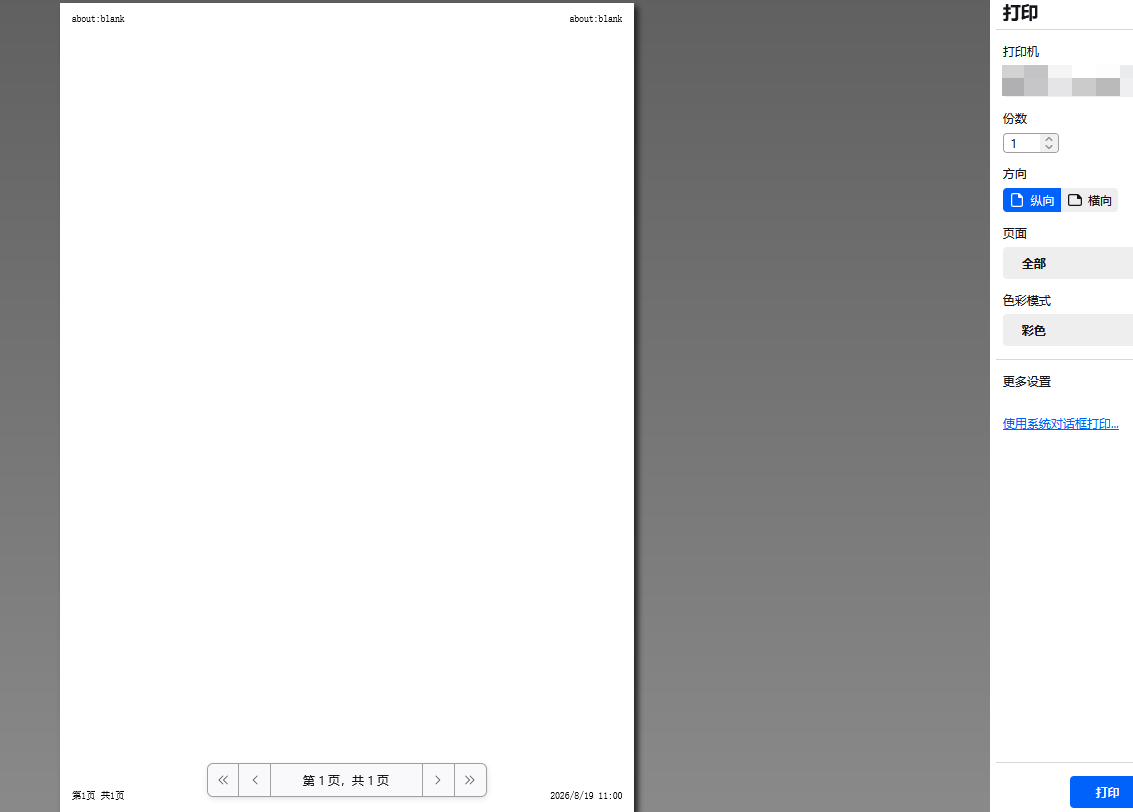
Environment: Firefox on Windows Web app prints PDF by creating an iframe with a blob URL, then calling iframe.contentWindow.print() Library behavior is similar to print-js (PDF iframe print flow) Problem: When Firefox PDF handling is set to “Open in Firefox”, printing mostly works. When Firefox PDF handling is set to “Save File”, the same blob iframe print flow often fails: print preview shows blank page / about:blank or preview shows an extra trailing blank page print dialog options also differ from normal PDF preview flow What I already confirmed: iframe src (blob URL) looks valid and similar in both settings issue is reproducible with same PDF data fallback to image-based printing works but degrades UX (different print panel/options, possible scaling differences)
Priložené obrázky

Ak chcete odpovedať na príspevky, musíte sa prihlásiť do svojho účtu. Ak ešte nemáte účet, položte novú otázku.