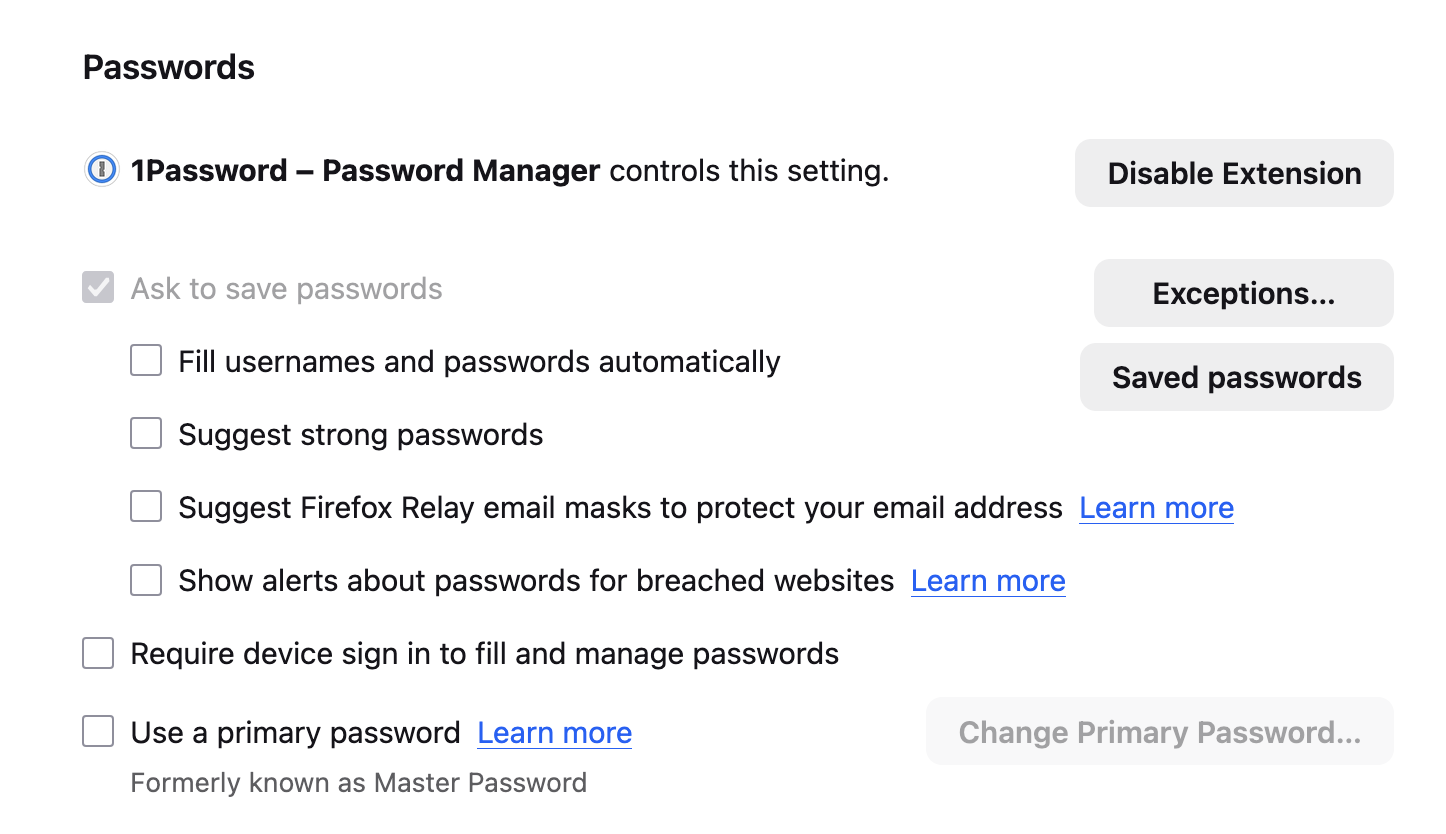
how do I stop firefox from asking to save passwords. The option to uncheck "ask to save passwords" in settings/passwords is greyed out, so I cannot uncheck it.

I use a password manager and do not want firefox to save any passwords, but every time I enter a password in Firefox a popup asks if I want firefox to save the password. I know what should work to disable this option, however the option to check or uncheck "ask to save passwords" in settings/passwords is greyed out and cannot be checked or unchecked. (see attached screenshot) Is this because I have my password manager enabled? How do I correct this?
Thanks
I use a password manager and do not want firefox to save any passwords, but every time I enter a password in Firefox a popup asks if I want firefox to save the password. I know what should work to disable this option, however the option to check or uncheck "ask to save passwords" in settings/passwords is greyed out and cannot be checked or unchecked. (see attached screenshot) Is this because I have my password manager enabled? How do I correct this?
Thanks