Viser spørsmål tagget med: Vis alle spørsmål
  • Løst

How do I stop Back Escape from navigating back?

On some sites where the text input isn't a proper input box, pressing Back Escape takes me back to the previous page is there anyway to fix this? (for example the wordle … (les mer)

On some sites where the text input isn't a proper input box, pressing Back Escape takes me back to the previous page is there anyway to fix this? (for example the wordle page.)

Asked by alix57640 1 dag siden

Answered by TyDraniu 1 dag siden

  • Løst

Sessions and history are not saved

I have Firefox installed on multiple devices and most/all of them don't keep sessions or browsing history I noticed that these files are updated while browser is open and… (les mer)

I have Firefox installed on multiple devices and most/all of them don't keep sessions or browsing history

I noticed that these files are updated while browser is open and get deleted once browser is closed:

  • sessionstore-backups/recovery.baklz4
  • sessionstore-backups/recovery.jsonlz4

No other files are related to sessions

I have "Open previous windows and tabs" checked

Installations:

  • Windows 10
  • Debian 12
  • Debian 13 (Firefox 148.0 Snap)

On Firefox for Android, this issue doesn't happen, I can even see the whole browsing history including history lost on PC installations

Asked by zeidy44zeidy44 1 uke siden

Answered by zeidy44zeidy44 1 uke siden

  • Løst

ups.com tracking services not working on Firefox

Hi! What goes wrong with a simple tracking request on the UPS website? Try my actual case with the following link: https://www.ups.com/track?tracknum=1ZA06B736800244687&… (les mer)

Hi!

What goes wrong with a simple tracking request on the UPS website? Try my actual case with the following link: https://www.ups.com/track?tracknum=1ZA06B736800244687&loc=fi_FI&requester=QUIC%2F/ The response in Finnish is always: "Emme voi suorittaa seurantapyyntöäsi tällä hetkellä. Yritä myöhemmin uudelleen." A quick and dirty translation is: "We cannot execute your request right now. Try again later".

This is an everlasting problem. But try the exactly same link on Chrome or Edge, and it works fine.

Best regards, Tom Lindeman Helsinki, Finland [edited email from public community support forum]

Asked by tom.lindeman 4 måneder siden

Answered by Denys 4 måneder siden

  • Løst

enhancement suggestion

I have an idea for improvement of the mozilla browser, but I don't want to send it online here. So can you please give an email address and I will send it there instead(?… (les mer)

I have an idea for improvement of the mozilla browser, but I don't want to send it online here. So can you please give an email address and I will send it there instead(?).

Asked by Gtr Gtr 1 måned siden

Answered by Denys 1 måned siden

  • Løst

Can't access Accor Hotels website using Firefox but can with Chrome. Any suggestion please?

Hi, I don't understand why I can't access the Accor Hotels website using my preferred browser, Firefox. I'm using an iMac with OS Catalina v 10.15.7 and Firefox 147.0.1 (… (les mer)

Hi, I don't understand why I can't access the Accor Hotels website using my preferred browser, Firefox. I'm using an iMac with OS Catalina v 10.15.7 and Firefox 147.0.1 (64 bit)

I can access the site using Chrome. Chrome version is 'This computer is using macOS 10.15. Learn more Version 128.0.6613.138 (Official Build) (x86_64)'

I've checked every Firefox setting I can think of, passwords etc. but the site freezes. Please see attached screenshot. Accor tech support say they have no problem at their end.


This is the link to Accor - https://login.accor.com/as/authorization.oauth2?client_id=all.accor&response_type=code&persistent=yes&accorregister=true&origin=LOGIN&request=eyJhbGciOiJSUzI1NiIsInR5cCI6IkpXVCJ9.eyJjbGllbnRfaWQiOiJhbGwuYWNjb3IiLCJyZXNwb25zZV90eXBlIjoiY29kZSIsInJlZGlyZWN0X3VyaSI6Imh0dHBzOi8vYWxsLmFjY29yLmNvbS9sb3lhbHR5LWZ1bm5lbC9jaGVjay1hdXRoZW50Lmh0bWw_YXBwSWQ9YWxsLmFjY29yIiwic2NvcGUiOiJvcGVuaWQgQVBJV0VCLlVTRVIuQUxMIEFQU1IuQUxMIiwidWlfbG9jYWxlcyI6ImVuIiwic3RhdGUiOiI1ZjcwNzA5NjdiNWVkODBjYWZmOGY5Iiwibm9uY2UiOiJjNmNhYzBlMzQ4Zjk1NmNlMGQxNWE2IiwiZXhwIjoxNzY5MjY0NTMyLCJpYXQiOjE3NjkyNjI3MzJ9.DrUJZC2GmtZoLJAWv7lYORQij3C0tcwq4bGNezAINae8_qSHgs4hOKKiq0Cso6sJnhODcMeyrMOP-v1uZBR4Lt0NMpW-8CmprMoSmtORWrD5lWngZg2_3W4gfWViC_Phkj5tVzxdpMx5UoRWC-zvALjP_PNhE4Ca70UnRnvqDi4LFdOYZm4S52kqn_TBQq2VtSzRlLJZwBwAKUIgQG7fYaLknLXnbTd9zKSGHlwEAeO94Y6o59sQ3fHFWrWqjuJFbEl1MJEPu0tPJREmy4D70LkpV8N3TTMfDNzG0O_eLj4wX9Mipv8Q9jdOoTG8wodT5zXLkL0mRYlcdygo_MacIQ&redirect_site_uri=https%3A%2F%2Fall.accor.com%2Fa%2Fen.html%3Futm_term%3Dmar%26gclid%3DEAIaIQobChMI6r3v44eOkgMV1SV7Bx2bTCqUEAAYASAAEgJojfD_BwE%26utm_campaign%3Dppc-ach-mar-goo-uk-en-pure-mix-sear-%26utm_medium%3Dcpc%26utm_source%3Dgoogle%26utm_content%3Duk-en-ALL-ALL

Other sites all seem to work ok.

Any ideas pleas on why just this website and how I can access it without having to swap browser?

Asked by doverrog 1 måned siden

Answered by jonzn4SUSE 1 måned siden

  • Låst
  • Arkivert

what the hell is this [expletive]

as title says, what the [expletive] hell is this [expletive], why the [expletive] is it enabled by default and how the [expletive] hell do I get rid of this [expletive] … (les mer)

as title says, what the [expletive] hell is this [expletive], why the [expletive] is it enabled by default and how the [expletive] hell do I get rid of this [expletive] [expletive]

Asked by killer93551277 6 måneder siden

Last reply by Paul 6 måneder siden

  • Løst
  • Arkivert

History wiped on exit with options not working as per requirements.

Ok so I usually choose these option to remember history and from time to time delete Browsing & download history and Temporary cached files and pages. https://assets… (les mer)

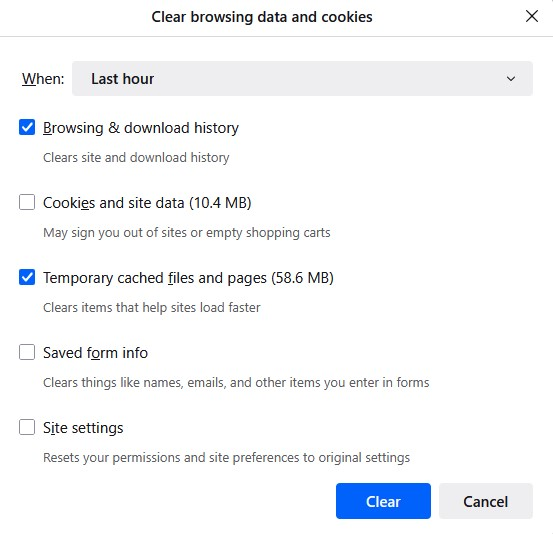
Ok so I usually choose these option to remember history and from time to time delete Browsing & download history and Temporary cached files and pages.

https://assets-prod.sumo.prod.webservices.mozgcp.net/media/uploads/images/2025-06-28-08-45-55-a5277f.png

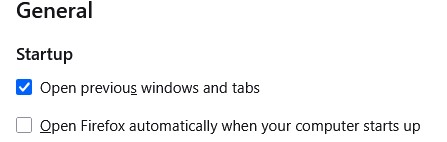
Note: I have "Open previous window and tabs" ticked in general settings which also has a restore previous session option in the history menu. This brings back previous session with tabs etc as is when I close FF. https://assets-prod.sumo.prod.webservices.mozgcp.net/media/uploads/images/2025-06-28-08-45-51-cf2daf.png

I thought I could automate this on exit but don't think its working right. So I change the option to "use custom settings for history" and tick all three options:

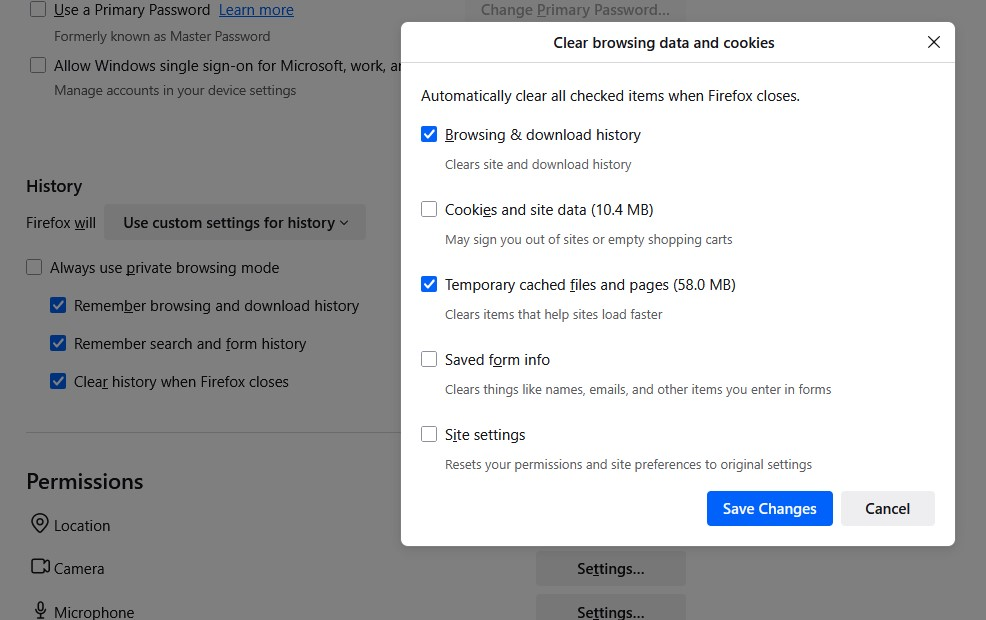
Remember browsing and download history Remember search and form history Clear history when Firefox closes For "Clear history when Firefox closes" I ticked Browsing & download history and Temporary cached files and pages. https://assets-prod.sumo.prod.webservices.mozgcp.net/media/uploads/images/2025-06-28-08-45-43-b10213.png

The issue is the restore session option is missing and FF opens with all previous tabs gone. I am frankly not even sure what else is missing such as cookies, site data etc. Is this meant to work like so?

Asked by Mrsash 8 måneder siden

Answered by jscher2000 - Support Volunteer 8 måneder siden

  • Løst
  • Arkivert

system blocked by intruder

I am running an iMac that is about eight years old.This afternoon my Firefox browser was taken over by a "warning" from "MacOS security center" that I should go to THEIR … (les mer)

I am running an iMac that is about eight years old.This afternoon my Firefox browser was taken over by a "warning" from "MacOS security center" that I should go to THEIR macOS support site to get my system unfrozen. The number they give is 1-877-xxx-xxxx. I cannot get this intruder to go away, even by restarting the computer.

Asked by jpdough37 7 måneder siden

Answered by Paul 7 måneder siden

  • Løst
  • Arkivert

Youtube broken since 141 update

Since 141 update I have constant problems with youtube. Page does not load at all or loads only partially. Icons on sidebar are broken, youtube logo is black. I tried dis… (les mer)

Since 141 update I have constant problems with youtube. Page does not load at all or loads only partially. Icons on sidebar are broken, youtube logo is black. I tried disabling ublock and greasemonkey but it did not help. Refreshing page multiple times and using ctrl+f5 sometimes helps but issue returns often, every few videos/visits. Clearing cookies helps but only for few hours and then issue returns.

Is it related to WebGPU support that was supposed to be added in 141? Can I disable it somehow?

Asked by Piterk 7 måneder siden

Answered by Piterk 7 måneder siden

  • Løst
  • Arkivert

viewing tabs

Is it possible to view the contents of two tabs simultaneously? I have been in many situations where it would be very helpful to view two different web pages side-by-side… (les mer)

Is it possible to view the contents of two tabs simultaneously? I have been in many situations where it would be very helpful to view two different web pages side-by-side to more easily make comparisons. Opening a new window and viewing them side-by-side is similar but being able to pick two tabs to view in one browser would be a lot faster and easier to control.

Asked by emathis01 8 måneder siden

Answered by emathis01 8 måneder siden

  • Løst
  • Arkivert

What with these HUGE cookie file sizes?

I took a look today and I had 237 MB in cookies! This was after clearing the cache of all files. I've only had this (new) machine a couple months. Short version: Sites h… (les mer)

I took a look today and I had 237 MB in cookies! This was after clearing the cache of all files. I've only had this (new) machine a couple months.

Short version: Sites have "cookies" from 200kb to as much as 34MB! For many of the sites over 3MB I have no account and have visited them only briefly.

To be clear, I don't care about the space being used. It's trivial. But what the heck is FFox storing and calling it "cookies"? Last I checked, a site was still limited to 4K size cookies and perhaps 50 per domain. So how are we getting to MB+ sized "cookies" per site? Again, the cache was cleared, so what's left aside from trivial cookie files of <4KB?

Desktop; Windows 11; Firefox 139.0.4 64 bit

Asked by MozzieBob 9 måneder siden

Answered by MozzieBob 8 måneder siden