Windows 10 reached EOS (end of support) on October 14, 2025. If you are on Windows 10, see this article.

Mozilla 도움말 검색

고객 지원 사기를 피하세요. 저희는 여러분께 절대로 전화를 걸거나 문자를 보내거나 개인 정보를 공유하도록 요청하지 않습니다. "악용 사례 신고"옵션을 사용하여 의심스러운 활동을 신고해 주세요.

자세히 살펴보기

How to bypass SEC_ERROR_REUSED_ISSUER_AND_SERIAL error for local devices

  • 답글 없음
  • 0 이 문제를 만남
  • Open

I'm reposting a question already opened here because a moderator suggested to do so. Actually I though I was posting to the international forum from the URL...

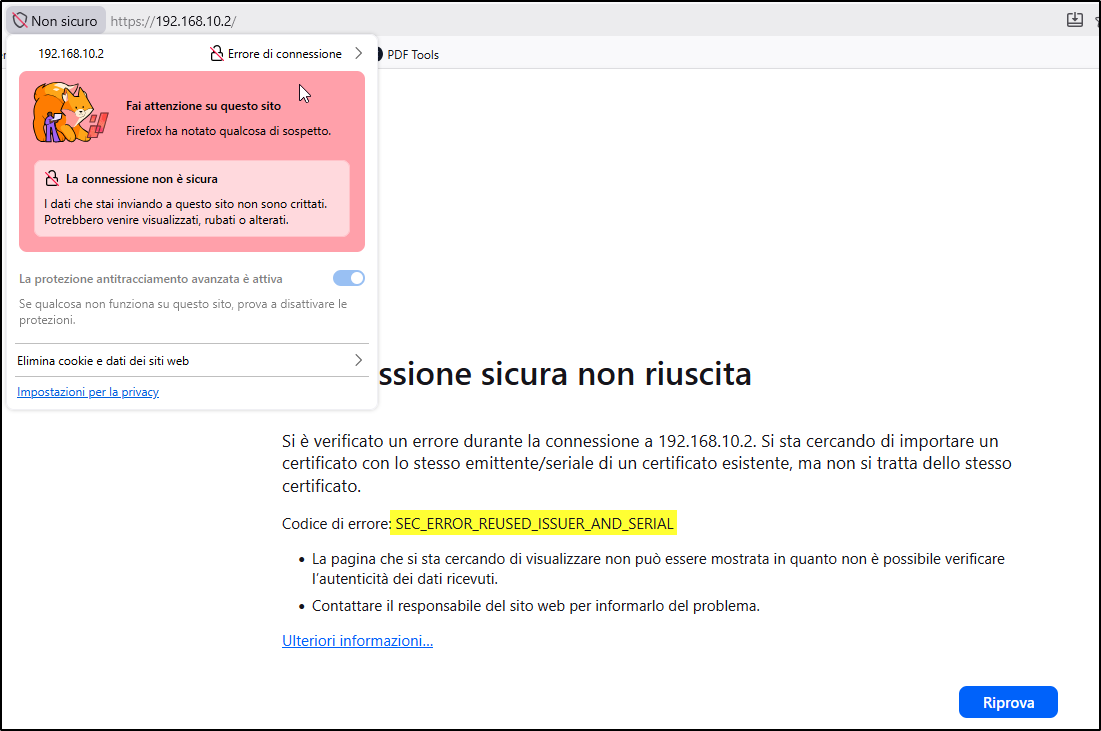
I was trying to access a local HTTPS website of an embedded device (a Siemens S7-1500 PLC) that is using a self-signed certificate, but was unable to go on (attached image #1, in Italian language) due to the the SEC_ERROR_REUSED_ISSUER_AND_SERIAL error. I've browsed a similar PLC webserver in the past, so the fact that the device exposes a similar certificate serial number is not so strange for me, considering also it's self-signed.

The problem is that I cannot follow the instructions of the Mozilla knowledgebase here because I'm not able to identify the correct certificate of the website!

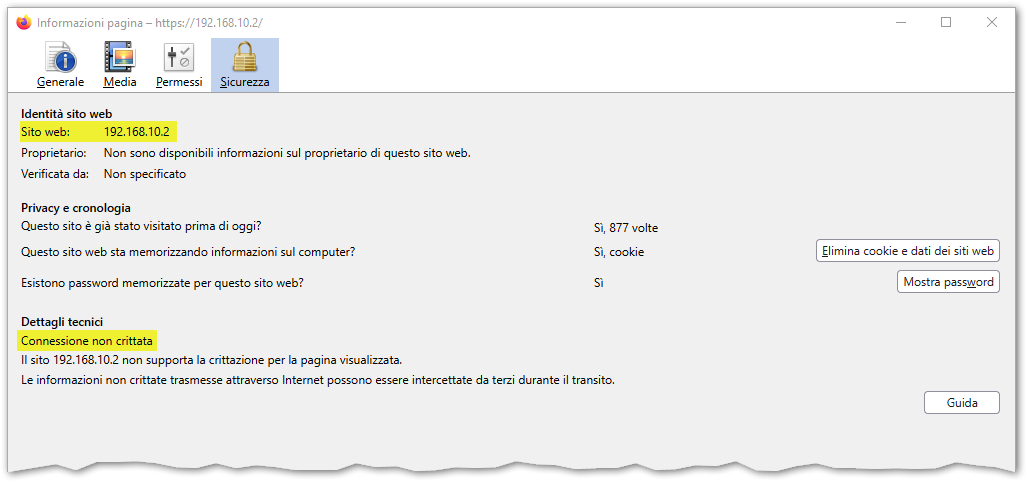
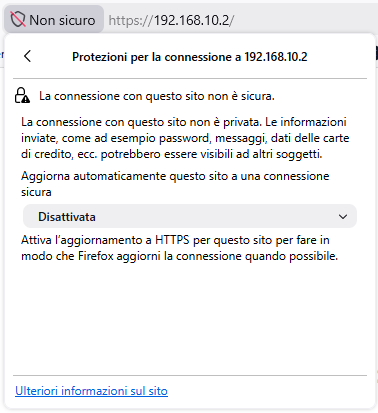
In the attached image #2 you can see that the connection is detected as not encrypted, I suppose because only the form part of the HTML that is posting the data using HTTPS while the rest is using HTTP, but I'm not sure. If I click on the padlock icon (attached image #3) the info about the current certificate is not displayed.

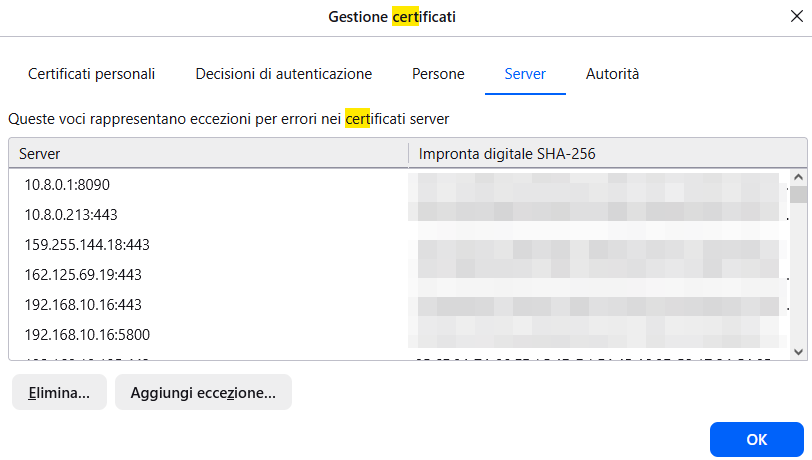
Then I went into Tools > Options and searched for "certificates"; as you can see in the attached images #4 and #5, neither in the Servers tab nor in the Authorities tab I can find any item that is related to 192.168.10.2 (the webserver IP address) or Siemens (the embedded device manufacturer). But unfortunately the error persist! Initially there was a 192.168.10.2:443 line in the Servers tab and I removed it and restarted Firefox, but it didn't solve, so at the moment the situation is the one depicted by the attachments.

I had to use Microsoft Edge to access the website, but I would like to solve this issue and use Firefox instead. Is there anything else I can do to bypass the error? Why doesn't the error page provide a way to correctly identify the wrong certificate using its fingerprint and/or name? Or, maybe, is there a way to disable this check for local IP addresses or for items in a whitelist?

Thanks for your help.
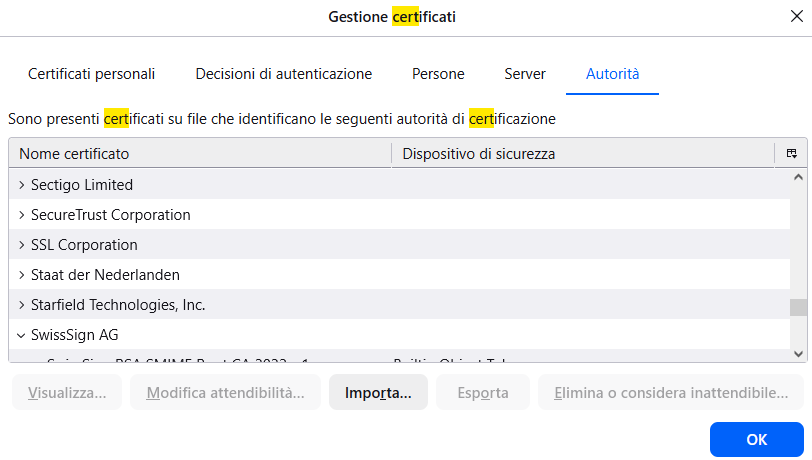
I'm reposting a question already opened [https://support.mozilla.org/en-US/questions/1581304 here] because a moderator suggested to do so. Actually I though I was posting to the international forum from the URL... I was trying to access a '''local HTTPS website''' of an embedded device (a Siemens S7-1500 PLC) that is using a '''self-signed certificate''', but was unable to go on (attached image #1, in Italian language) due to the the '''SEC_ERROR_REUSED_ISSUER_AND_SERIAL''' error. I've browsed a similar PLC webserver in the past, so the fact that the device exposes a similar certificate serial number is not so strange for me, considering also it's self-signed. The problem is that I cannot follow the instructions of the Mozilla knowledgebase [https://mzl.la/3Ad3wj1 here] because '''I'm not able to identify the correct certificate''' of the website! In the attached image #2 you can see that the connection is detected as not encrypted, I suppose because only the form part of the HTML that is posting the data using HTTPS while the rest is using HTTP, but I'm not sure. If I click on the padlock icon (attached image #3) the info about the current certificate is not displayed. Then I went into ''Tools > Options'' and searched for "certificates"; as you can see in the attached images #4 and #5, neither in the ''Servers'' tab nor in the ''Authorities'' tab I can find any item that is related to ''192.168.10.2'' (the webserver IP address) or ''Siemens'' (the embedded device manufacturer). But unfortunately the error persist! Initially there was a ''192.168.10.2:443'' line in the ''Servers'' tab and I removed it and restarted Firefox, but it didn't solve, so at the moment the situation is the one depicted by the attachments. I had to use Microsoft Edge to access the website, but I would like to solve this issue and use Firefox instead. Is there anything else I can do to bypass the error? Why doesn't the error page provide a way to correctly identify the wrong certificate using its fingerprint and/or name? Or, maybe, is there a way to disable this check for local IP addresses or for items in a whitelist? Thanks for your help.
첨부된 스크린샷

글에 답글을 달기 위해서는 계정으로 로그인해야만 합니다. 계정이 아직 없다면 새로운 질문을 올려주세요.