Unable to sucessfully add new email account

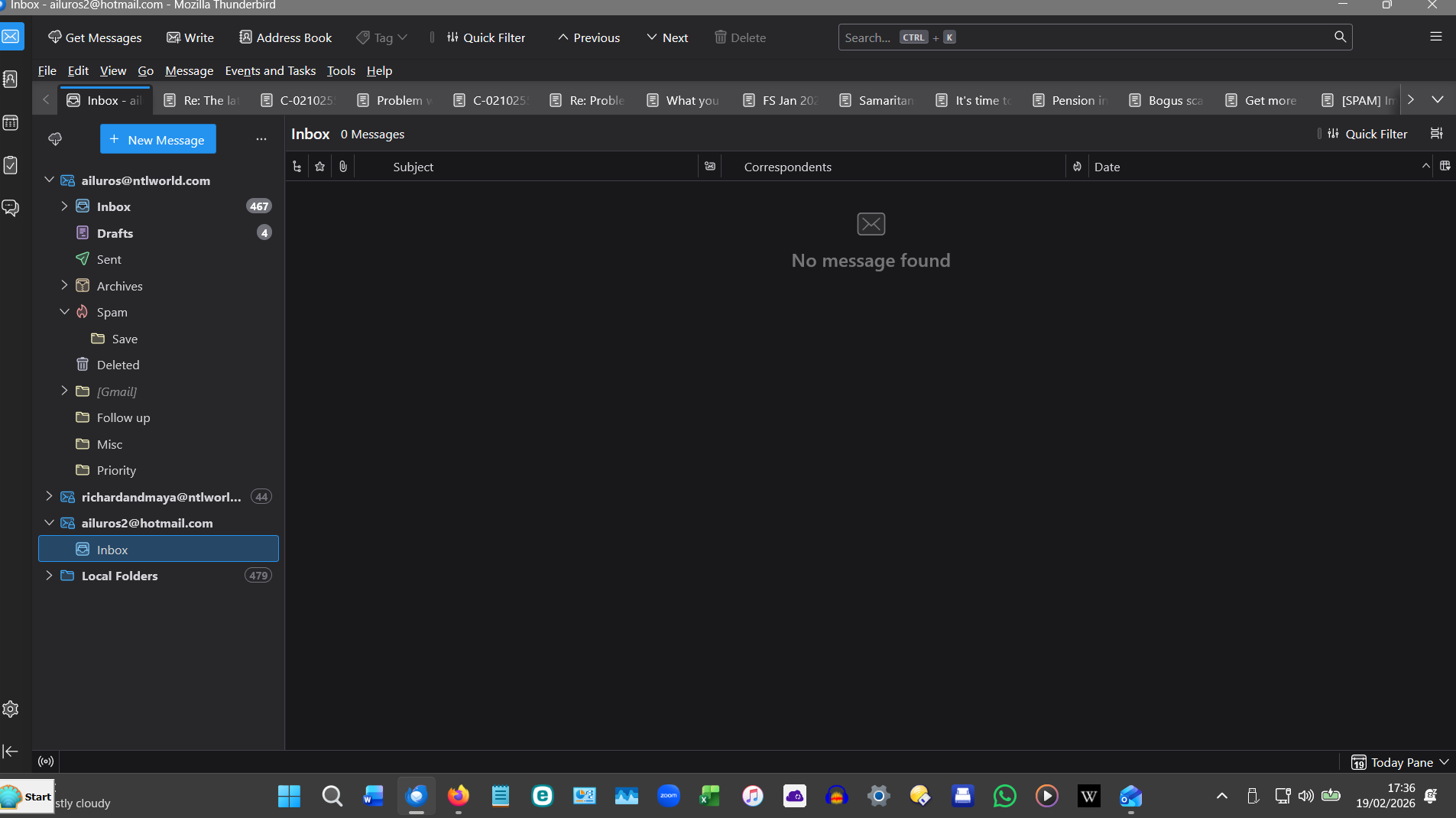
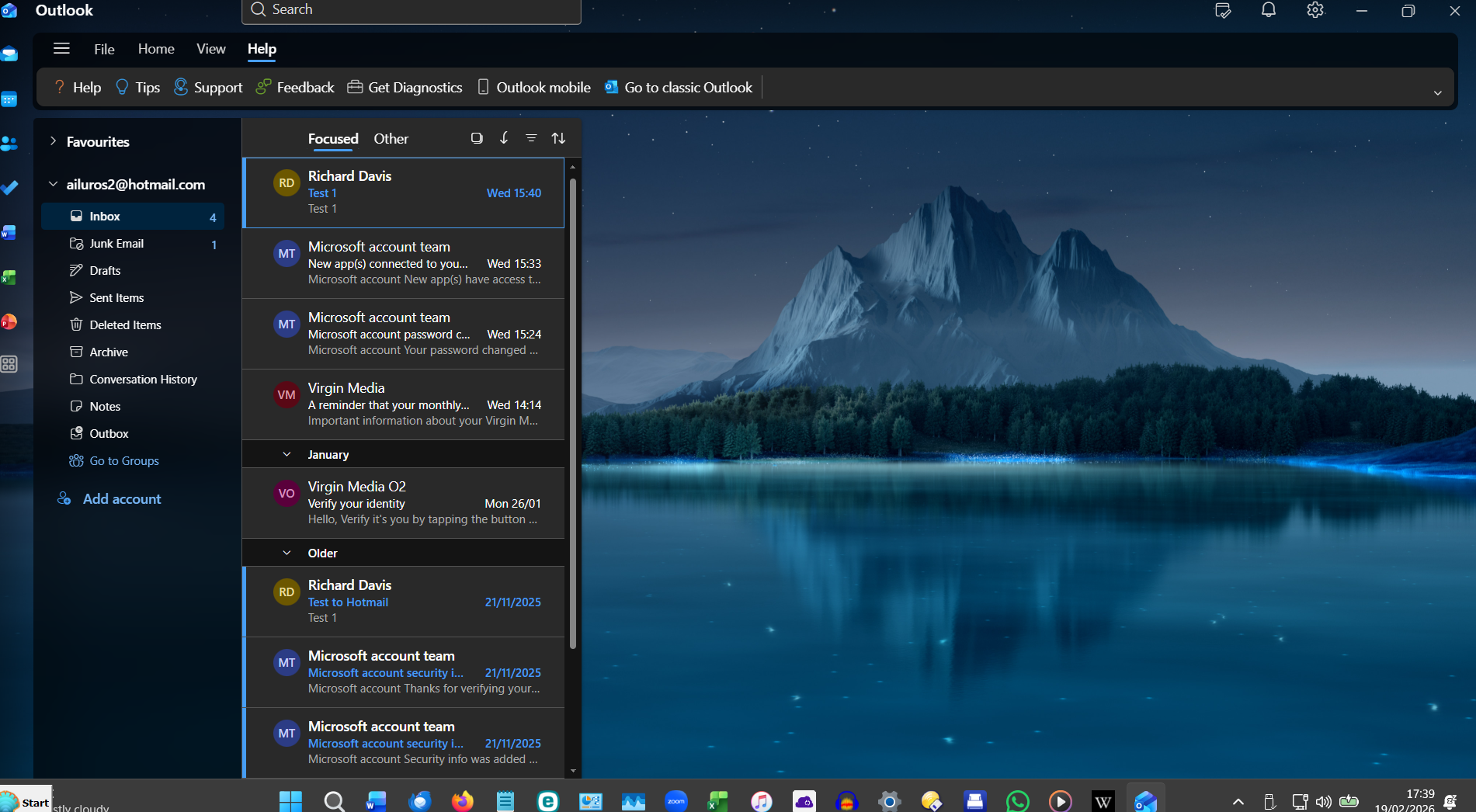
I currently have two email accounts in Thunderbird (both from Virgin), and want to add a further one (from Hotmail). The new account is up and working, but I've only been partially successful in adding it to Thunderbird. I followed the procedure given in the Support Article "Automatic Account Configuration" and this worked up to a point, but it failed at Step 4 (or possibly 5). Thunderbird seems to be able to recognise the new account and add it to the on-screen list, but It claims that it can't find any messages, although I know that there are at least 10 in its Inbox on Outlook. Furthermore, although my other two accouts have subfolders such as "Inbox, Drafts, Spam, Sent, etc." the only subfolder that appears in the new account is "Inbox", which remains stubbornly empty!
I'm attaching two screenshots. The first one shows my Firefox screen with the three accounts and their subfolders (collapsed for "richardandmaya@ntlworld.com") in the left hand column. The new one is the one named "ailuros2@hotmail.com". The second screenshot shows the new account seen via its native Outlook, which shows all the messages that I know are there but which Thunderbird can't see.
Strangly, I seem to be able to send messages from the new account to other accounts.
Any suggestions?