


How can delete saved user names?

I miss-spelled my email address I use for a user name. when I start t type my user name a list pops up. The miss-spelled name gets selected by mistake somtimes. How can I delete from the list of user name so that I do not select it by mistake.
ყველა პასუხი (3)
შერჩეული გადაწყვეტა
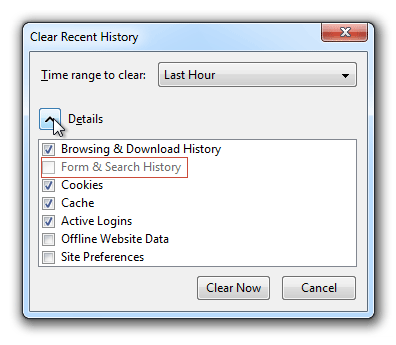
You can delete cleaning the history:
You can select the option to clear only the forms data
Or whe the suggestion appears press down arrow to select the suggest and press DEL.
ჩასწორების თარიღი: , ავტორი: Diego Victor


Start typing slowly until you see the bad entry and STOP ! Now move the mouse over the bad entry, and press Delete.
Is this on Android or Desktop?
Android: There is a way to clear all saved form data or all saved passwords at:
menu > Settings > Privacy > Clear Private Data
But I don't know of a way to remove just one item.
Desktop: Firefox could have saved the username in form history or in saved passwords. If the above tips don't help, try clearing the bad login here:
orange Firefox button (or Tools menu) > Options > Security > "Saved Passwords"