


Why are "all" of my filters still not working correctly

Enclosed are jpg copies of the current sets of filters failures in my TB email program.
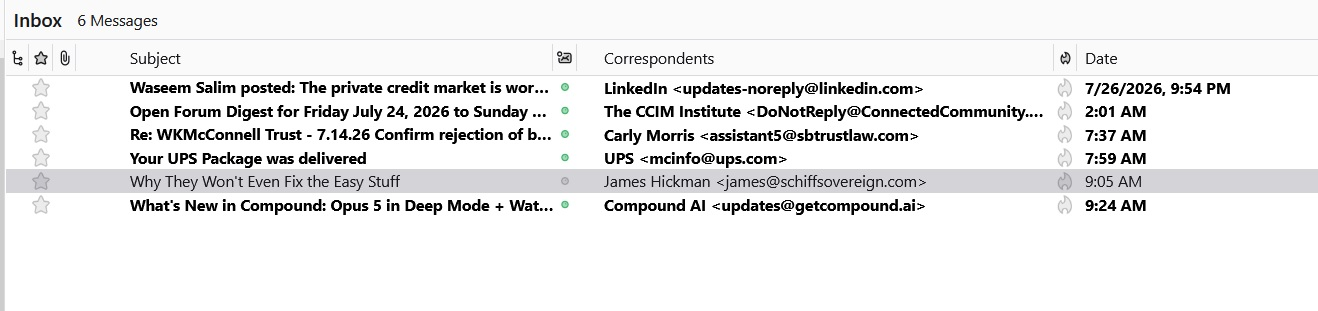
TB Error0 shows the 6 emails that have arrived and are placed in the INBOX. However, each of these has a corresponding filter set up to move them upon arrival to a separate subject email mailbox.
Note: If I highlight the INBOX and then go to Tools > Run Filters On Folder ... all of these INBOX email messages will be correctly filtered and moved to their respective email mailbox, BUT each of them is shown as having been "read" and unless you pay close attention, you may not know where these INBOX emails were sent.
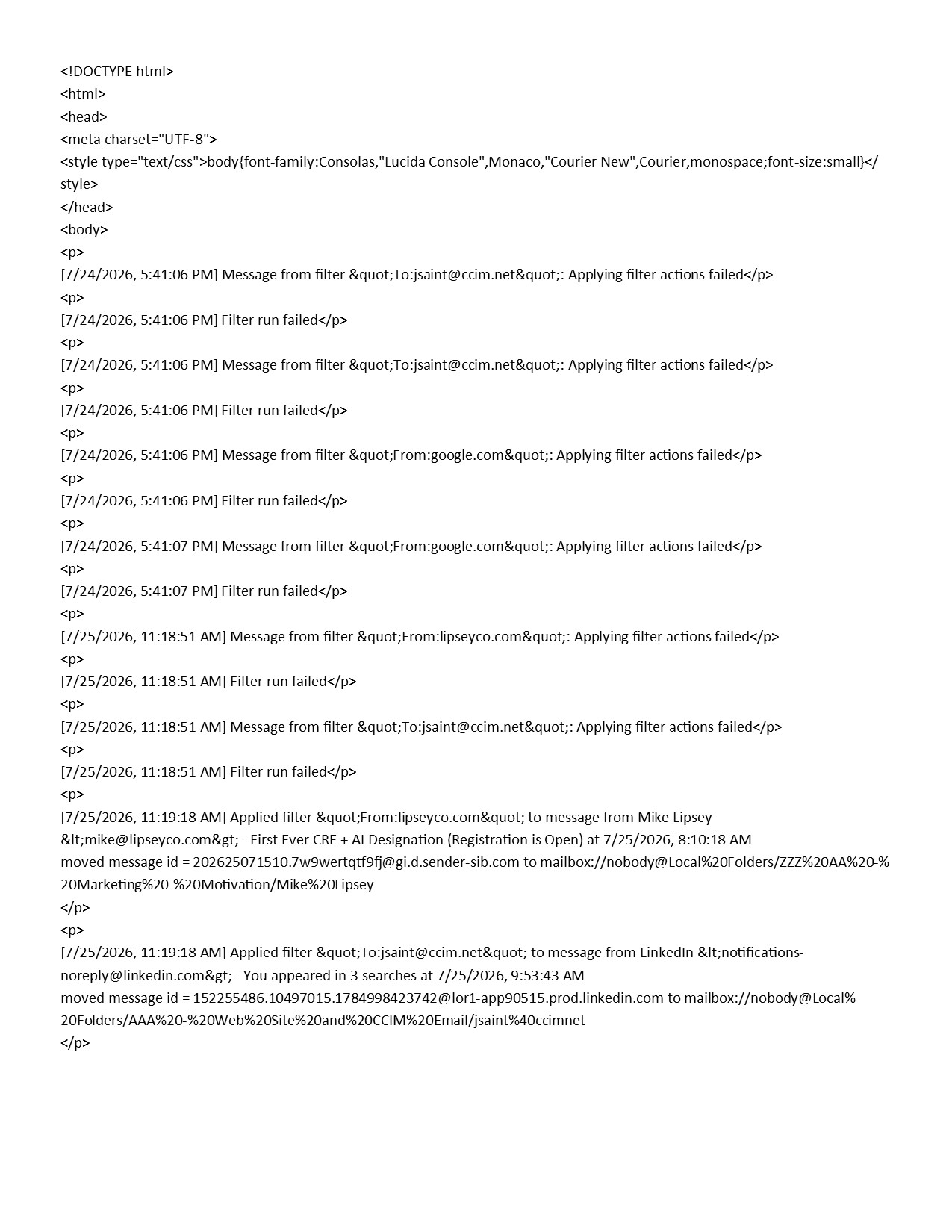
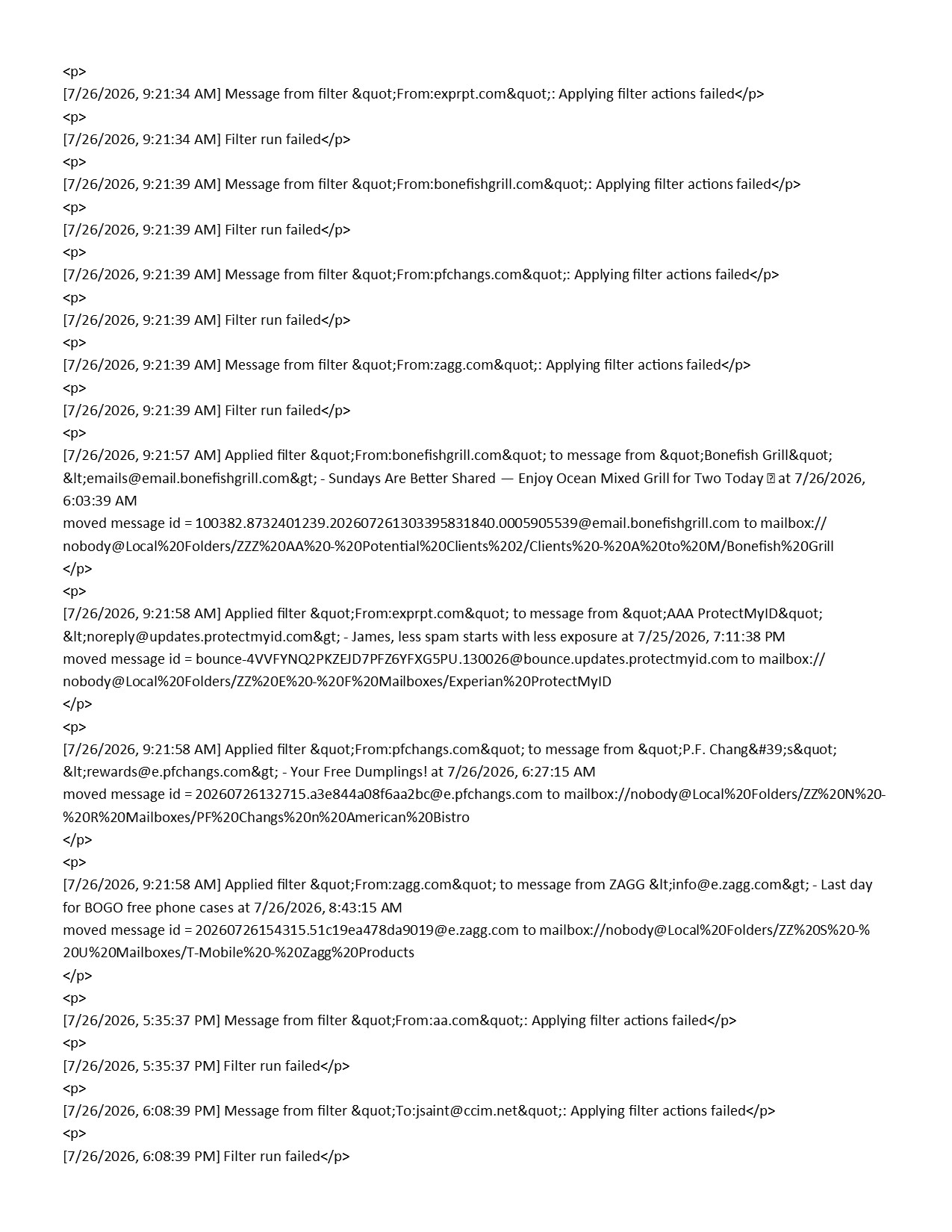
I am also enclosing TB Error1 & 2 that show the last couple of days message filtering errors.
I can find nothing wrong with how each of these filters are set up, yet they seem to consistently fail to operate when new emails arrive.
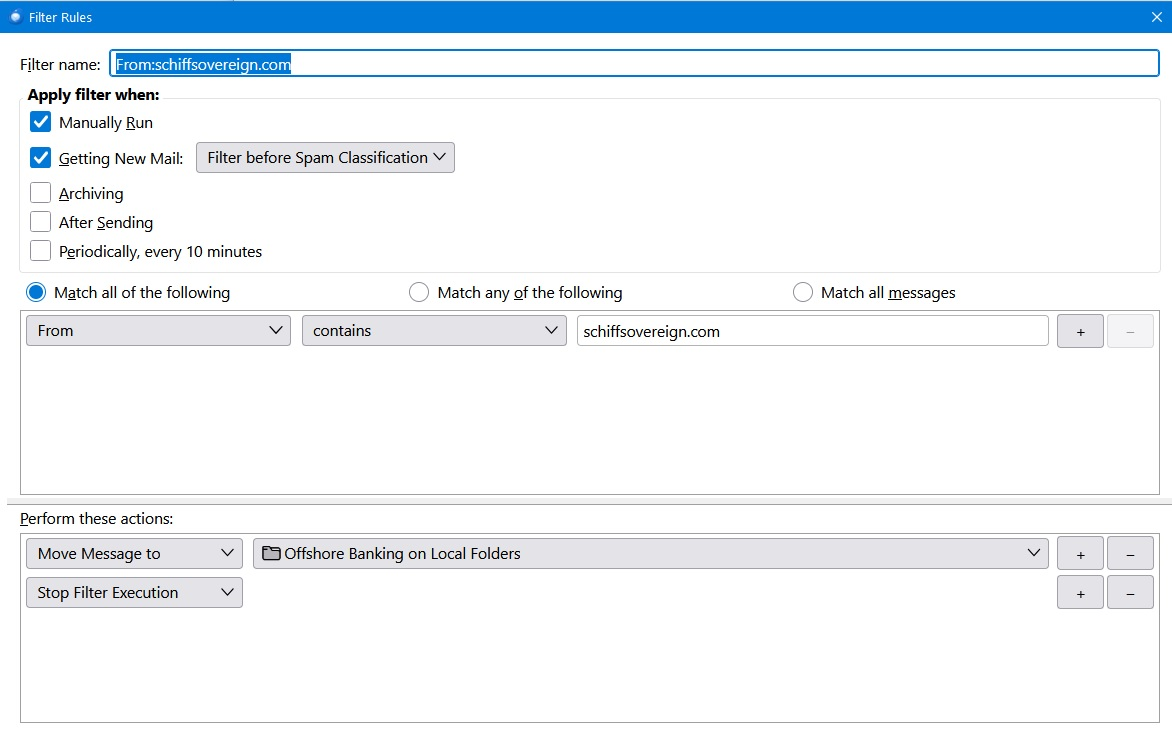
Note one of them is for incoming emails from ... schiffsovereign.com. I have edited this filter repeatedly, even deleted it and re-input the information. Yet the filter never takes hold and does what it is designed to do. I am enclosing a jpg of that specific filter as TB Error3
I am looking for suggestions on how to fix this problem.
Thank you and best wishes,
/s/ James T Saint, CCIM COO
ყველა პასუხი (3)
Were they working in v152 and now not working in v153? (your version number is missing from this report)
Reference https://support.mozilla.org/en-US/questions/1592046
They have not fully worked with any versions that I have installed. Current version is 153.0.
From what I have observed, the filters do not like multiple conditions and seem to work better as single items.
What is interesting is that that global filtering seems to process "some" of the filters but fails on certain specific ones. Then with those noon-filtered emails located in the INBOX, if you highlight the INBOX as a whole or one-by-one of the INBOX emails and then go to Tools>Run Filters on Message ... then the filters will work for those indicated emails.
If the Run Filters on Message works individually, why won't it work when the message initially arrives?
Makes no sense to me.
Below is some of the last few days errors messages in the "filterlog.html"
<meta charset="UTF-8">
[7/30/2026, 8:44:03 AM] Message from filter "From:nsbank.com": Applying filter actions failed
[7/30/2026, 8:44:03 AM] Filter run failed
[7/30/2026, 8:44:04 AM] Message from filter "From:notifications-noreply@linkedin.com": Applying filter actions failed
[7/30/2026, 8:44:04 AM] Filter run failed
[7/30/2026, 8:44:04 AM] Message from filter "From:LinkedIn Updates": Applying filter actions failed
[7/30/2026, 8:44:04 AM] Filter run failed
[7/30/2026, 8:44:05 AM] Message from filter "From:notifications-noreply@linkedin.com": Applying filter actions failed
[7/30/2026, 8:44:05 AM] Filter run failed
[7/30/2026, 8:44:05 AM] Message from filter "From:capitalone.com": Applying filter actions failed
[7/30/2026, 8:44:05 AM] Filter run failed
[7/30/2026, 8:44:06 AM] Message from filter "From:schiffsovereign.com": Applying filter actions failed
[7/30/2026, 8:44:06 AM] Filter run failed
[7/30/2026, 10:38:03 AM] Message from filter "From:distressedpro.com": Applying filter actions failed
[7/30/2026, 10:38:03 AM] Filter run failed
[7/30/2026, 4:44:51 PM] Message from filter "From:hertz.com": Applying filter actions failed
[7/30/2026, 4:44:51 PM] Filter run failed
[7/31/2026, 8:19:38 AM] Message from filter "From:notifications-noreply@linkedin.com": Applying filter actions failed
[7/31/2026, 8:19:38 AM] Filter run failed
[7/31/2026, 8:19:39 AM] Message from filter "From:LinkedIn Updates": Applying filter actions failed
[7/31/2026, 8:19:39 AM] Filter run failed
[7/31/2026, 8:19:40 AM] Message from filter "To:jsaint@ccim.net": Applying filter actions failed
[7/31/2026, 8:19:40 AM] Filter run failed
Try changing the execution to after classification.
Also relevant is antivirus activity. Do you have scanning active in the Thunderbird profile folder? I have found it delay things enough often to mess with filter execution.
Is the account IMAP always have after classification for filter execution as IMAP filters execute a little early most of the time for the message body to be present and loaded.
For the moment disable automatic compaction in settings, or set it to a very very large number for space recovered. That will eliminate it as a possibility.