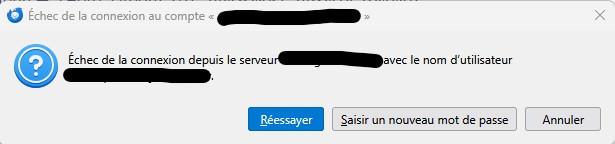
With TB 148+, authentication loop with an EWS account

Thunderbird 148+ on Windows 11 repeatedly prompts for the password when synchronizing an Exchange account (professional) configured with the native Exchange support (no add-on installed).
The account only offers “NTLM” or “Normal password” authentication methods. OAuth2 is not available in the account settings.
During synchronization, Thunderbird asks for the password separately for many folders. However, clicking “Retry” usually works immediately without changing the password, and manually re-entering the same password also works.
The issue then reappears for the next folder, causing continuous authentication prompts (I have many folders...).
Actions already tested:
- deleting saved passwords and tokens,
- deleting/renaming key4.db and logins.json,
- restarting Thunderbird,
- recreating the account.
The problem persists.
This looks like an authentication/session handling issue rather than an actual invalid password.