


Can't log in to Google in Firefox using passkey

I've created a passkey for logging in to Google.
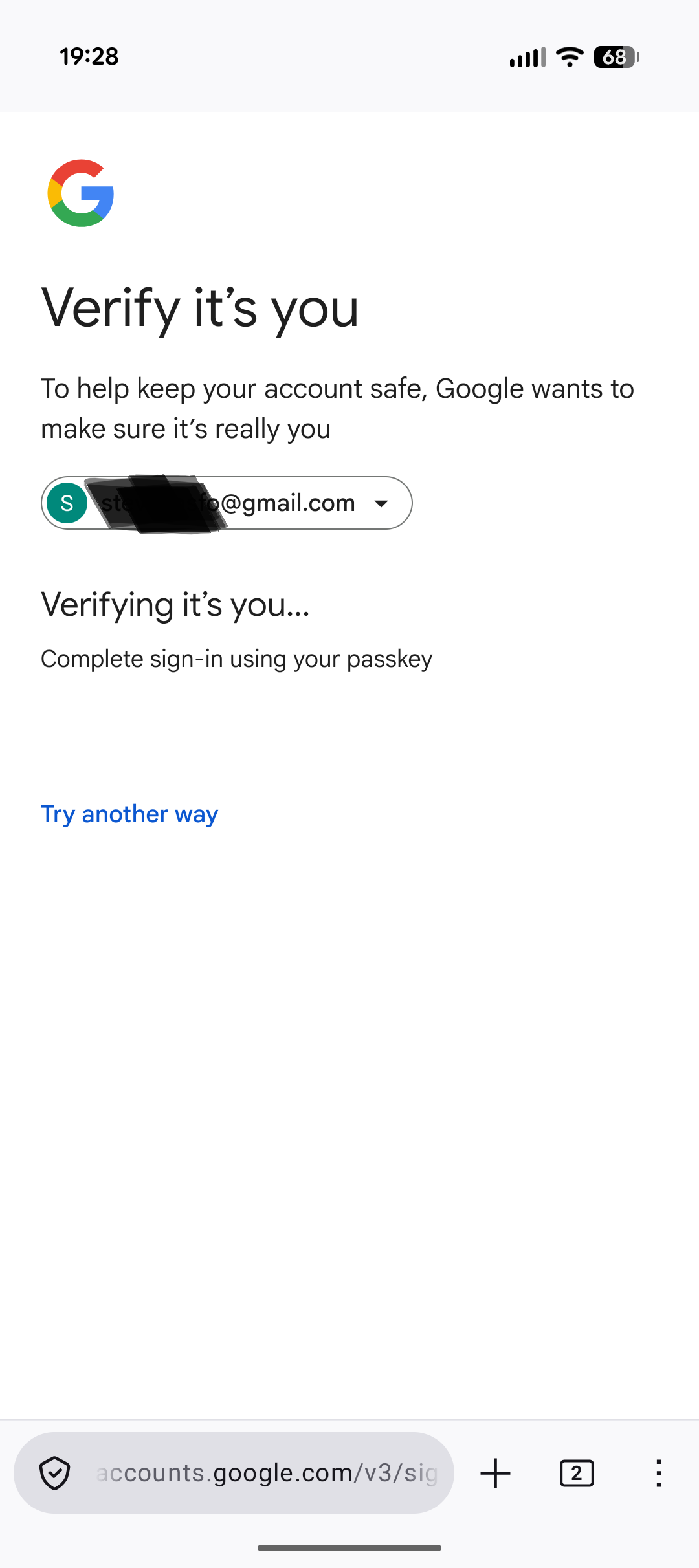
When trying to log in to Google within Firefox on my Pixel 9 phone, I'm automatically taken to the page where I should be prompted to enter my passkey, but no prompt actually appears, so there's no way for me to actually enter my passkey. (See attached screenshot.)
To be clear, I can still tap "Try another way" and log in using other methods, such as via an approval prompt sent to my other devices.
This problem does not happen on my Samsung tablet. When I try to log in to Google within Firefox on my tablet, I'm given the choice to log in via various methods, and if I choose to use a passkey, I *am* given a prompt to enter my passkey.
Any idea what the problem could be?
ყველა პასუხი (3)
I just tried accessing three other websites where I've created an Android passkey: Amazon, Target, Wells Fargo, and I'm unable to use a passkey on any of them within Firefox. So seems like it's a systematic problem?
Edit: However, the passkeys *do* work in the Firefox browser on my Samsung tablet. I'm stumped.
Edit: It's only in the Firefox browser that the passkeys don't work. They work normally on my Edge browser.
ჩასწორების თარიღი: , ავტორი: forestation
The QA team initially attempted to reproduce the issue on a device running the February build of Android 16, but were unable to reproduce it.
After updating to the latest March Android 16 build, the issue was successfully reproduced on Firefox 148.0.1 on Google Pixel 9 Pro and Google Pixel 10 Pro devices. Confirming that the login fails on both google.com and https://www.passkeys.io/
It is worth mentioning that the issue was not reproduced on the Google Pixel 10 with the latest Android version, suggesting that only the Pro models may be affected.
We're going to fix it in the next update.
Thank you for confirming the issue.
I have a Pixel 9 non-Pro and can't use passkeys in Firefox, so the 9 series don't seem to behave the same as the 10 series. It's definitely device dependent though, which is surprising.