How Can I Get Thunderbird to Wrap Lines in Messages I'm Reading?

So many emails require me to scroll to the right to finish reading one line, back to the left for the next, etc. They hurt my head, they take fireever to read, and they hurt my right arm too. Thunderbird used to have an option to wrap messages, but it looks like it was deleted.
I tried adding the following tom my user css:
- messagepane {
   margin-left: 45pt !important;
   max-width: 900px !important;
   margin-right: 45pt !important;
}
The margin-left works. It gives a spacer between the message pane and the folder list.
The max-width and margin-right don't work. The messages still require horizontal scrolling, and the scrollbar shifts left, right up against the text, so it doesn't give the needed spacer.
I use the spacers to avoid the parallax-induced migraines.
ჩასწორების თარიღი: , ავტორი: MarjaE
ყველა პასუხი (13)
At 100%, that doesn't work in either plain text or html view.
At 50%, that makes every thing *except* the text half as wide, so Thunderbird only takes half the screen.
Is this all incoming mail or only incoming mail from certain senders? I know those that use idevices to send mail often inadvertently have the ability to wrap disabled. That is an apple issue.
Others place content in tables and then force a cell width regardless of the actual space available. This forces a view port type situation where the text is displayed requiring left right scrolling. Again it is a sender issue.
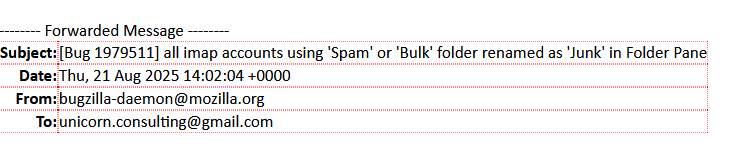
In an attempt to narrow your cause. Click forward on the email. Is there a red border arount the elongated text indicating the use of a table as show below.
The vertical scrollbar positioning fails *everywhere*.
The wrap fails in some messages; I think it might depend on the sender; it also breaks with long links without dashes/hyphens in them.

Try these one at a time in userContent.css:
- {
word-wrap: break-word; !important;
}
pre {
white-space: pre-wrap !important;
}
pre {
   white-space: pre-wrap !important;
   word-break: keep-all !important;
}
pre {
white-space: normal !important;
}
pre {
overflow: auto !important;
}
I tried all of those.
The 1st option seems to fix text-wrapping, but it leaves the horizontal scrollbar, and depending on yor scrolling tools, the tendency to drift while scrolling.
ჩასწორების თარიღი: , ავტორი: MarjaE
I also commented on this bug, which may be more relevant: https://bugzilla.mozilla.org/show_bug.cgi?id=1956977
MarjaE said
I also commented on this bug, which may be more relevant: https://bugzilla.mozilla.org/show_bug.cgi?id=1956977
OK, thanks. As the reporter hasn't replied to the request for a sample message as .eml, maybe you could help out there.