


Missing “Open in Conversation” option

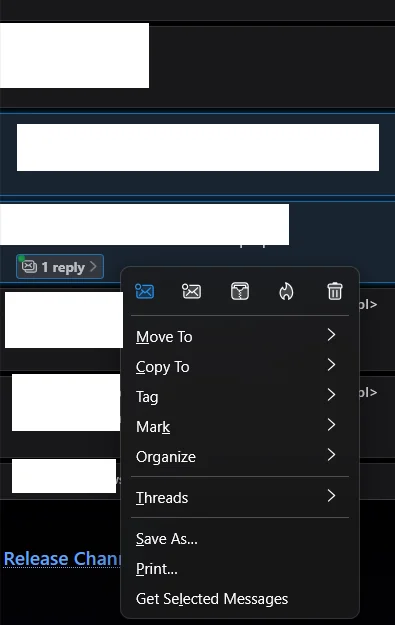
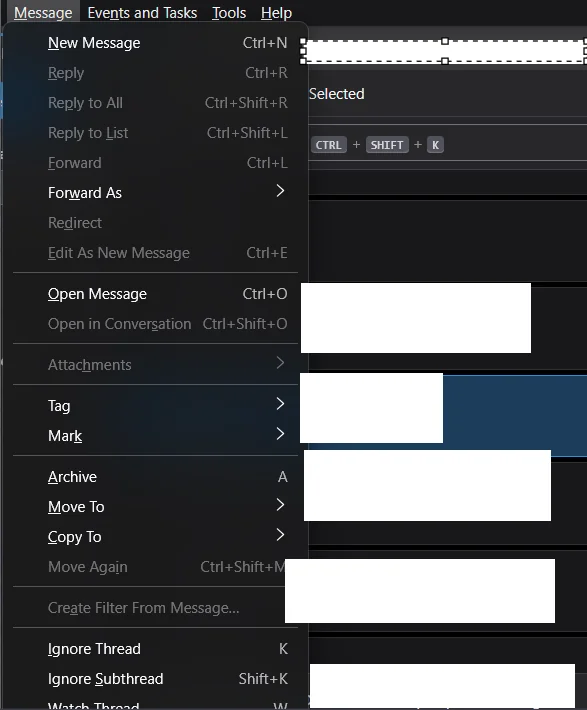
I don’t see the “Open in Conversation” option when I right-click a message. It simply doesn’t appear. Also in the Message menu on the toolbar, the “Open in Conversation” is missing too.
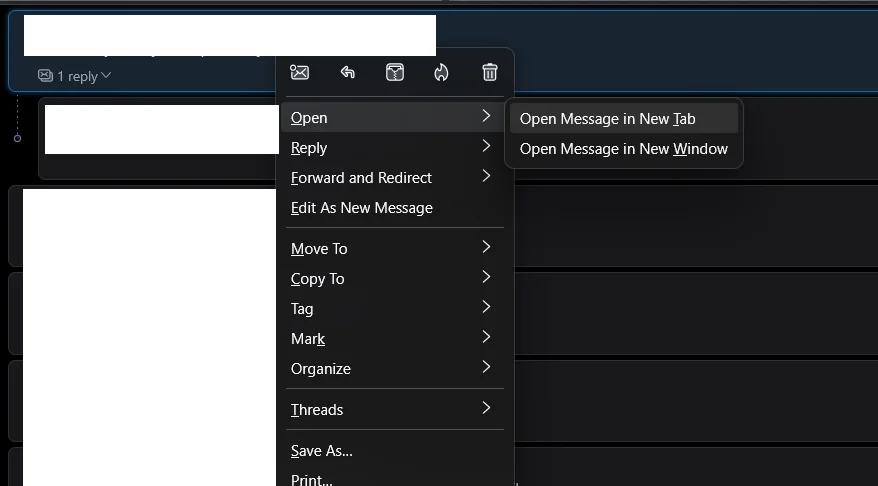
Interestingly, if I click on something like “1 reply” to expand the thread, then right-click one of the messages inside, I do get options like “Open Message in New Tab” or “Open Message in New Window” but still no “Open in Conversation”
I’m using Thunderbird version 140.0.1 on Windows 11
Thanks
ყველა პასუხი (8)
When you rightclick and select 'open', a menu should appear with the conversation option
david powiedział
When you rightclick and select 'open', a menu should appear with the conversation option
as you can see on the screenshots i dont have that option
I would try downloading and installing over the existing version. That looks like it may be a glitch.
Do you have Global Search enabled in Settings/General? It's necessary for Open Message in Conversation.
sfhowes powiedział
Do you have Global Search enabled in Settings/General? It's necessary for Open Message in Conversation.
yes of course
david powiedział
I would try downloading and installing over the existing version. That looks like it may be a glitch.
Did that 2 times
Test for a broken layout by running in safe mode (hold Shift when launching TB).
sfhowes powiedział
Test for a broken layout by running in safe mode (hold Shift when launching TB).
it did not help