


Specific CSS rule in my userChrome.css doesn't work.

Hi thanks for clicking.
I'm on Linux, Zorin OS, which is Ubuntu based if I'm not mistaken, very new to Linux.
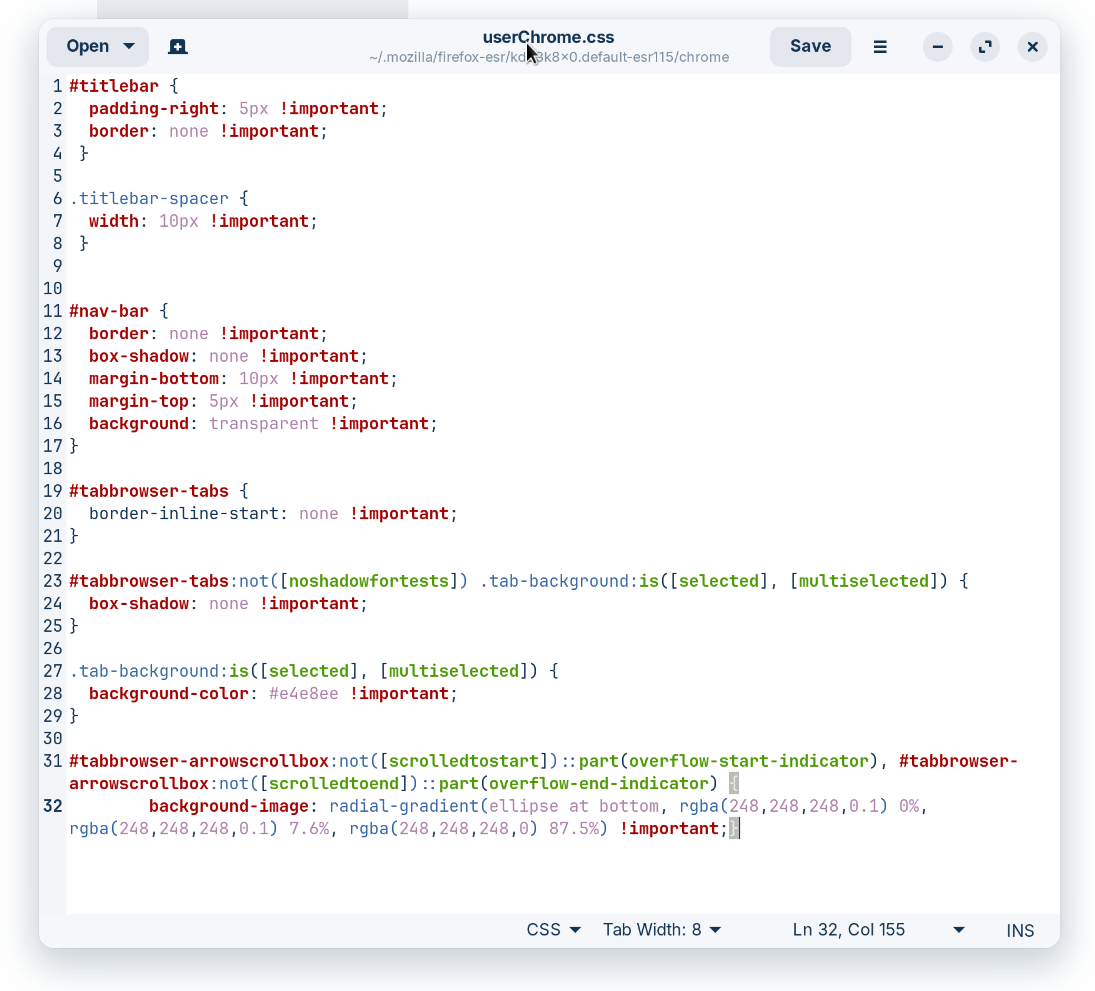
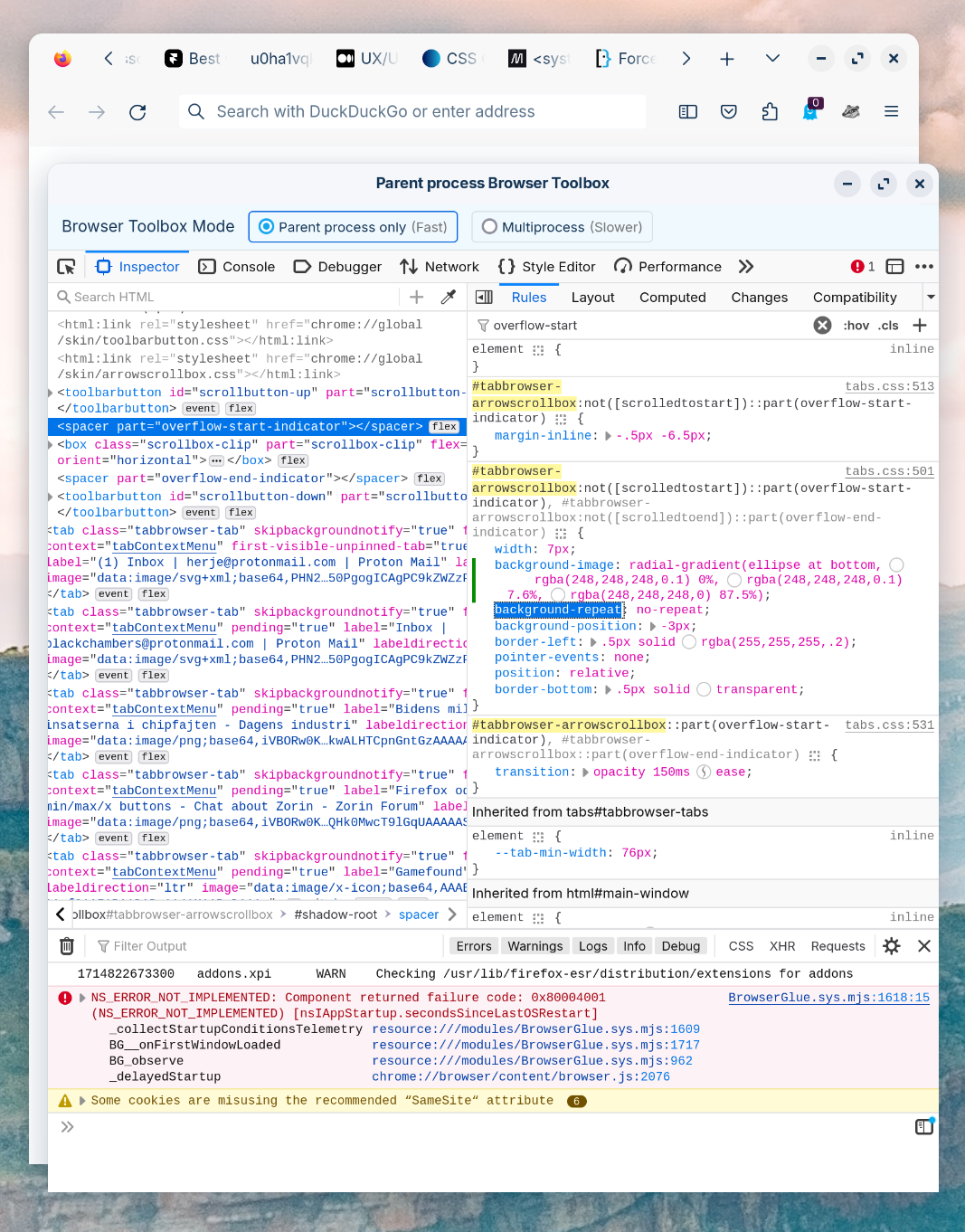
Anyway, I've made a userChrome.css and done some changes I like to Firefox. It has been working fine until I tried to change the tab bar's overflow shadows when there are more tabs than there is space in the bar.
The rest of the css edits I've made in userChrome.css works fine but this overflow shadow reference Firefox just doesn't grab. I can live edit with the Toolbox and then it works fine, but when opening Firefox as default this css definition is as if gone.
Image 1: after live edit with Toolbox Image 2: before live edit with Toolbox Image 3: my userChrome.css
What can I do to fix this?
Thanks / p

ყველა პასუხი (2)
The images got swapped, they're in the wrong order now but you get what's going on.
You can't cross Shadow DOM with code in userChrome.css, so ::part won't work. You can specify a CSS variable in the first part and use that variable in the shadow DOM ::part.
I think that code like this will work:
#tabbrowser-arrowscrollbox:not([scrolledtostart]),
#tabbrowser-arrowscrollbox:not([scrolledtoend]) {
 --part-overflow-start-indicator: radial-gradient(...);
}
spacer[part="overflow-start-indicator"],
spacer[part="overflow-end-indicator"] {
  background-image: var(--part-overflow-start-indicator) 1mportant;
}