


password manager with Web Component

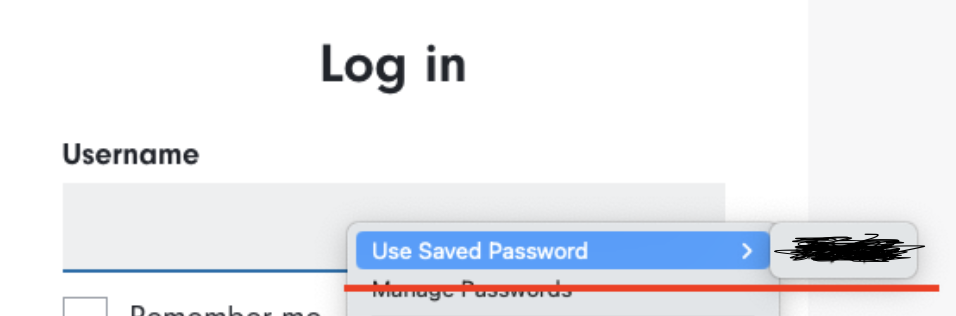
seems Firefox password manager is not compatible with Web Component very well. it will not prompt options from password manager on username field(Web Component) automatically. While I can enable it from right click and select "Use Saved Password" context.
is there way to trigger password manager show up the options when user click into the field automatically?
ყველა პასუხი (2)
You can check this login field in the Inspector to see if there unusual attributes present like the autocomplete attribute.
cor-el said
You can check this login field in the Inspector to see if there unusual attributes present like the autocomplete attribute.
yes, we have autocomplete attribute there (autocomplete="username"). But I think the issue is related to the shadow root of Web Component, cos if I use the native input, the password can be triggered automatically.
ჩასწორების თარიღი: , ავტორი: jon.qiao