


Find events pane disappeared

Hello,
In the Agenda view, I once made the "Find events" pane (shown in the answer to this question) disappear by reducing its size down to zero. Now I can't bring it back on. I love my big full-screen calendar, but this pane was still nice to have sometimes! I guess a toggle to display this pane should be accessible in the menu (e.g. View -> Agenda -> Agenda panes -> Find events).
Thanks for the good work. I love the new 102 version!
ჩასწორების თარიღი: , ავტორი: ADRN
გადაწყვეტა შერჩეულია
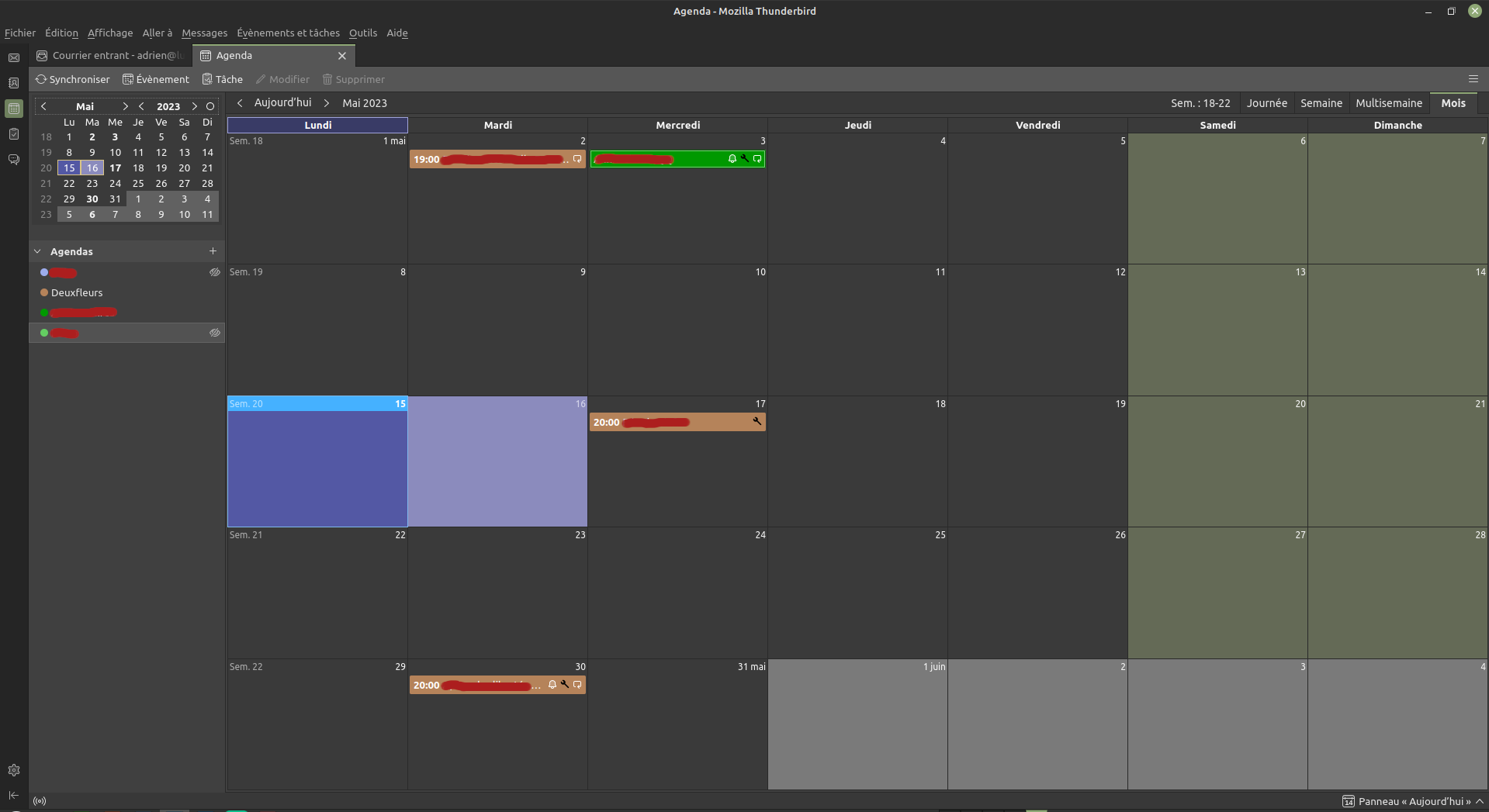
Click Evenements et taches in your picture, then select 'Find events', or the French equivalent (trouver des événements?).
პასუხის ნახვა სრულად 👍 1ყველა პასუხი (4)
Hi adrien+mozilla
Could you please post a screenshot?
Cheers!
...Roland
Attached is my calendar tab. Gloriously full-size! Compare it to the screenshot in Thunderbird Website. I lost the "Find Events" list on top, and I have no way to bring it back from the top menu: it's not listed in View -> Agenda, as described by sfhowed in this post.
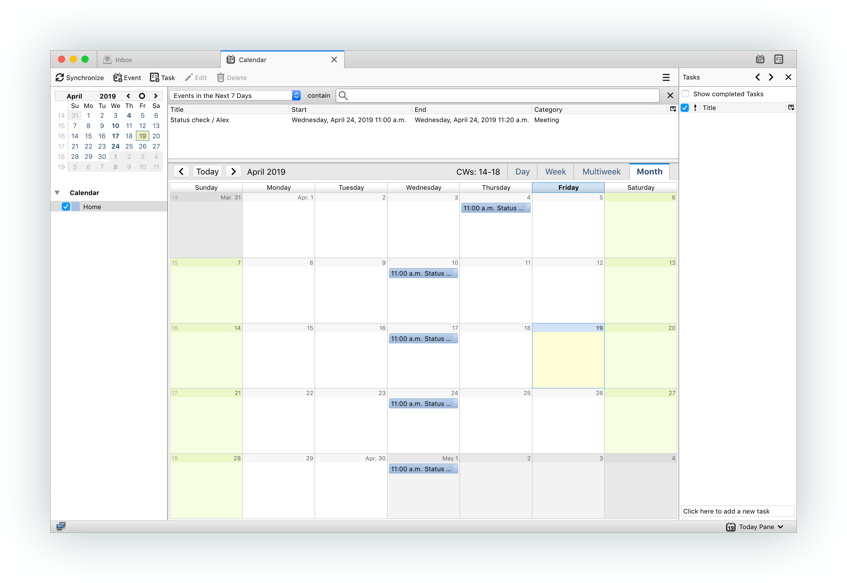
PS : Sorry for the above dead link...I messed up with the link creation pop-up. It's fixed. PPS: Linux version 102.10.0
ჩასწორების თარიღი: , ავტორი: ADRN
შერჩეული გადაწყვეტა
Click Evenements et taches in your picture, then select 'Find events', or the French equivalent (trouver des événements?).
Yes indeed! It was "Rechercher des événements".
Thanks for your help, and sorry for the inconvenience.