


DailyMail.Co.Uk And Autoplay: Issue Resolved

Maybe someone knows the answer to the following:
When I visit Dailymail.co.uk, it shows a video clip (there is a link in the video box to play the 'full video') but there is no audio:
https://www.dailymail.co.uk/news/article-11174031/Meghan-Markles-Archetypes-knocked-No-1-spot-Spotifys-podcast-rankings.html (3/4 down the page-It is a Meghan Markle video).
I am using Firefox and I went to the Autoplay option and selected 'Block Audio And Video.'
1. Is the clip 'still playing' because it is not 'technically' a full video or am I missing a detail?
Answer:
2. On Facebook, the 'GIF Videos' play automatically until I click the video (in order to stop it)-Why is that?
Answer:
ჩასწორების თარიღი: , ავტორი: Buddy2014
ყველა პასუხი (5)
The video doesn't autoplay for me and when I play it there is sound. Let me boot to Win 7 and test.
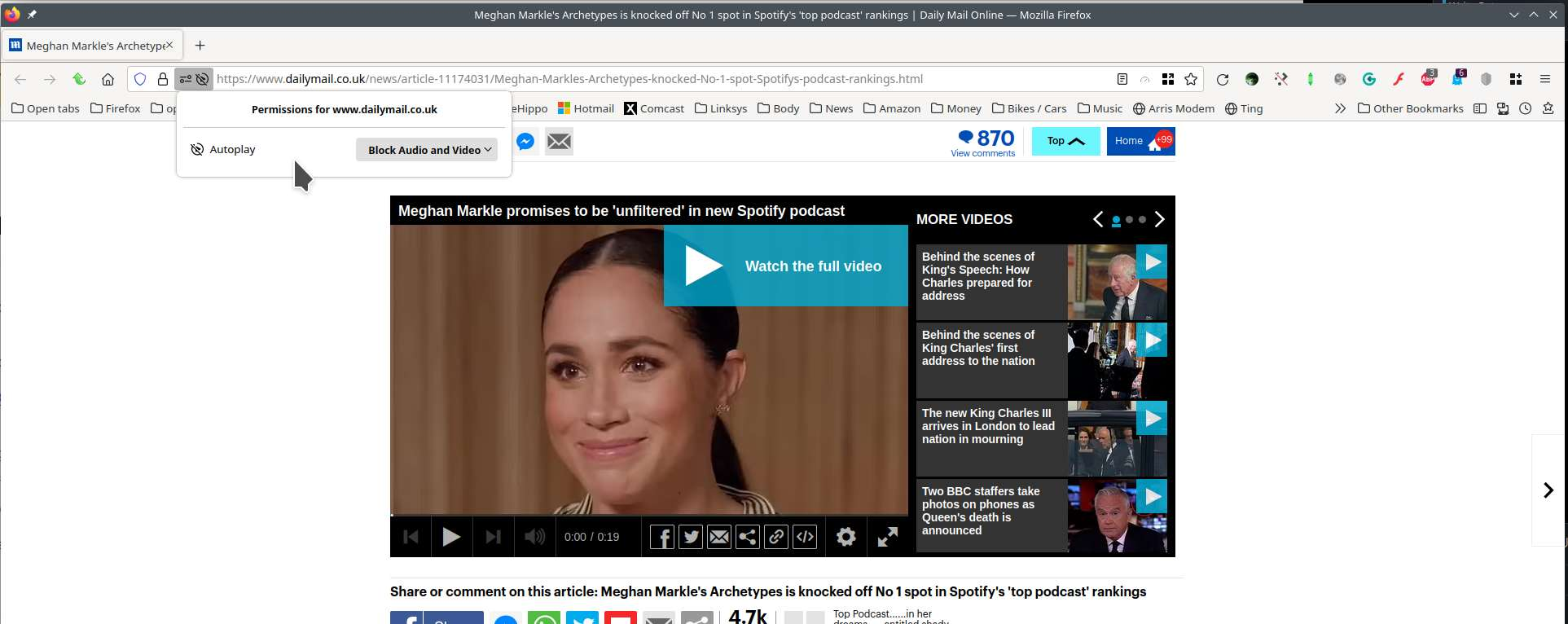
Same in Win7. I just see the gif of the video showing a few seconds and then repeating, but the video does not auto play.

You can look at these prefs on the about:config page to see what settings work for you to block autoplay.
- media.autoplay.default = 5 [0:allow;1:blockAudible;5:blockAll]
- media.autoplay.blocking_policy = 2
- media.autoplay.allow-extension-background-pages = false
- media.autoplay.block-event.enabled = true
- media.block-autoplay-until-in-foreground
You can open the about:config page via the location/address bar. You can accept the warning and click "I accept the risk!" to continue.
Thanks!
Hello,
I am glad to hear that your problem has been resolved. If you haven't already, please select the answer that solves the problem. This will help other users with similar problems find the solution.
Thank you for contacting Mozilla Support.