


Sending links and tabs to phone from PC

I can't find links and tabs which I send from my PC's Firefox to android's Firefox. I have two devices synced. One is my PC another is my android. So, where do those sent tabs and links appear on the phone? I checked the tabs but didn't find any sent tabs or links.
ყველა პასუხი (3)

Hi alireza781992,
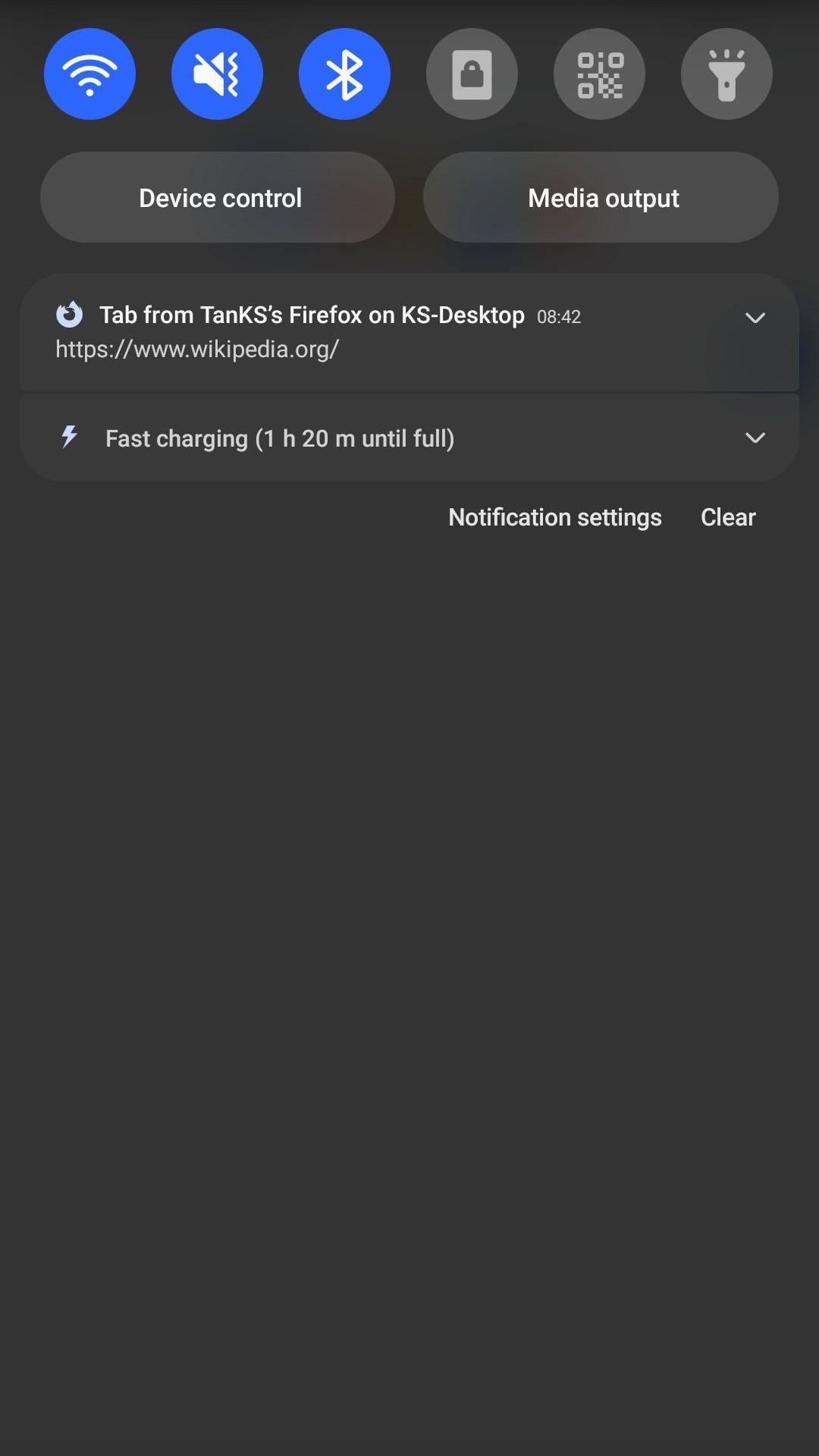
After you have send a tab to another device, a notification should pop up on said device and said that there is a tab from your first device as you can see from the attached image. Click on the notification will automatically open the tab in your device default browser app.
TanKS said
Hi alireza781992, After you have send a tab to another device, a notification should pop up on said device and said that there is a tab from your first device as you can see from the attached image. Click on the notification will automatically open the tab in your device default browser app.
Unfortunately, I'm not finding those notifications on my phone. I enabled all kinds of notifications for Firefox.
Have you make sure that both device have the same Firefox account and sync is enable?